
Participant
September 28, 2021
Question

Inconsistent dark mode on Adobe Acrobat DC Pro

  • September 28, 2021
  • 1 reply
  • 1172 views

This is how the document looks normally without replacing document colors in Preferences:
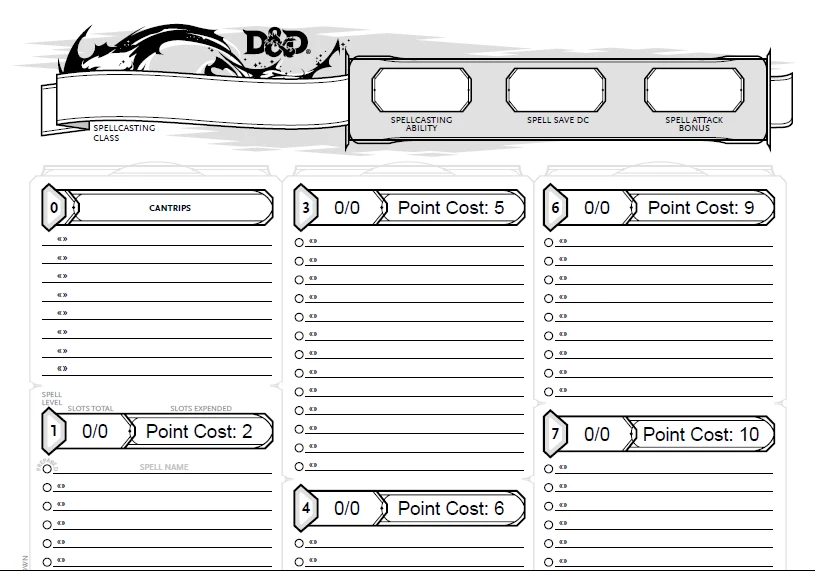
 

This is how the document looks when I turn on theese settings in Preferences:

How can I set the white areas that turned gray, to display as black?

This topic has been closed for replies.

1 reply

Amal.
Community Manager
Community Manager
September 28, 2021

Hi Erik


Hope you are doing well and sorry for the trouble. As described the dark mode is inconsistent in Adobe Acrobat Pro DC


Is this a behavior with a particular PDF file or with all the PDFs? Please try with a different PDF file and check. If its a file specific issue, please share the file with us for testing.


What is the version of the OS and Adobe Acrobat DC you are using? To check the version go to Help > About Acrobat and make sure you have the latest version 21.07.20091 installed. Go to Help > Check for Updates and reboot the computer once.


We are here for help, just need more information


Regards

Amal

Participant
September 28, 2021

I am running the latest version of Windows 10 (Education edition) & Adobe Acrobat DC Pro.


It happens on every the D&D 5E character sheet file.

Participant
September 28, 2021