

Question
Issue in Acrobat DC, Crop tool and Constrain proporation
Hi
i am working in Windows and latest Acrobat DC Version.
I have an issue in Crop set page Boxes tool with Constrain proportions setting.
In set page box window, if I select Apply to "CropBox" the dotted line of the selection area show correctly entire crop mark.
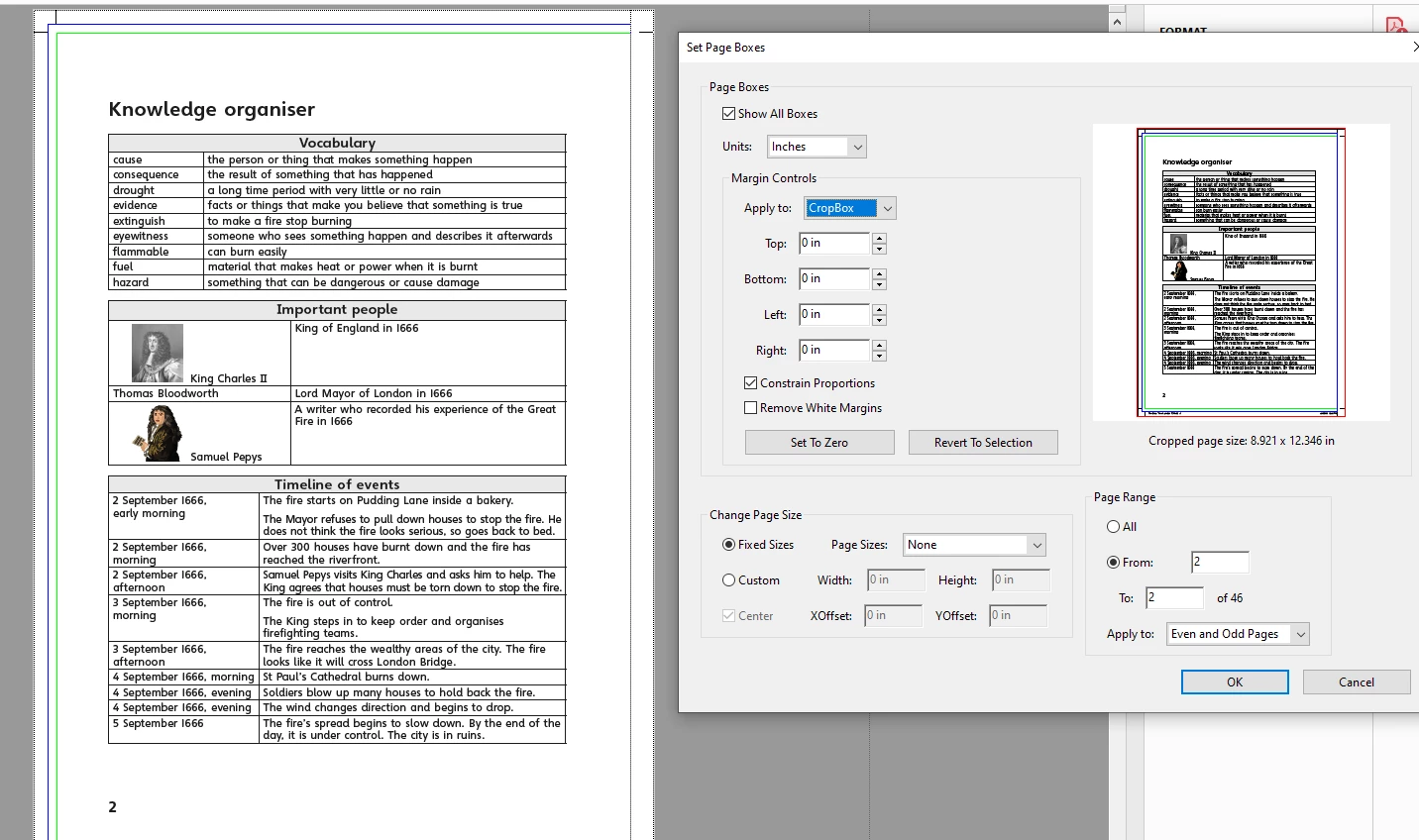
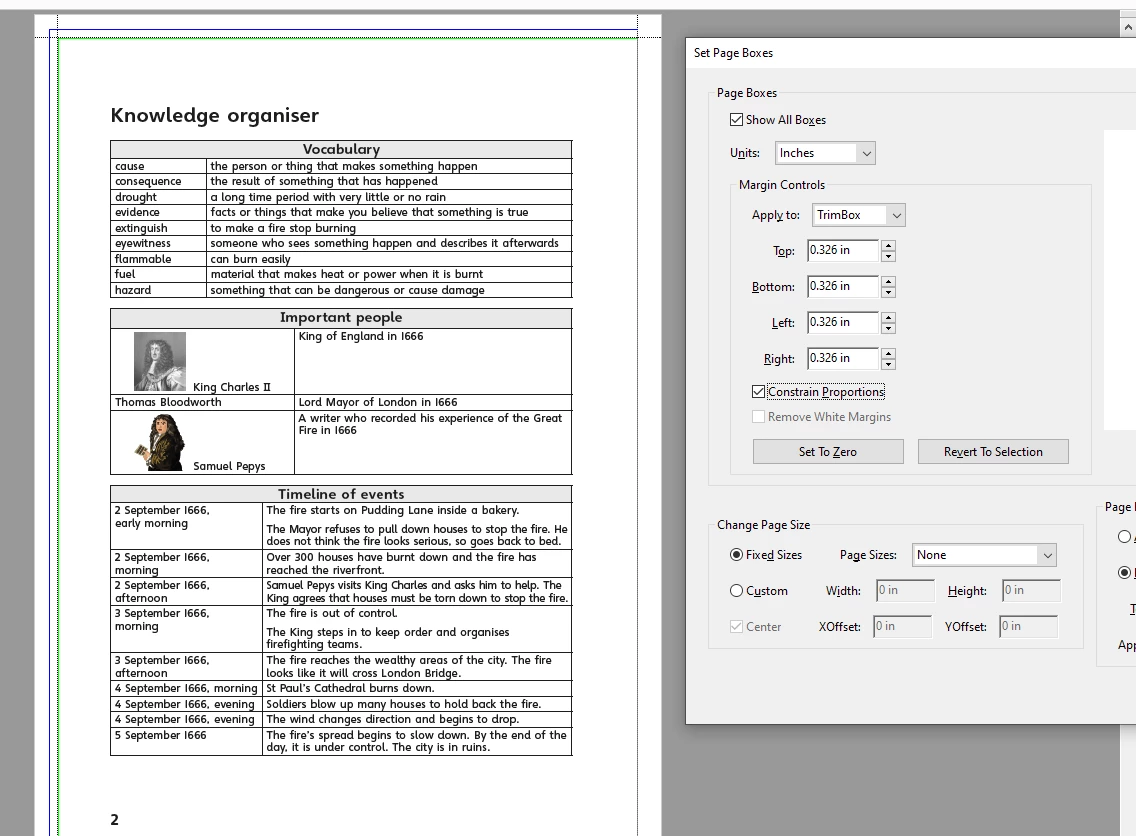
Like wise If I select Apply to as Trim mark that dotted line selection area was not shown in Trim box. Then if I enable the contrain proprtions check box 2 times it show the dotted line in Trim area. Now in the below screen shot you can see the dotted line in Trim area. This output result is show correctly one when we enable the "Constrain proportions".
But my questions is why Trim mark work on the basis of Constrain proportions
Thanks
Ganesh.R


 AdChoices