
Copy link to clipboard
Copied
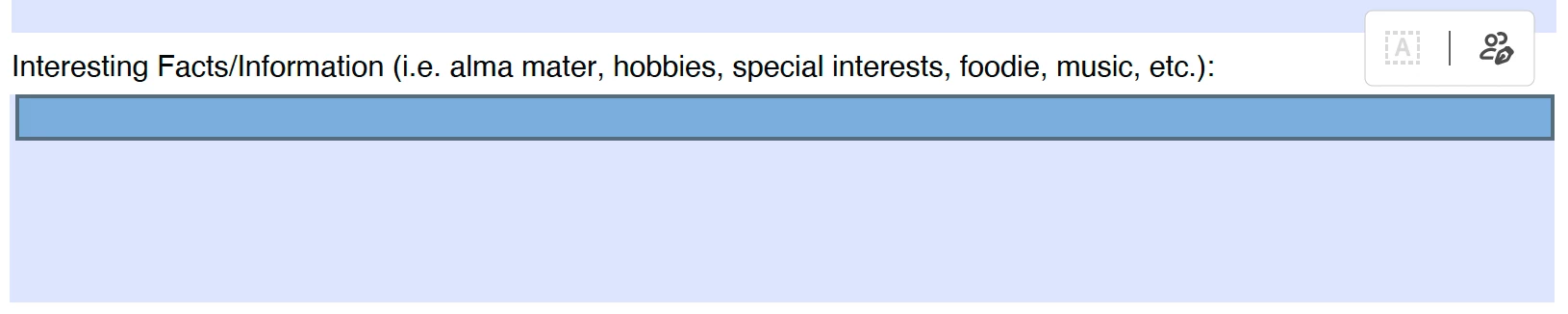
Please see image below. No clue what is going on. The text box is showing another text box and I am unable to enter any text. I make fillable PDF forms a all the time and have never had this issue. Didn't show up when working on or previewing. Any help is appreciated!
Copy link to clipboard
Copied
The issue has been resolved. Please reboot the machine and then relaunch Acrobat.
Then, wait for some time and try to fill out the forms again.
Copy link to clipboard
Copied
Hello Kynect@ShadyCanyonGolfClub,
It seems like you’re encountering an issue with text boxes in Adobe Acrobat where a text box is displaying incorrectly and not allowing text entry. This can be frustrating, especially if you’re used to creating fillable PDF forms without any problems.
Ensure that your Adobe Acrobat is up-to-date. Adobe frequently releases updates that fix known issues.
Sometimes, the problem could be due to corrupt or missing system fonts. Acrobat uses system fonts to display text in dialog boxes. Make sure the Segoe family of fonts is installed, especially the Segoe UI font.
Corrupted preferences can cause unexpected behavior in Acrobat. Try resetting Acrobat’s preferences to the default settings.
If the issue persists, consider uninstalling and then reinstalling Adobe Acrobat.
If these steps don’t resolve the issue, you might want to visit the Adobe Community forums or contact Adobe Support for further assistance. There, you can find discussions about similar issues and potential solutions shared by other users and Adobe staff.
Best Regards,
Kynect
Copy link to clipboard
Copied
The issue has been resolved. Please reboot the machine and then relaunch Acrobat.
Then, wait for some time and try to fill out the forms again.
Get ready! An upgraded Adobe Community experience is coming in January.
Learn more