
Issues with garbled text.
We have some issues with text being garbled on some of our invoices.
There's no issue if I used edge as a reader. I've tried doing the local fonts check/uncheck. I also inspected the documents and I can't find any weird fonts. Still, we have a few users who get issues opening these files.
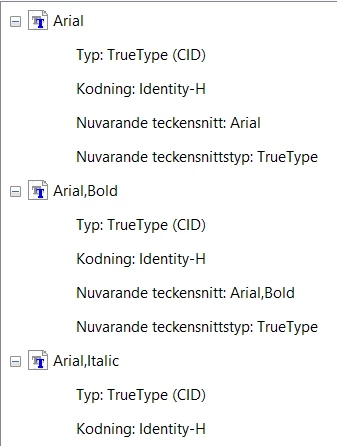
on their computers, it creates .tmp fonts and I have no idea why at this point since the fonts are installed in windows. For me, it works perfectly and I haven't done any modifications to my adobe (Cause I usually use Edge as my pdf viewer).
I kicked up a pro license to see if I could find anything wrong with the documents that I couldn't with the limitations of the standard version. It looks like a Font issue cause the users sometimes get garbled text and sometimes some kind of emoji font.
To fix the invoices right now im resaving them with Microsoft print to pdf after opening them with Edge and it works for the users. Embedded fonts would be great but since it's another company that makes the files, i would prefer making a fix on our end.
Any idea how to fix this issue? Or is my adobe already converting the original font to one that i have and tricking me that its using a standard font instead of the original sent from the supplier?.
Oh and i have the latest update just checked and installed pro literally 2 hours ago.
 AdChoices