
Participant
May 23, 2018
Answered

JPG and TIFF image distorts when i try to convert to PDF

  • May 23, 2018
  • 3 replies
  • 6681 views

I have been racking my head over this all day. When i try to convert these images to PDF they go distorted like crazy.

link to the original images.

adobe acrobat - Google Drive 


i also found out that if i convert the image to a BMP the problem goes away, but i cant figure out why this particular image is so troublesome.


Here is an image of what happens when i try to convert them to PDF.
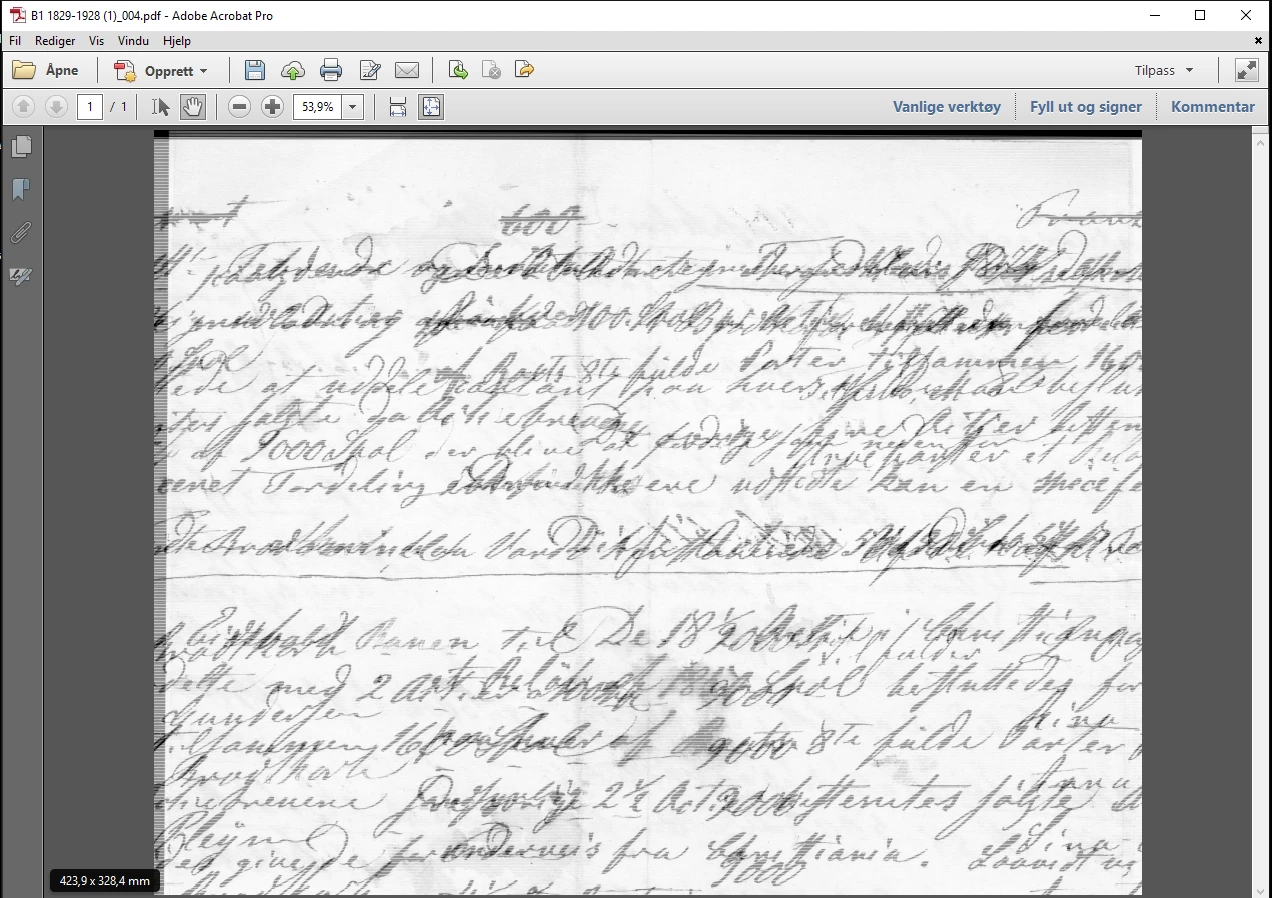
 

[moderator deleted external link for security reasons. Please attach the pictures.]

This topic has been closed for replies.
Correct answer Adorobat

Hi Tommyb,

Could you try disabling RGB policy by clicking Edit > Preferences > Convert to PDF > select JPEG > edit settings >

Under color managment > RGB > Off and check if that helps.

Thank You,

Shivam

3 replies

Participant
April 7, 2023

I am having image convert issues too, whenever I convert from excel to PDF, it changes the image ratio to be shorter. Let is correct image, right is the squished image.


Participant
November 11, 2024

I am experiencing the same issue. I need to combine Excel worksheets (which have already been converted to PDF) and jpgs (which are already A4 sized to be the same as my Excel) but each time I drag the jpgs into the area to get combined into PDF, their aspect ratio changes and they become "flattened" resulting in squished images like Angela's. Tried above solution (Edit >  Preferences > Convert to PDF > select JPEG > edit settings > Under color managment > RGB > Off ) but it did not help.

Abambo
Community Expert
Community Expert
November 11, 2024

Does that happen also, when you stand-alone convert the JPEG files?


@Angela29288297uou3's issue may be a different one, as she has an issue with an embedded image in Excel. 

ABAMBO | Hard- and Software Engineer | Photographer
Legend
May 23, 2018

What’s wrong with it exactly?

Adorobat
AdorobatCorrect answer
Participating Frequently
May 23, 2018

Hi Tommyb,

Could you try disabling RGB policy by clicking Edit > Preferences > Convert to PDF > select JPEG > edit settings >

Under color managment > RGB > Off and check if that helps.

Thank You,

Shivam

Participant
May 23, 2018

hi that actually worked thanks!!!
will this option actually have an affect on overall quality?

I have used a software solution to stitch together documents that where to big for the scanner, and it seems that is what added the RGB profile to this image.

My PDF documents is usually a combination of gray-scale and color images. I guess this image acted up because its a super rare case that i stitch together gray-scale images.