
Exit
  • Global community
    • Language:
      • Deutsch
      • English
      • Español
      • Français
      • Português
  • 日本語コミュニティ
  • 한국 커뮤니티
0

Keeping links as links when converting to pdf

Community Beginner ,
Feb 19, 2019 Feb 19, 2019

Hi everyone,

I have a folder with 3 links (3 full pages). I would like to keep these links as they are when I make a pdf of it. So when I change the original folders, they update in this document and other documents.
pdf LINKKAUS.jpg

Many thanks

Ville

TOPICS
General troubleshooting
845
Translate
Report
Community guidelines
Be kind and respectful, give credit to the original source of content, and search for duplicates before posting. Learn more
community guidelines
Community Beginner ,
Feb 20, 2019 Feb 20, 2019

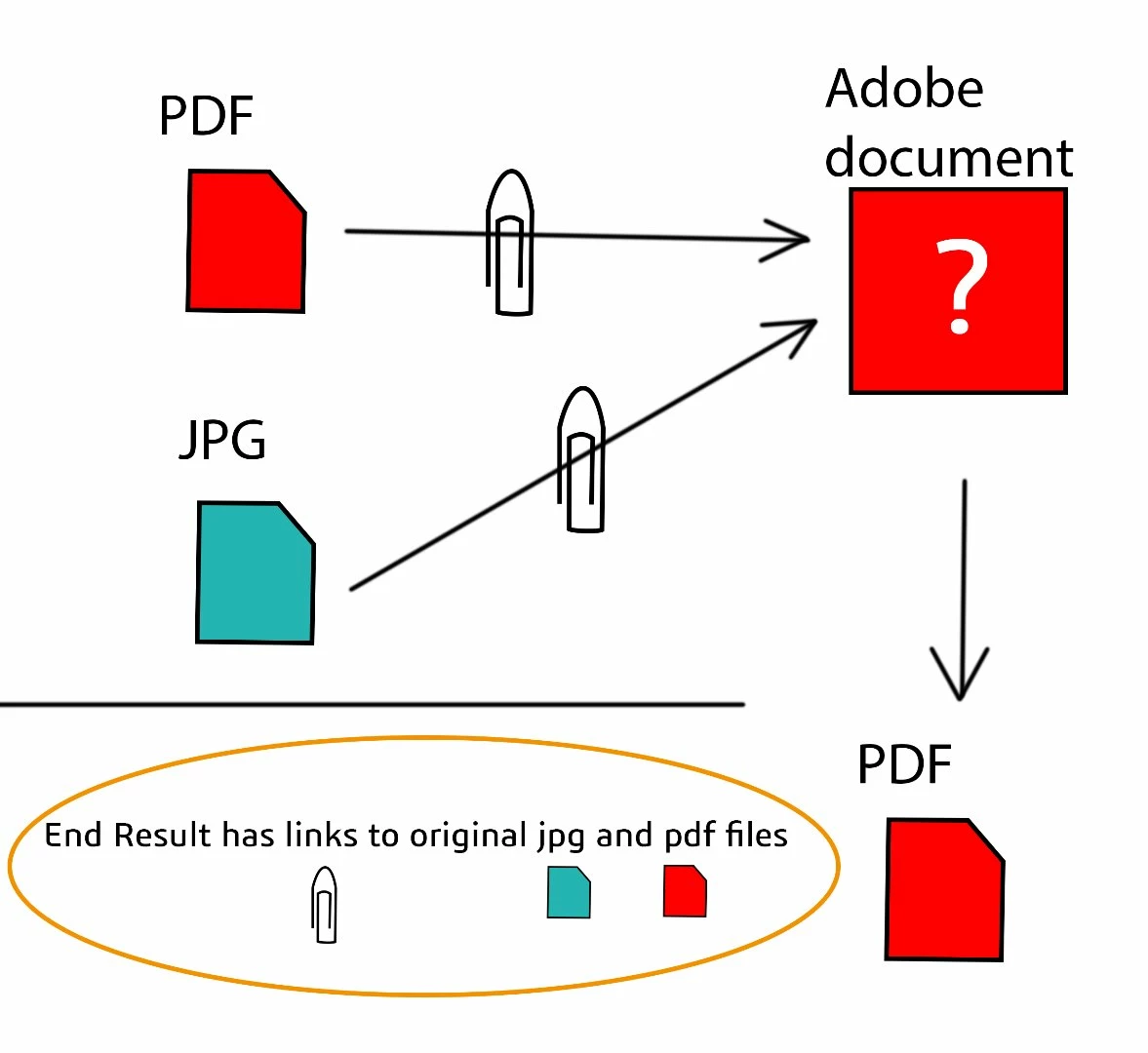
Here's the idea of links.

PDF-link.jpg

Final document should be possible to open with Acrobat Reader. And if these links inside it are pdf form it would be perfect.

Translate
Report
Community guidelines
Be kind and respectful, give credit to the original source of content, and search for duplicates before posting. Learn more
community guidelines
Community Expert ,
Feb 20, 2019 Feb 20, 2019

villek65629953  wrote

I have a folder with 3 links (3 full pages). I would like to keep these links as they are when I make a pdf of it. So when I change the original folders, they update in this document and other documents.

Hi,

The folder already has links? How were they made? In Acrobat or another package?

And what do you mean by “change the original folders”?

The paid version of Acrobat has a Links tool that can open another PDF or another file or a web page, but some of what you said is unclear.

Also, I’ll move this from Adobe Creative Cloud to Acrobat General Troubleshooting.

Jane

Translate
Report
Community guidelines
Be kind and respectful, give credit to the original source of content, and search for duplicates before posting. Learn more
community guidelines
Community Beginner ,
Feb 20, 2019 Feb 20, 2019

Hi Jane,

Yeah, right. Thank you. I have these three PDF-files. I just would like to create those two pages down right (inside green). Is it possible to make link like this?

PDF-link 2.jpg

So when I change Original one left, other one will update to look same. Example down I would just need to edit one PDF (blue color added).

PDF-link 3.jpg

Translate
Report
Community guidelines
Be kind and respectful, give credit to the original source of content, and search for duplicates before posting. Learn more
community guidelines
Community Expert ,
Feb 20, 2019 Feb 20, 2019

May be possible with a script. Read this:

Is there a way to link separate PDF's in one PDF document?

Translate
Report
Community guidelines
Be kind and respectful, give credit to the original source of content, and search for duplicates before posting. Learn more
community guidelines
Community Expert ,
Feb 20, 2019 Feb 20, 2019
LATEST

Acrobat on itself will have no possibility to check the links and modify when needed. You really need to custom program this and it will really be bound to that special case.

ABAMBO | Hard- and Software Engineer | Photographer
Translate
Report
Community guidelines
Be kind and respectful, give credit to the original source of content, and search for duplicates before posting. Learn more
community guidelines