
Participant
September 10, 2020
Answered

Limited options in the Acrobat ribbon in Word (Mac)

  • September 10, 2020
  • 1 reply
  • 3873 views

I use a Mac computer, and Windows 16, with acrobat pro. 

I have a friend also with mac that has more options than me in the acrobat section. I only have Create PDF and preferences. But I cannot open the preferences, just a popup asking med to use create pdf cloud service. I want to open preferences in Word to make sure tags are correctly transferred and also links. To ensure accessible result. 
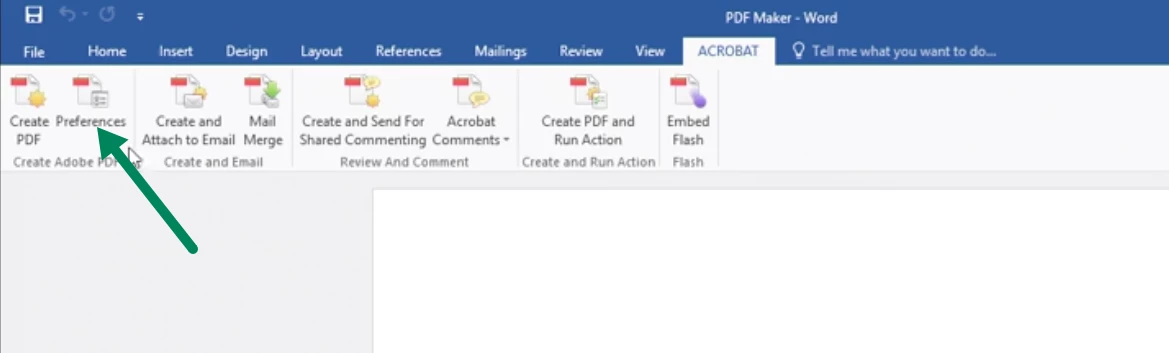
He has all of these: 
 

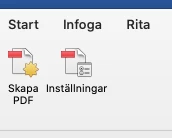
I have just these two, in Swedish, create and preferences:
How do I get all the options above and access preferences? 


Correct answer Dave Creamer of IDEAS

Hi Dave-


Thanks for your reply.


I can use the "Best for electronic distribution and accessibility (uses Microsoft online service)" to save the PDF to my computer. Will this preserve all of the accessibility options in the documents?  It didn't used to, but I also don't remember seeing anything about Microsoft online services when saving. We had to use the PDFMaker to keep the accessibilty that was done while creating the document. If this is the new normal, that's great!


Still not sure why it's telling me I have to have a valid subscription though if I try to create a PDF from a file in Adobe since I am signed in already. I can do it with the method above through the Microsoft program if I need to, but don't know why it wouldn't work in Adobe Acrobat.


According to Microsoft, the accessibility in the Word document is preserved in the MS online service PDF.

https://support.microsoft.com/en-us/office/create-accessible-pdfs-064625e0-56ea-4e16-ad71-3aa33bb4b7ed#picktab=macos


Be sure to run through the Accessibility Checker in Word and then again in Acrobat Pro. 


Try going to the Acrobat online service and log in (save your logon and password if safe). See if the online service works.

https://acrobat.adobe.com/link/home/


1 reply

try67
Community Expert
Community Expert
September 10, 2020

Right-click the ribbon and select "Customize the Ribbon...". On the left-hand side of the dialog select All Tabs, then expand the Acrobat item and add the items you want to the Acrobat group on the right:


JowesAuthor
Participant
September 10, 2020

Strange because I haven't got the Acrobat tab among the other ones. And I don't know why. 

try67
Community Expert
Community Expert
September 10, 2020

What's your version of Acrobat and of Office?

Can you post a screenshot of what you're seeing?