
Participant
January 22, 2025
Question

Line weight changes when saving as a PDF

  • January 22, 2025
  • 3 replies
  • 1228 views

Hello!


I had a question regarding saving an image from Trimble Business Center software as a PDF using Adobe. I reached out to the Trimble support team, thinking it may be an issue within the software, but it appears it is an Adobe setting and not a Trimble setting since they are able to save the file using a different PDF conversion software without this issue.


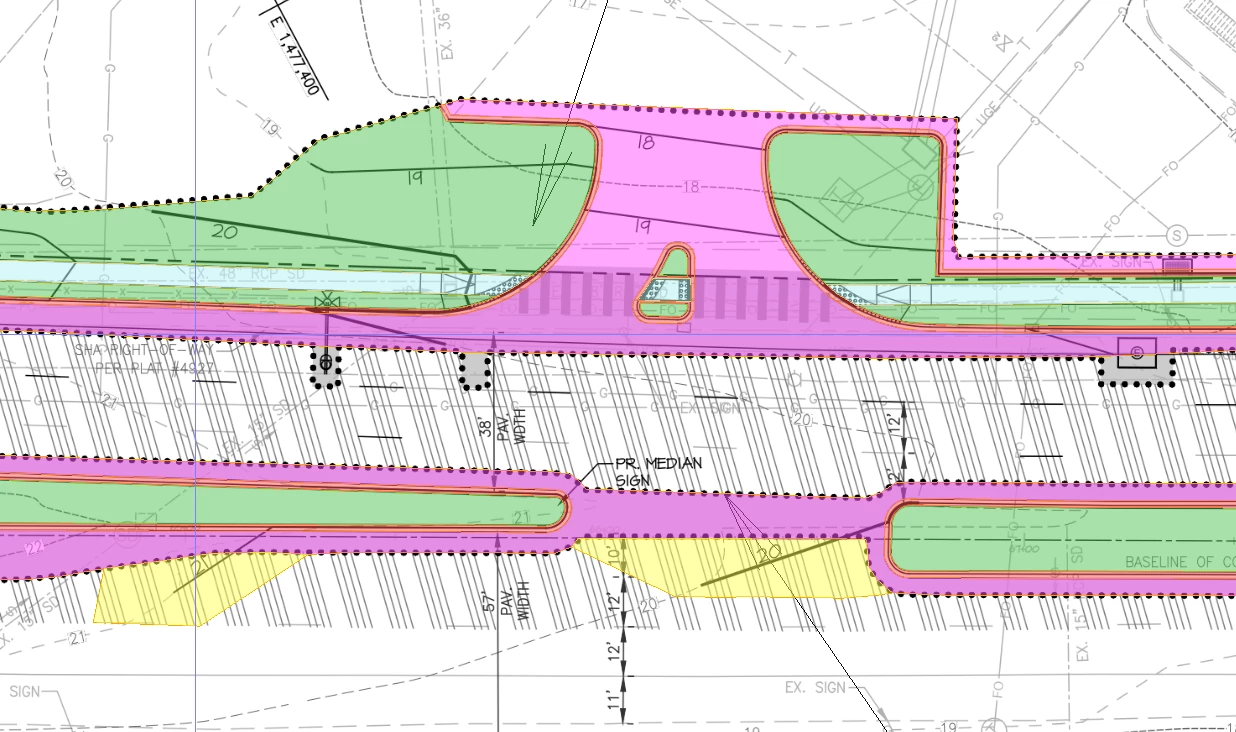
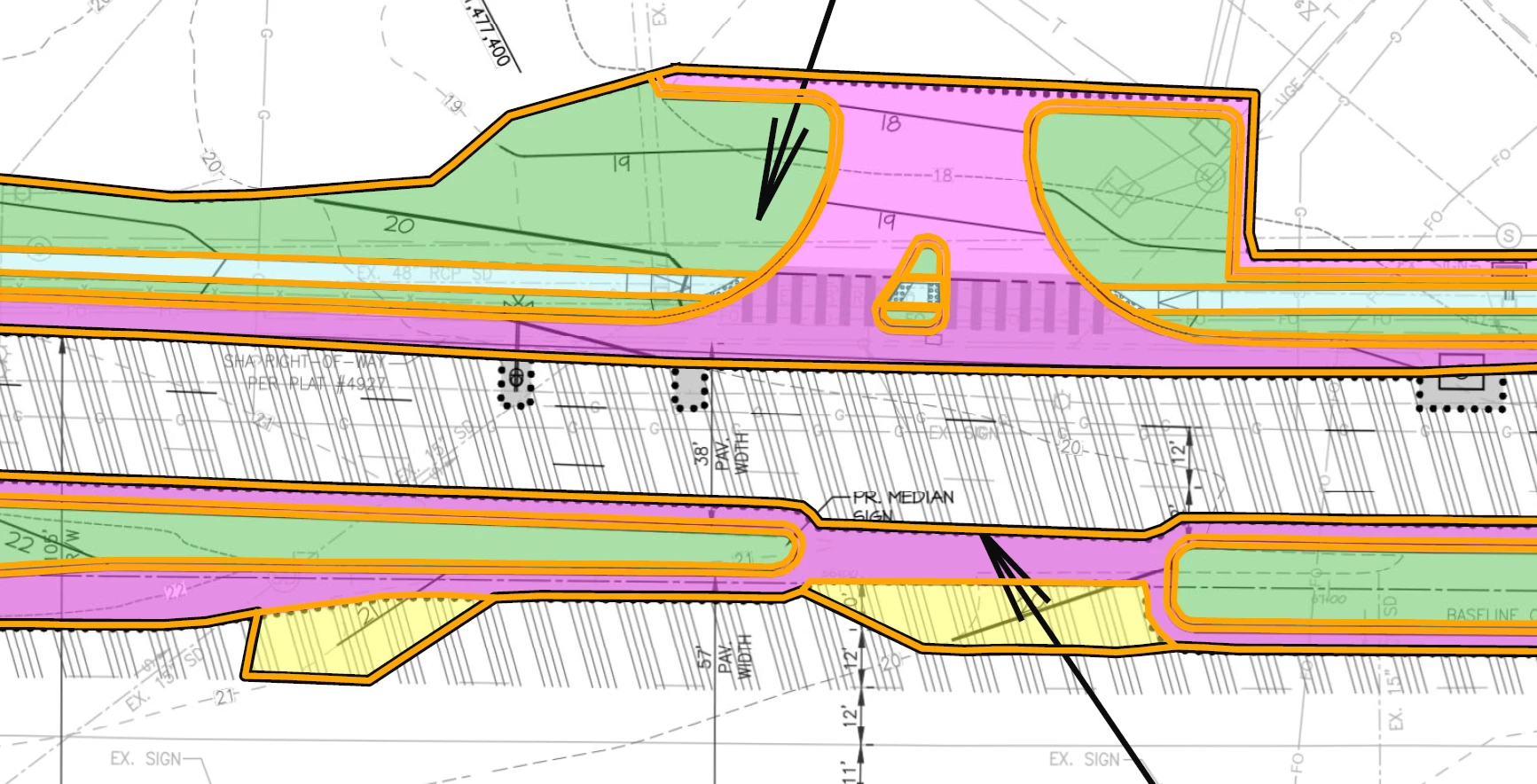
There is a thick orange line around my area, although the line weight is not nearly this thick in my Trimble software. See screenshots below so you can hopefully understand what I mean.


I googled this, and I found to go to adobe settings, page display, and unclicked the “enhance thin lines” but it did not fix the issue, and I really thought it was going to be that simple!


Do you have any other suggestions of how do I get rid of this thick line when saving as a PDF using Adobe? It really gets in the way when there are smaller areas to show, and it doesn’t because the line is there.


This is what the image looks like one screen when I use the snip tool – no thick lines and smooth color transitions.


This is what it looks like when I print to adobe to save the image. I save to adobe so it the image/page is to scale. I attached how I saved it and you can zoom in and see the lines (below is just a screen shot I took when I zoomed in).
 

3 replies

Brad @ Roaring Mouse
Community Expert
Community Expert
February 1, 2025

Rather than it being a thicker line, it looks like your original orange stroke has been converted to an outline, and this new object then has the same orange stroke applied to it, which would explain the effect of a double line in some areas.

I would also like to see a sample PDF to see what is in the file.

All that being said, Distilling to a PDF takes the Postscript code from Trimble and makes a PDF out of it, so if the line is incorrect, Trimble sent improper PS.


Participant
January 30, 2025

Hello Rene, I do not have Illustrator to try what you suggested below. I am attaching a quick screenshot video of how I save as a PDF in Trimble Business Center and the settings in the dialouge boxes. The video also shows a zoomed in view of the PDF of these lines compared to what is shown in Trimble Business Center.

Participant
January 30, 2025

And Rene, you may have to download the video first if it is not clear. After I uploaded it, I clicked on it and it does not seem clear watching it that way (or maybe it is just on my end). But there is an option to download it, then you can view it more clear. 

Rene Andritsch
Community Expert
Community Expert
January 31, 2025

@amber_0719 I can see that you print your file. Do you have the possibility to export the file from the File Menu to a different file format than PDF? A screen shot of export options would be helpful.

Rene Andritsch
Community Expert
Community Expert
January 27, 2025

Have you tried to import your saved PDFs into Illustrator? You could check there if the line weight is actually bigger or it is just a rendering issue in Acrobat. Can you show a screenshot of the export dialogue when saving to PDF in the Trimble Business Center software?