
Inspiring
December 23, 2022
Question

[locked] No option to print borderless with HP OfficeJet 8020 series

  • December 23, 2022
  • 1 reply
  • 95601 views

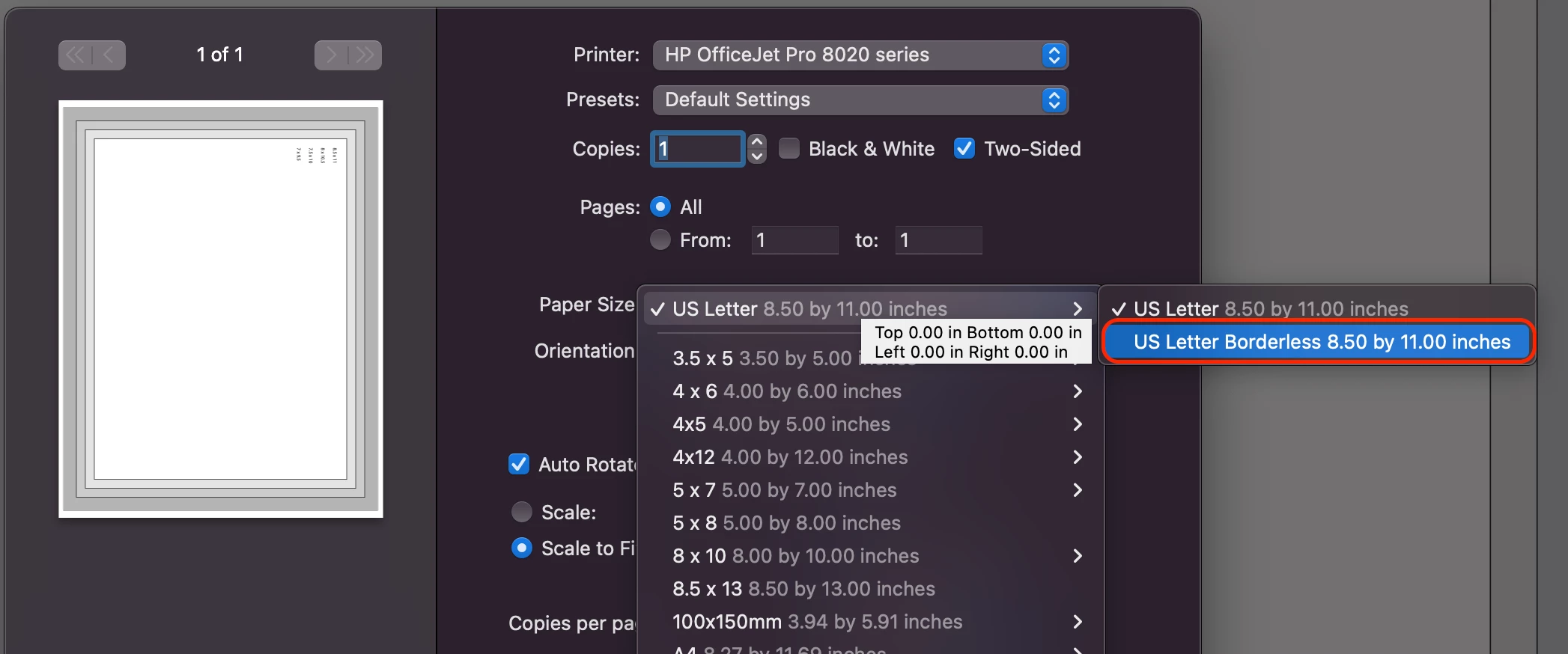
The HP OfficeJet 8020 series printer says in its specifications that it can do borderless printing. When I print a PDF using Mac Preview, there is an option to print 8.5 x 11 borderless, and it successfully prints all the way to the edge of the page:
But this option does not exist when I attempt to print using Acrobat:
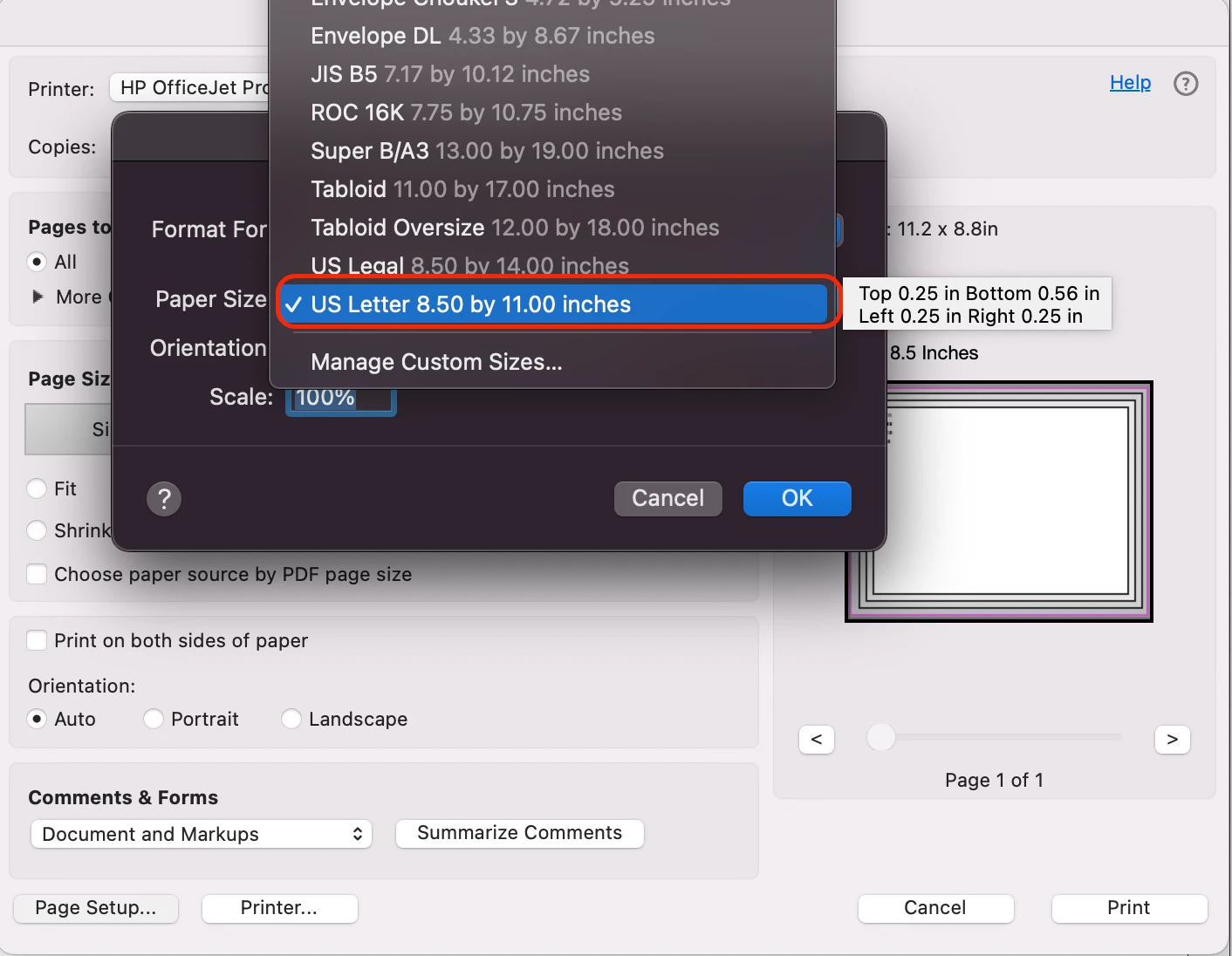
I can't find any option to allow for borderless printing in Acrobat. When printing in Acrobat, a 0.25" white margin is added to all sides of my paper. I have tried every single print option ("Fit," "Actual Size," "Choose paper source by PDF page size," etc.), and nothing removes this white 0.25" print margin. I have even tried to create my own paper size set to 0" margins under "Manage Custom Sizes," and it still does not work.


Why is borderless printing not an option for me in Acrobat when Preview and other applications on my Mac allow for borderless printing?


[duplicate, locked: https://community.adobe.com/t5/acrobat-discussions/how-do-i-print-a-borderless-pdf-in-acrobat-pro/td-p/13442234]

1 reply

KG_BKAuthor
Inspiring
December 23, 2022

On a MacbookPro 14" OS 12.6 (Monterrey), I have created a design on an 8.5x11 artboard in Illustrator and exported it as a PDF. When I open the PDF in Acrobat Pro to print, there is no option for borderless printing. I do have this option in Mac Preview and Microsoft Word, so my printer (HP 8020 series) is capable of borderless printing. I could print borderless using Mac Preview, but it over-scaled the design, cutting off the edges, and it also did not print all of the layers. 


How can I print borderless in Acrobat Pro? Why is the option to print borderless not available there? HP Support was unable to help me and said to contact Adobe. 

Abambo
Community Expert
Community Expert
December 24, 2022

Either you print 1:1 or you print fit to page. Fit to page adjust to the borders according to the printers information. 1:1 prints as is and if there are borders, those are because the printer driver cuts off at the given border. 


Most printer drivers (not the application) size the document slightly to achieve borderless printing. This is done, because most non professional designers do not include bleed. Those printers size also, when the document includes the necessary bleed. 


The only possibility, to print truly borderless is to print on oversize paper and cut away the borders, as is done also in professional print.

ABAMBO | Hard- and Software Engineer | Photographer
KG_BKAuthor
Inspiring
December 27, 2022

Look if “Printer…” lets you set up the printer for that paper.


Oh my gosh, that worked!! Thank you! I could swear I went into "Printer..." to explore already. I had to check off the box for "scale to fit paper size" to see the option for 8.5x11 borderless: 

Wow. Do you know if there is a way to set that as the default so it always prints with that setting?