
[locked] No option to print borderless with HP OfficeJet 8020 series
The HP OfficeJet 8020 series printer says in its specifications that it can do borderless printing. When I print a PDF using Mac Preview, there is an option to print 8.5 x 11 borderless, and it successfully prints all the way to the edge of the page:
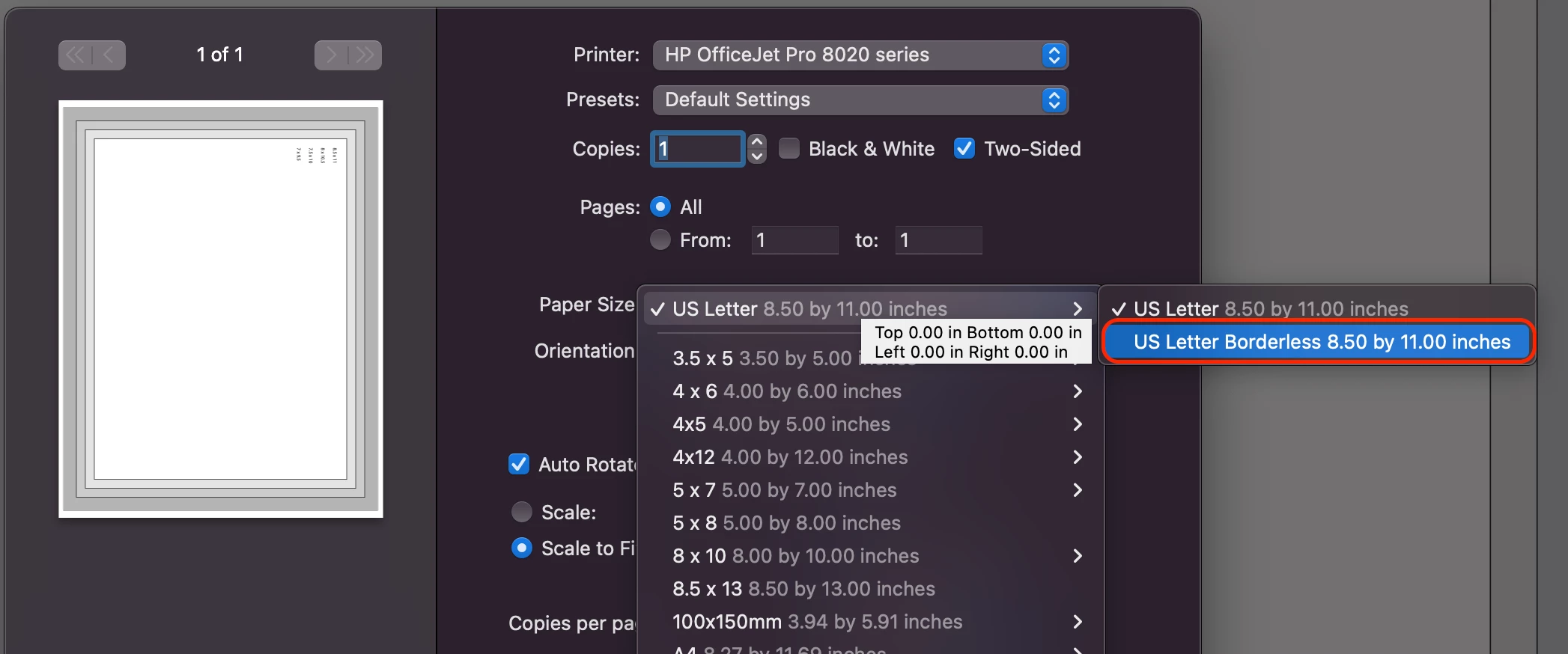
But this option does not exist when I attempt to print using Acrobat:
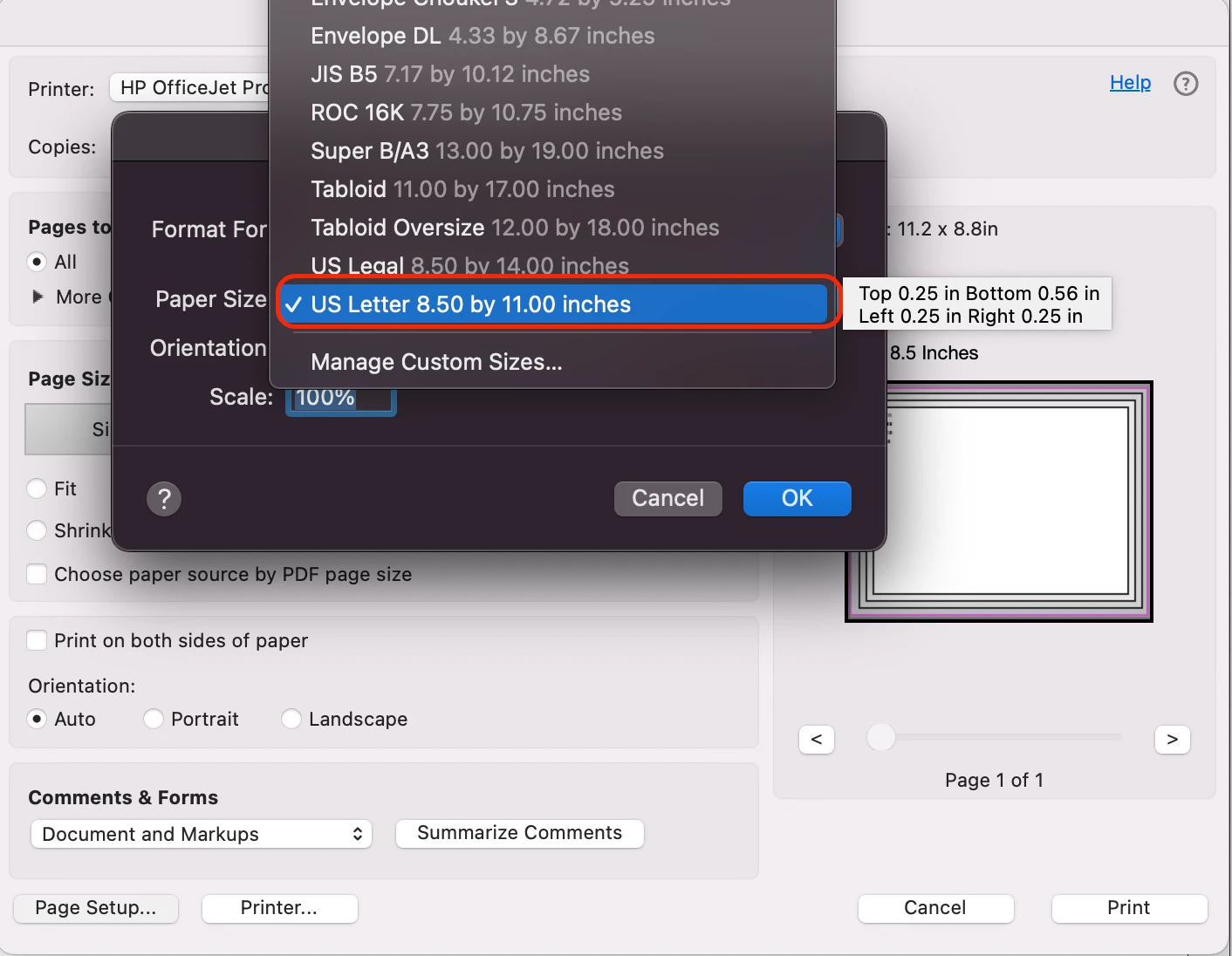
I can't find any option to allow for borderless printing in Acrobat. When printing in Acrobat, a 0.25" white margin is added to all sides of my paper. I have tried every single print option ("Fit," "Actual Size," "Choose paper source by PDF page size," etc.), and nothing removes this white 0.25" print margin. I have even tried to create my own paper size set to 0" margins under "Manage Custom Sizes," and it still does not work.
Why is borderless printing not an option for me in Acrobat when Preview and other applications on my Mac allow for borderless printing?
[duplicate, locked: https://community.adobe.com/t5/acrobat-discussions/how-do-i-print-a-borderless-pdf-in-acrobat-pro/td-p/13442234]


 AdChoices