
Locking Fields from Reset Button
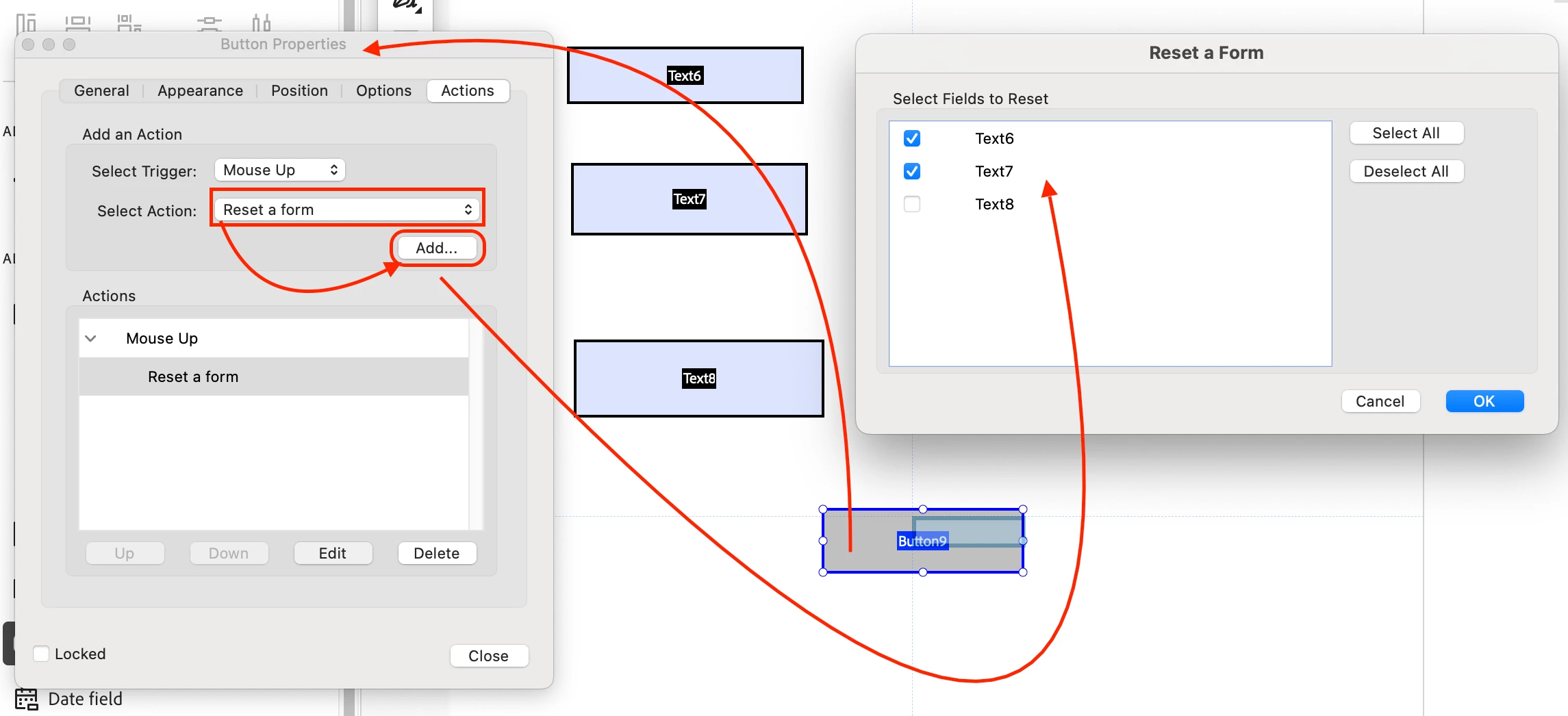
Here's what I'm trying to do: I'm creating a fillable PDF with multiple text fields. The user completing the form will likely have information that is duplicated. I want to "lock" certain fields so the information doesn't need to be typed over and over.
For example - my secretary needs to fill out a form for multiple people in the same household:
Name: Joey Smith, Address: 123 Any St. Anytown CA 90210 (locked information), Phone: (123)555-4321 (locked information), Favorite popsicle flavor: Grape, Shoe size: 10 >> [Submit form, then click "Reset" button]
Name: Jimmy Smith, Address: 123 Any St. Anytown CA 90210 (locked information), Phone: (123)555-4321 (locked information), Favorite popsicle flavor: Orange, Shoe size: 6 >> [Submit form, then click "Reset" button]
Name: June Smith, Address: 123 Any St. Anytown CA 90210 (locked information), Phone: (123)555-4321 (locked information), Favorite popsicle flavor: Cherry, Shoe size: 8 >> [Submit form, then click "Reset" button]
And so on...
As you can see, the "Address" and "Phone" field was excluded from "reset". However, she might want to release/unlock all fields for a new household. I hope that makes sense.
Maybe "locked" isn't the right word and that's why I'm having trouble? Can someone kindly help me with this? I feel like it's something that can be done, but I'm at a loss how to make it happen! Thank you SO MUCH in advance to anyone who might be able to help!!
 AdChoices