
cyrilcym
New Participant
May 27, 2024
Question

MacBook Air M1 using PowerPoint pop up error

  • May 27, 2024
  • 1 reply
  • 297 views

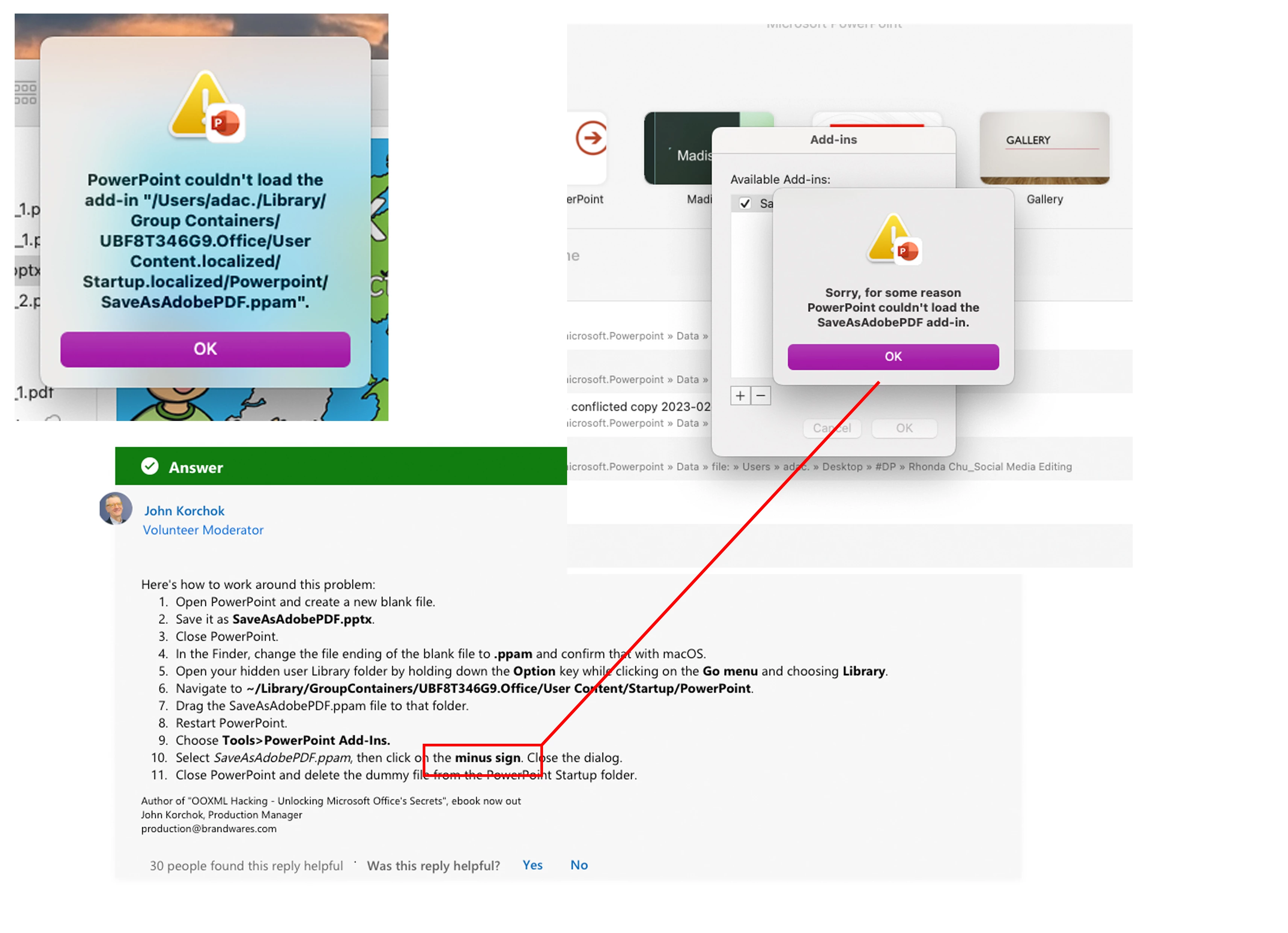
Follow the PowerPoint add-in procedure to avoid launching PowerPoint with the print screen error, but I tried for over four times with the same steps, and also delete the PowerPoint app and related files in ~Library/Container....., how can I solve this problem? Please give a proper solution on that, thanks!


I have message Microsoft support for details, but they ask me to seek the help from Adobe Community, if anyone have any advise, please leave message with regards.
 

This topic has been closed for replies.

1 reply

Amal.
Community Manager
Community Manager
June 7, 2024

Hi there 
 
Hope you are doing well and sorry to hear that
 
Is this an issue with a particular PDF file or with all the PDFs? Please try with a different PDF file and check. If the file is stored on a shared network/drive please download it to your computer locally and then try again.


Also make sure you have the recent version 24.02.20759 installed. Go to Help > Check for updates and reboot the computer once.


Please share a small video recording of the steps and the issue for more clarity.


~Amal