

Tom_Alongi
Known Participant
November 6, 2024
Question

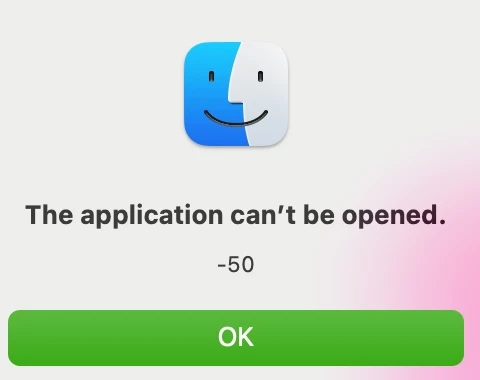
macBook Error: "The application can't be opened -50."

  • November 6, 2024
  • 4 replies
  • 641 views

Good morning, all. I have wrestled with this error for months.


I have a macBook M1 Max running the new Sequoia 15, although this problem surfaced before I moved off Sonoma. So, I don't think it has anything to do with the operating system. (NOTE: I can say, however, that my Windows PC does not have the issue I am about to describe.)


Anyway, when I go here ...

 

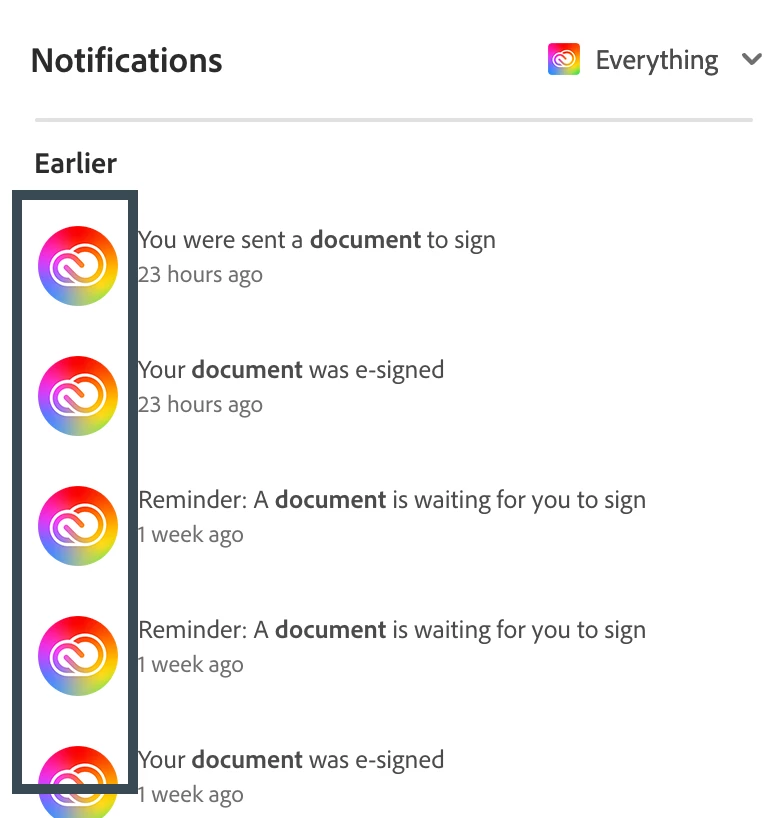
... and then try to click any of these ...
 

I get this ...
 

I have tried everything: the macBook "cleaner" tool, resetting Creative Cloud, uninstalling/reinstalling Creative Cloud, uninstalling/reinstalling Acrobat, and even wiping out my entire macBook and starting over from scratch. I also called Apple Support. They went through an extended call with me, tried a number of solutions—including an examination of all the privacy and security settings that are usually in play whenever non-Apple software tangles with an Apple device ... and none of it worked. They declared it an "Adobe issue."


I have not been able to find solutions through Google or YouTube searches, either.


Does anyone know about this error message and, better still, have a useful answer? And, no, it's not a "permissions" issue! I am the business owner and global admin on our Creative Cloud accounts. 


Tom


4 replies

Tom_Alongi
Known Participant
July 31, 2025
I gave up. I couldn't find any relevant community threads, Adobe kicked me to Apple (claiming it was a Mac issue), Apple kicked me right back (claiming it was an Adobe issue), so I uninstalled the Creative Cloud altogether.

Mostly disgusted at this point.


[cid:1967ef48-bcd6-4311-8a89-a400c2623764]


Thomas P. Alongi, Esq.

(He/Him)

Managing Partner

ALONGI LAW FIRM, PLLC

4435 East Chandler Blvd, Ste 200, Box 62

Phoenix, AZ 85048

(602) 603-0529

Thomas@AlongiLawTeam.com
Known Participant
July 30, 2025

@Tom_Alongi did you ever find a solution to this? I've got the exact same issue on my 2021 M1 Max MacBook Pro running Sequoia 15.5.

Tom_Alongi
Known Participant
February 20, 2025
Hi, and thanks. I already tried that, too.


[cid:625e1465-b2a5-46f5-b1a6-94d3b30ee66b]

Thomas P. Alongi, Esq.
Managing Partner
ALONGI LAW FIRM, PLLC
10265 W Camelback Rd, Ste 125
Phoenix, AZ 85037
(602) 603-0529
Thomas@AlongiLawTeam.com
Souvik Sadhu
Community Manager
Community Manager
February 21, 2025

Thanks, @Tom_Alongi, for the response.


Please help us gather the logs from your machine: https://adobe.ly/3QzVbwV. You can upload logs using this tool and share your Unique log ID with us. 


-Souvik

Souvik Sadhu
Community Manager
Community Manager
February 20, 2025

Hi @Tom_Alongi,


Hope you are doing well. Sorry for the trouble, and the delayed response.


In case you experience similar issues in the future, run the Acrobat cleaner tool https://adobe.ly/41342MJ, reboot the computer once, and install the application using the direct link https://adobe.ly/3EMKGnt.


Hope this will help.


-Souvik