
Participant
March 24, 2022
Answered

Mail Merge Print Protected PDF

  • March 24, 2022
  • 1 reply
  • 788 views

Hi.


I need to used Word's Mail Merge to send personalized documents that need to have printing disabled.

I usually have to generate them, open them one by one, change properties, save, manually add them to an email and send them.

Some days ago the documents were generated with password protection enabled. I had to send another document without password protection and the configuration got lost.


How can I specify that all new PDFs converted from Word have to have printing disabled and be Password Protected?


Thanks.

Armando.
This topic has been closed for replies.
Correct answer Amal.

Hi Armando


Hope you are doing well and am sorry for the trouble.


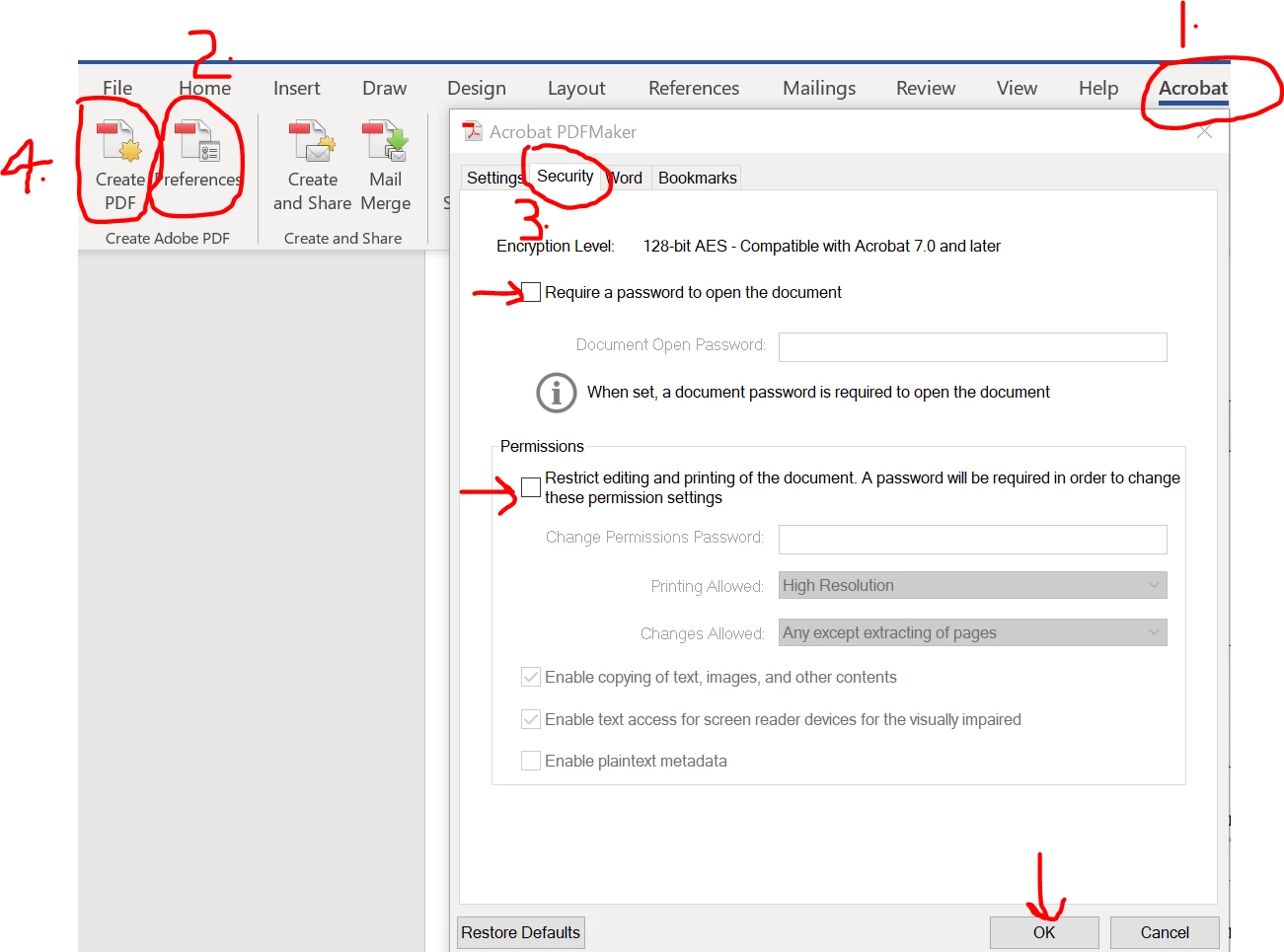
Please open the MS Word and go to Acrobat ribbon and follow the steps shown in the screenshot below and see if that works for you.


Let us know if you are referring to something else.


Regards

Amal

1 reply

Amal.
Community Manager
Amal.Community ManagerCorrect answer
Community Manager
March 24, 2022

Hi Armando


Hope you are doing well and am sorry for the trouble.


Please open the MS Word and go to Acrobat ribbon and follow the steps shown in the screenshot below and see if that works for you.


Let us know if you are referring to something else.


Regards

Amal

Participant
March 24, 2022

That's exactly what I was looking for!

You've made my day!

Thanks.