
Duncan1101
Participant
January 28, 2020
Answered

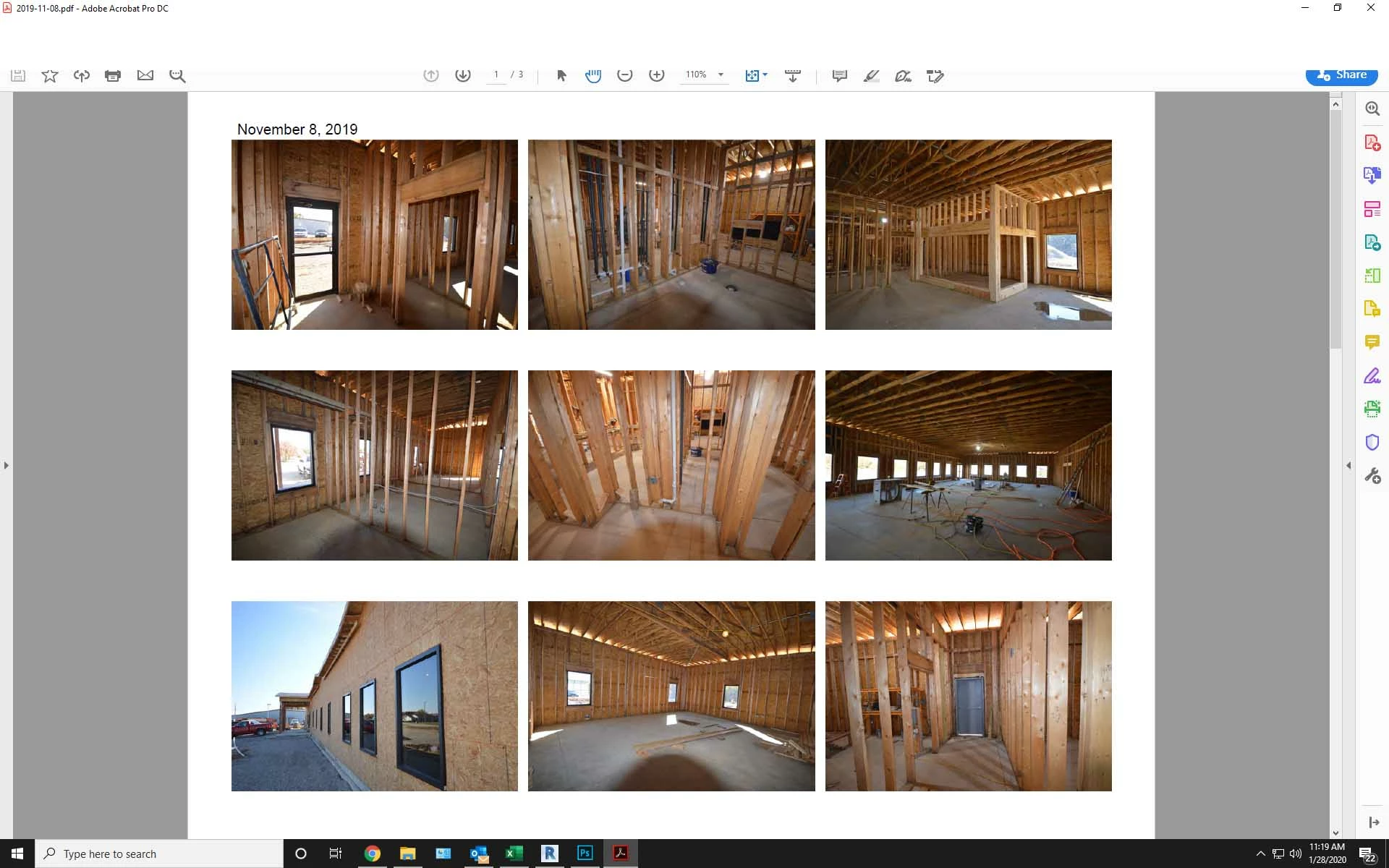
Menu bar and part of tool bar missing from top of screen.

  • January 28, 2020
  • 23 replies
  • 220948 views

The menu bar and top portion of the tool bar will not display on Acrobat DC. When I try to click in that area it activates whatever application is running behind the Acrobat window. The only way to close Acrobat is to close the window via the Windows taskbar at the bottom of the screen. The partial icons that are visible will function but I can't access any tools or menu items above that point.


I have tried to uninstall then reinstall the program and that did not help. I have also run a repair on the program which did not work either. This version is installed from Creative Cloud.  help please.
 

Correct answer Brad33530775qom8

I was racking my brain over this. The solution was really simple after eventually finding it.


Try pressing Ctrl+Shift+Win+B to restart the graphics driver.

23 replies

Participant
August 11, 2020

Hello,

I am having the same problem as of today. The top part of any Acrobat window is disappeared, and it is not even clickable. That is, if I try to click on it or drag it, anything that is immediately behind it is clicked and/or dragged instead (like another window, or a desktop icon). This also applies to the top right buttons (minimize, maximize, close) and the "frame" of the window itself, so the window cannot be dragged or closed (except with Alt+F4). The rest of the program works ok though, documents are scrollable etc without a problem. This problem though makes the program extremely inconvenient.


I attach a cropped screenshot of how it looks like. I am using the Acrobat Reader DC version 20.009.20074 on Widnows 10, build 18362.959.


Also, I tried to repair the installation through the control panel. Nothing changed.


Participant
August 6, 2020

Did anyone ever figure out ho to fix this? We are running Adobe Acrobat Standard 2020 in Windows 10 and having this exact issue.  The software is unuable ... and we just bought it.  Repairing has no effect.

try67
Community Expert
Community Expert
January 29, 2020

What's the exact version number? What's your OS version?

Duncan1101
Participant
January 29, 2020

Acrobat DC Version 19.0

OS is Windows 10 Pro


I can't access the file menu to verify if there is any additional version numbers. The 19.0 is gathered from what my Creative Cloud desktop is telling me.

Duncan1101
Participant
February 10, 2020

We need the exact version number. You can find it under Help - About Adobe Acrobat.


I was able to verify that it is version 2019.021.20061. I discovered today that the problem is when Acrobat is maximized to full screen mode. If the window is sized down from full screen everything is visible. If Acrobat opens as full screen or a sized down window seems to depend on the PDF that I am opening.