
Moving fillable forms to the back or avoid them for covering text and lines
Hallo!
I have to make fillable pdf forms at work and continously struggle with the fields covering up the other information on the page. The result is that the form looks bad and unprofessional. Can someone please help?
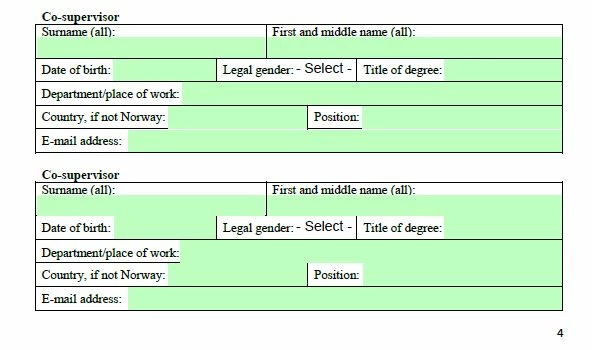
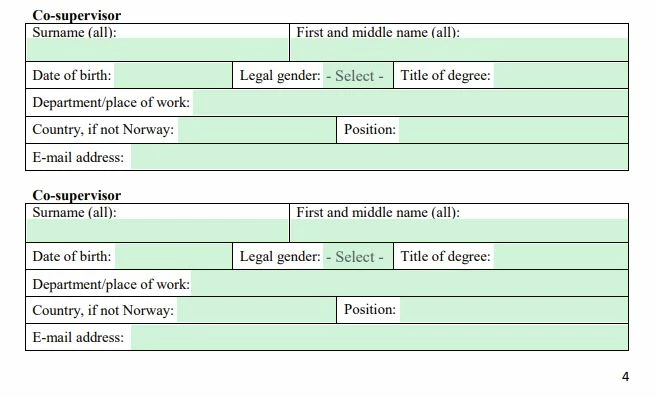
Im working in Adobe Acrobat Pro and have information, boxes and tekst on the page. In addition I have placed out fillable forms for the users and these have to be coloured light green, to still be visible after they are filled out. But when I have a background color in the fillable field, they tend to block some of the other information on the page. I have tried to move all other information to the front, but the fillable forms seems to still be placed in the front. Is there any feature, to get them blaced in the back?
Below are two examples, the first have boxes covering the black lines and the other does not. Sometimes it looks good, and sometimes it does not. What fields are covering the lines are also varying 😕😕
 AdChoices