Answered
MS Word 2010 table to pdf form not keeping left justify text in some cells
When I convert a MS Word 2010 table to pdf form it does not keep all left justify in some of the cells, how can I fix this?

When I convert a MS Word 2010 table to pdf form it does not keep all left justify in some of the cells, how can I fix this?
Correction its the field next to "Reason for Stop Pay:" that will not left justify.
lynna62769329 wrote
The “Reason for Stop Pay” is the only cell that will not left justify even thought it is left justify in the Word document it keeps making it centered for form filling.
The apparently empty cell on the bottom right?
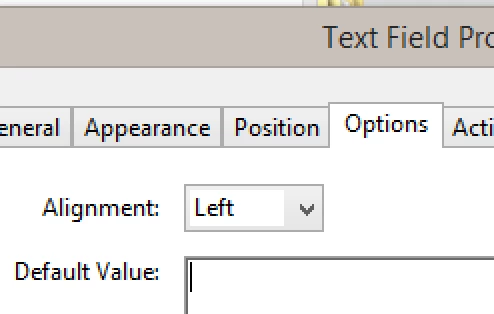
Because you also said it is for form filling, I am taking a guess that there is a form field in that space, and if so, form fields have to have alignment defined for each field in Properties. Is that what you are asking?
(If I guessed wrong, post again!)
Already have an account? Login
Enter your E-mail address. We'll send you an e-mail with instructions to reset your password.
 AdChoices