
Multiple Duplicate Drop Down Menus, Populating Multiple Text Boxes on Sequential Lines
I am rebuilding an existing form to add functionality to the fillable areas. The section I am interested in has 8 lines, each starting with "Type of Marking 1", which is where the user makes the initial selection from a drop-down menu. Once done, two following boxes on the line, "Contract Item #" and "Units" will auto-fill with predetermined values; a Custom option allows custom entry in all fields.
Here is a shot of the form for clarification:
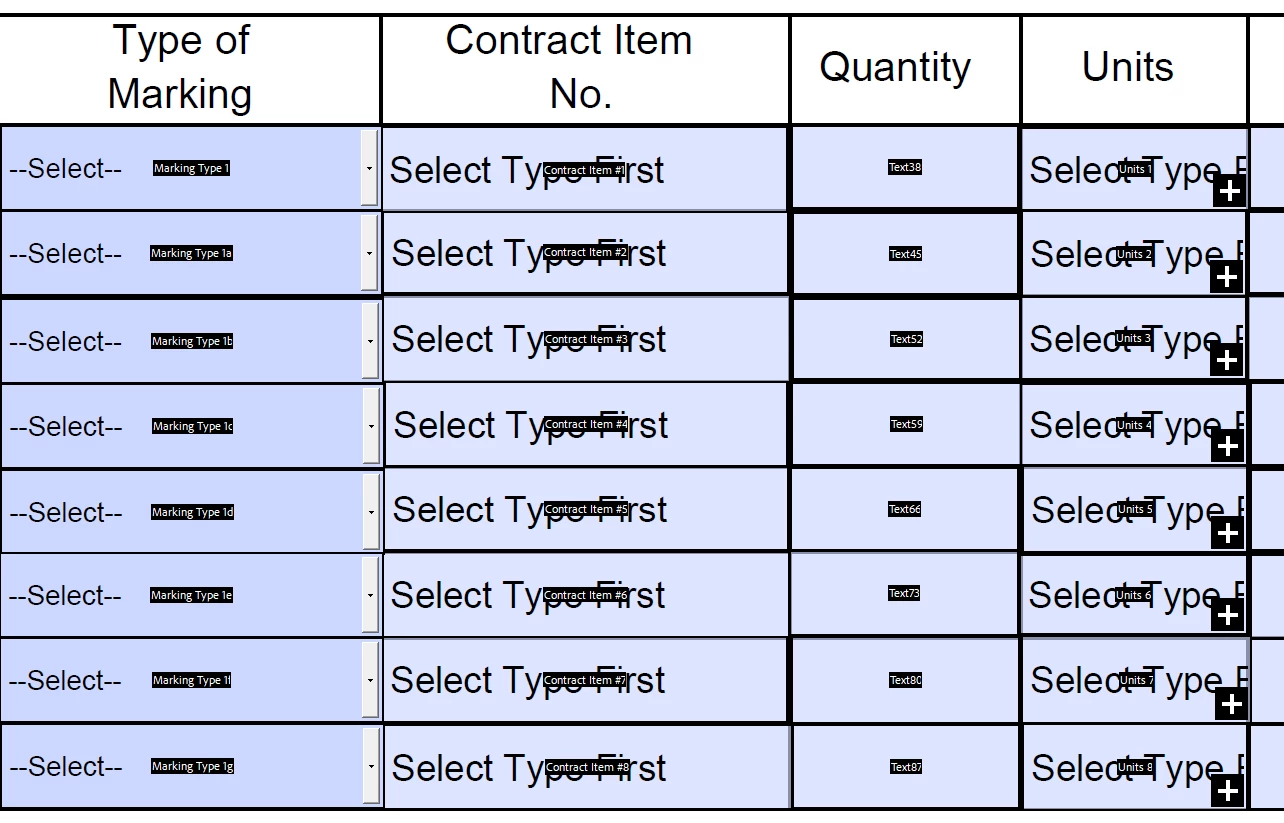
The code I used is below, and worked during the initial build and testing of the form on Line 1. Then, once I copied the drop down menu, renamed the boxes to "Type of Marking 1a", "Type of Marking 1b", etc, and changed the code to reference the targeted text boxes on each line, only the menu and text boxes on the final line of the form are working. All the others show the default message to select a type and won't update the text boxes to the correct values when an option is selected in the relevant drop down menu.
I thought this might be a factor of the variable I had declared in the code, so I changed the variable to match the particular name of the drop down menu it will rely upon for input (dropdownValue for the first one, all the way down to dropdownValueG for the final working drop down/text boxes). Nothing changed. I've searched for what I'm doing wrong, and have hit all around it, but haven't found the solution I need.
The code used in each of the drop down menus is below (I cut it short here because there are about sixty options with minor variations, but it is the same aside from text box identifiers and the declared variable name for each of the lines of menus and boxes). In this case, this is the example from the final working menu, but the other boxes are the same aside from the values above that I did a Find/Replace All on for each Line in the form:
var dropdownValueG = this.getField("Marking Type 1g").value;

switch(dropdownValueG) {
//default used as the "Custom" option to allow custom input to drop down and text boxes
default:

break;
//Initial choice in the menus
case "--Select--":
	this.getField("Contract Item #8").value = "Select Type First"
	this.getField("Units 8").value = "Select Type First"
break;

case 'TYPE A PVMT LINE MRKG 4"':
	this.getField("Contract Item #8").value = "704SD20-0001"
	this.getField("Units 8").value = "LF"
break;

case 'TYPE A PVMT LINE MRKG 6"':
	this.getField("Contract Item #8").value = "704SD20-0002"
	this.getField("Units 8").value = "LF"
break;

//Lots more options here

case 'TEMP. PVMT MRKG TY. D, CL. III, 24"':
	this.getField("Contract Item #8").value = "512SD20-0065"
	this.getField("Units 8").value = "LF"
break;

}
 AdChoices