
Participant
August 13, 2018
Answered

My Fillable Form Showing "File Damaged & Can't Be Opened" Error...

  • August 13, 2018
  • 2 replies
  • 676 views

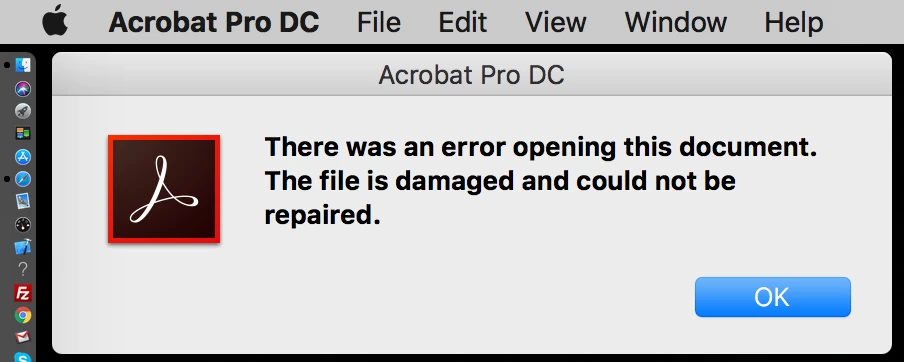
A form i designed in Adobe Illustrator & worked on the fields in Acrobat Pro DC is giving the following error "There was a problem opening this document. The file is damaged & could not be repaired". Kindly assist, i have worked on this form for 2 weeks. Today i was doing the final design touch-up in Illustrator. I saved it, opened itup in Acrobat but then didn't see the changes i made. I saved & closed it, but when i tried to reopen it, i got the above error. The file size is 2.5mb & i am using a Mac. Attached below is the actual error message.
This topic has been closed for replies.
Correct answer George_Johnson

Don't ever use Illustrator to edit a PDF. The correct workflow if you need to make changes is to edit the source document (e.g., .ai file) in Illustrator, generate a new PDF, and in Acrobat replace the old pages with the new. This will preserve any form fields, links, scripting, etc.

2 replies

MichaelKazlow
Legend
August 14, 2018

Generally, I would’t recommend adding form fields before finishing editing the pdf file other than replacing pages. A corrupt file cannot really be repaired. I would recommend going back to your last backup.

Meja_OjayAuthor
Participant
August 14, 2018

Noted MK,

the last backup though is decades behind...... let me work (again) from this.

Inspiring
August 13, 2018

Are you saying that you're using Illustrator to edit a PDF that has fillable fields?

Meja_OjayAuthor
Participant
August 14, 2018

Hi GJ,

i am new at this (fillable forms), and was tweaking the background layout (colours & some vector shapes) as per the clients request. It had been working over the 2 weeks until the very last tweak .

George_JohnsonCorrect answer
Inspiring
August 14, 2018

Don't ever use Illustrator to edit a PDF. The correct workflow if you need to make changes is to edit the source document (e.g., .ai file) in Illustrator, generate a new PDF, and in Acrobat replace the old pages with the new. This will preserve any form fields, links, scripting, etc.