
Need help with file downsizing
Goal
Batch downsize several hundred PDFX files (print-ready files) that range from 100-400Mb so they are anywhere between 2 and 10Mb AND the text remains editable/searchable when the files are loaded into our Extensis Portfolio database.
First Attempts
I have tried creating several different Action Wizards, but I either get a file that is only slightly smaller (still near 100Mb with editable text) or I get nice small 1-2Mb files but the text is NOT editable/searchable. Image quality is not super important, but editable/searchable text is essential.
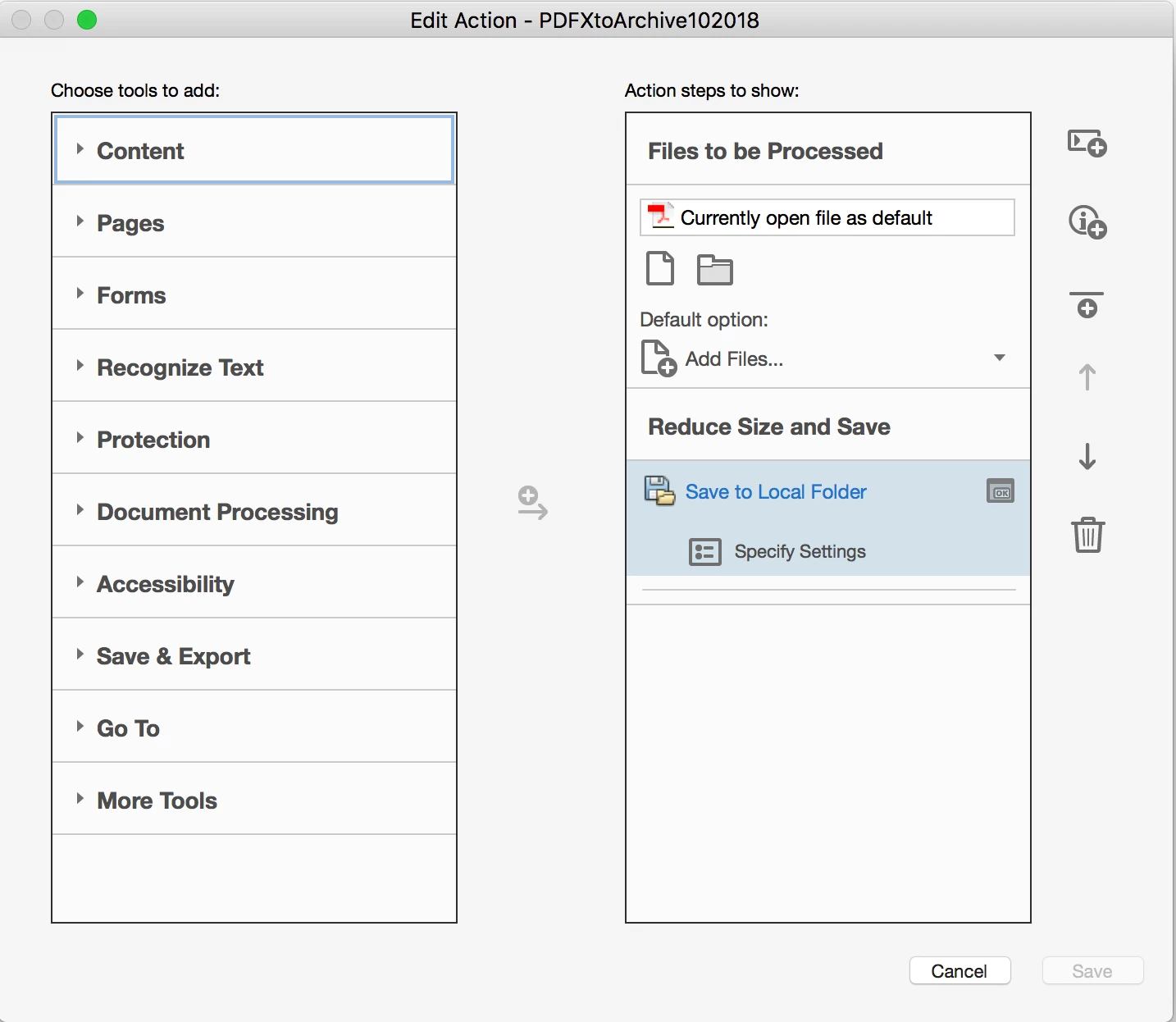
Action Wizard First Try
Preflight > Essentials > Convert all images to CMYK images and preserve text information. (files downsize to 1-2Mb, but text is not editable or searchable)
Action Wizard Second Try
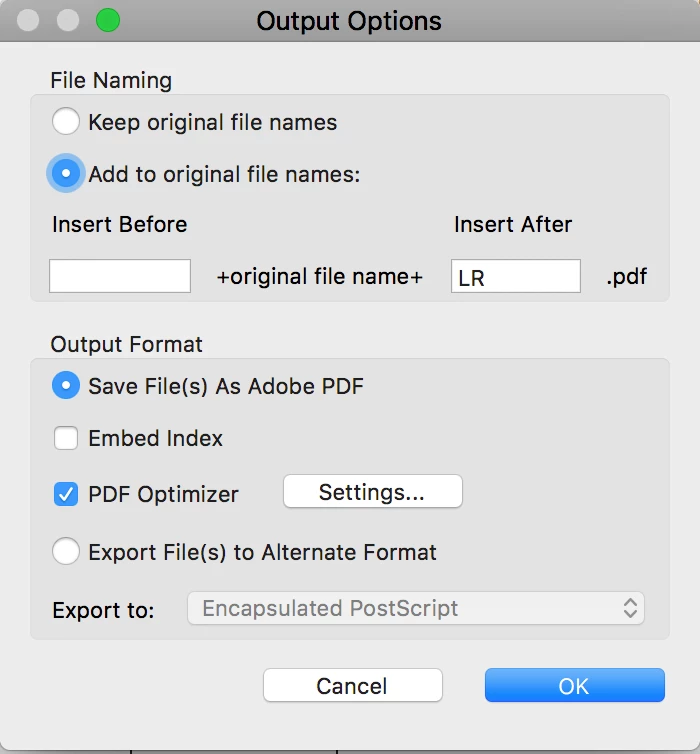
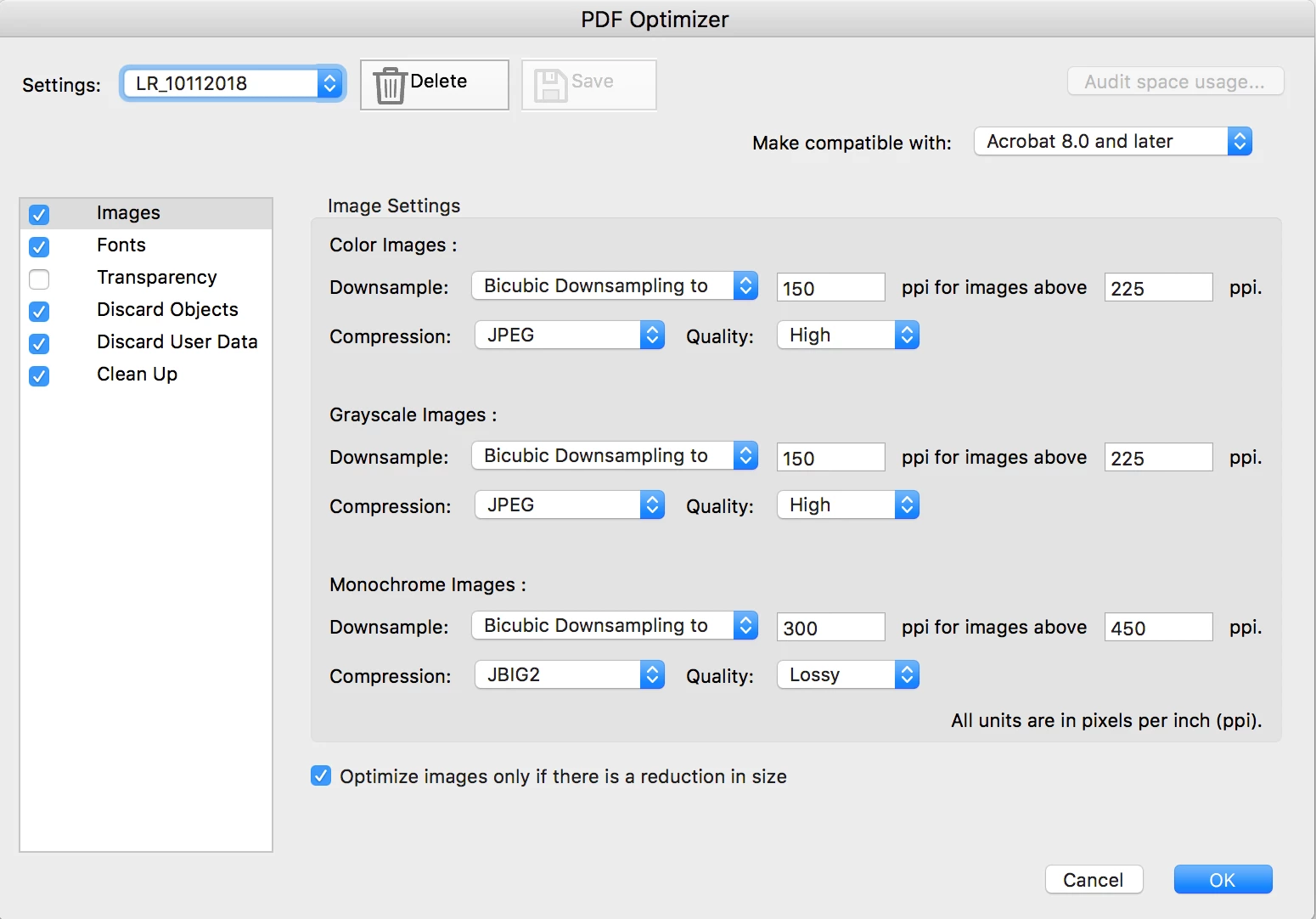
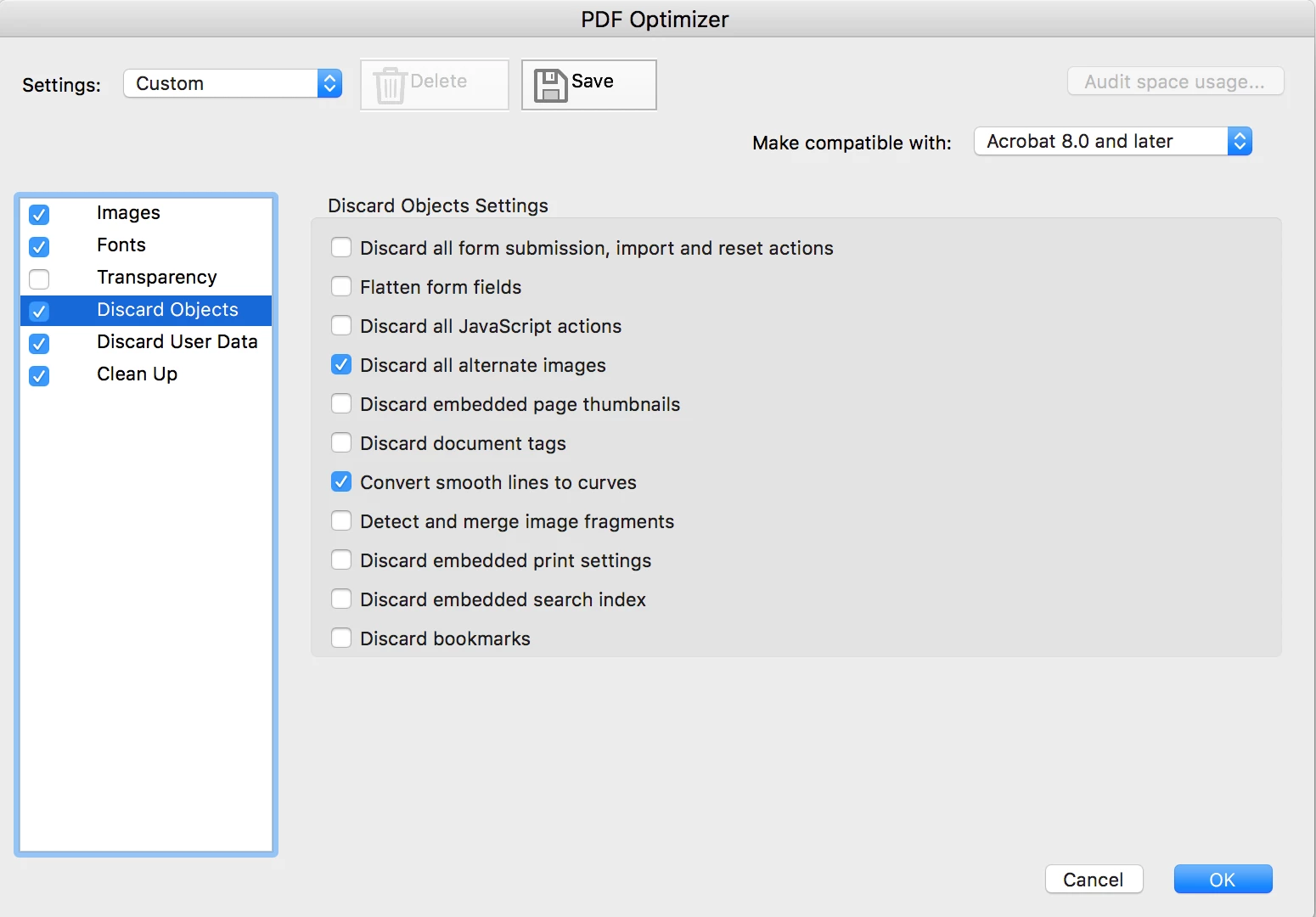
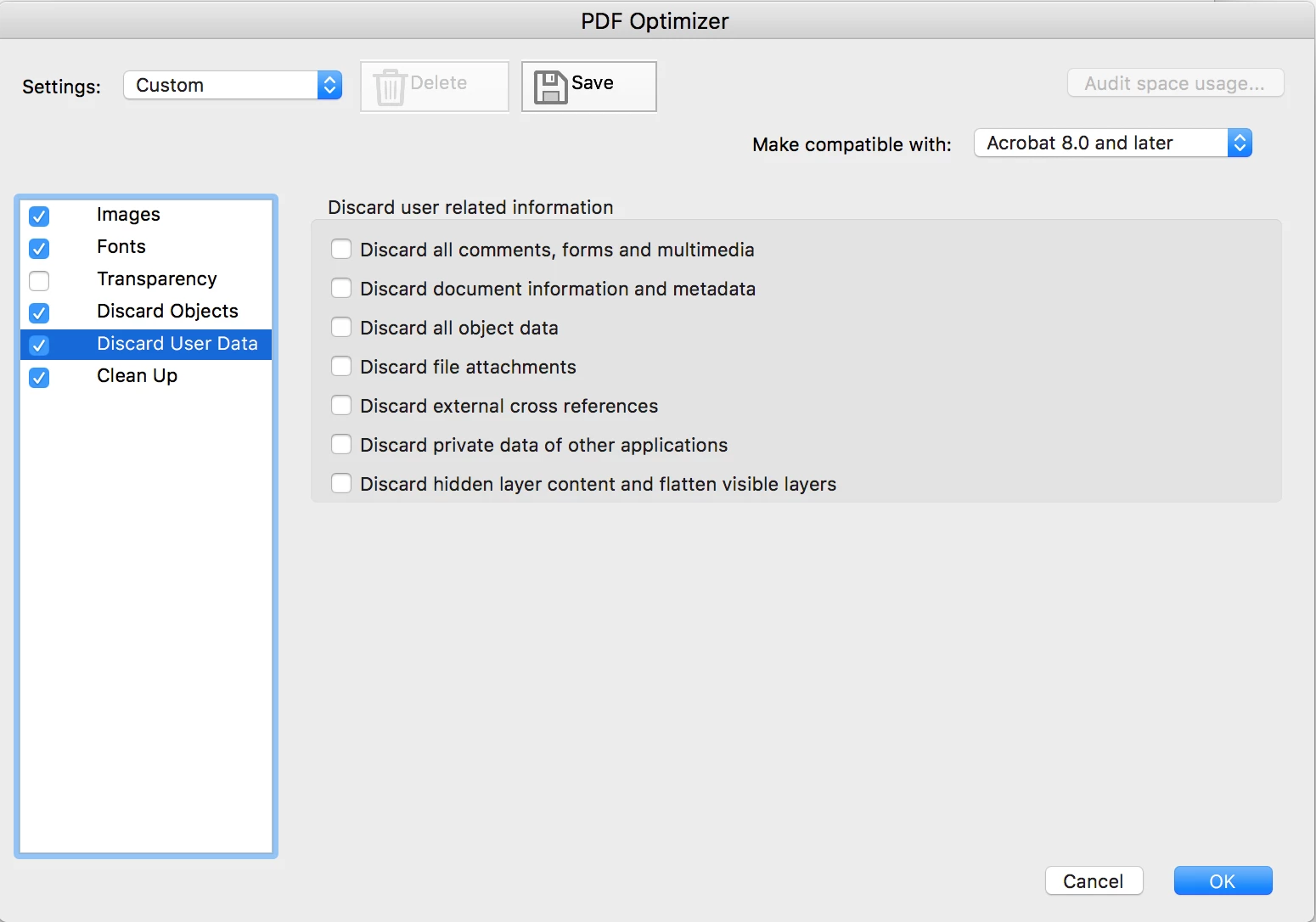
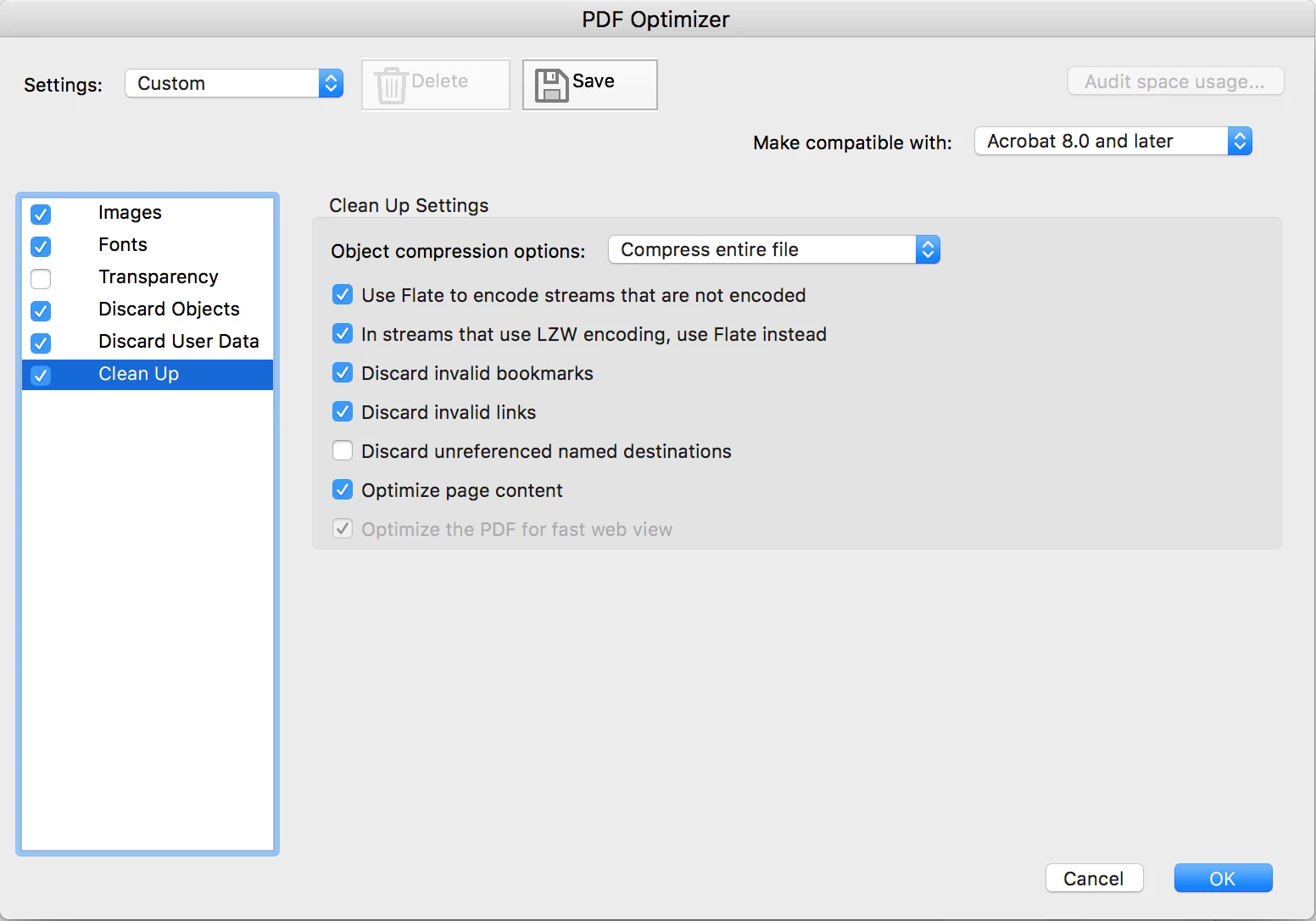
Save > PDF Optimizer (settings below). The result is only a slightly smaller file (many still above 100Mb) with the desired editable/searchable text.
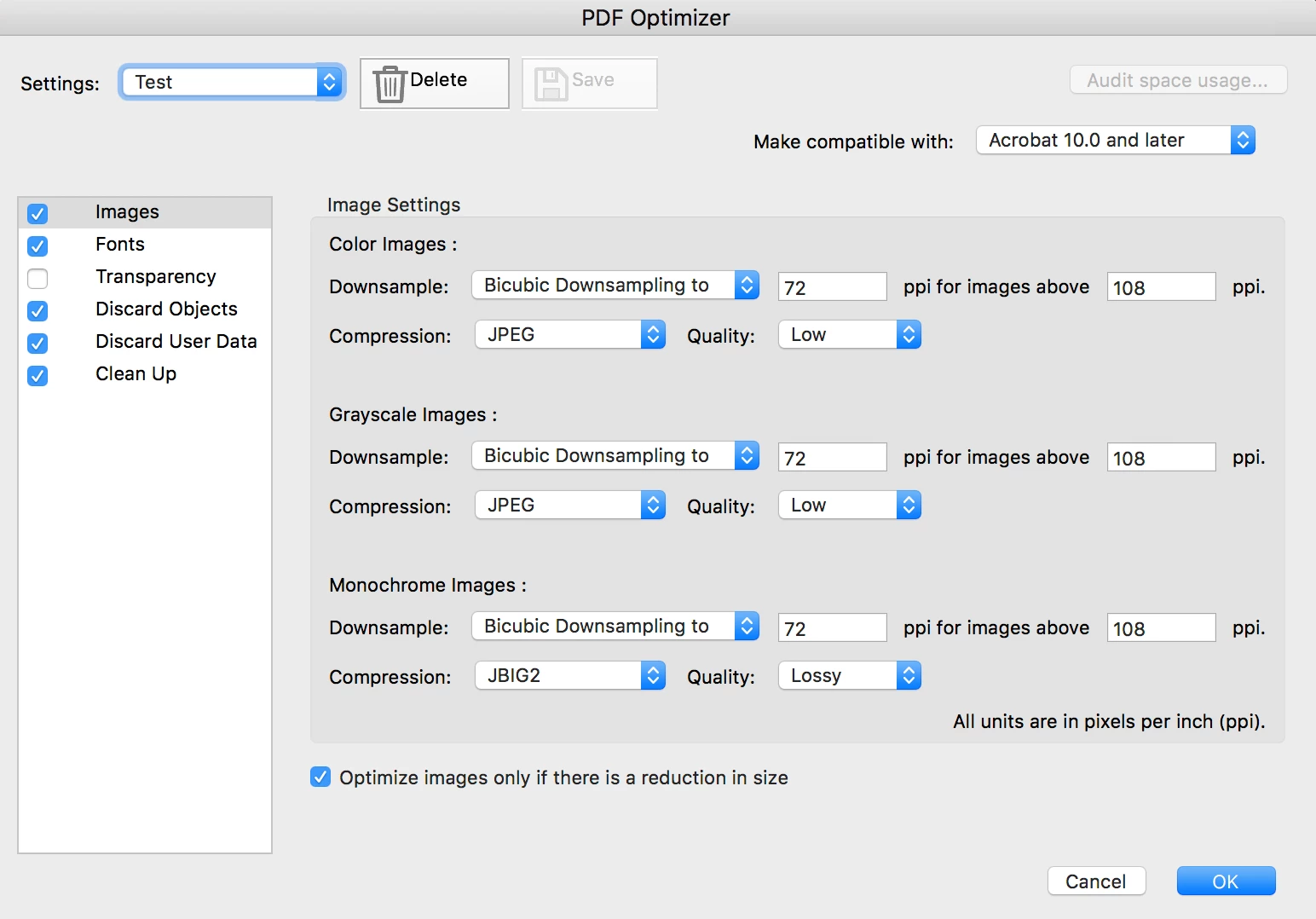
I've tried other preflight settings, but none give the desired results.
Anyone have a magic combination of preflight settings and/or save settings that will enable me to created an Action Wizard that can downsize large batches of large files?
Thanks!!
 AdChoices