
.Net plugin developed for Adobe showing "Access Denied" with latest Adobe Pro version
Hi team,
We have developed the Plugin for Adobe Acrobat and was using it for past 10 years ago. Now we are trying to migrate the Plugin with the latest Adobe Acrobat Pro version 2023.008.20470 64-bit. Here we are getting an error like "Access Denied". It throwing while we are creating a new subfolder with Guid format into local C:/temp. And also we tried by changing the path to some other locations as well, but no luck same issue. But the same was working upto previous Adobe version without any problem.
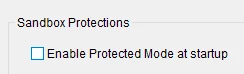
With this current latest version (Adobe Acrobat Pro version 2023.008.20470 64-bit) it was working only if we disable the proteted mode at start. Menu --> Preference --> Security (Enhanced) --> Enable Protected Mode at Startup (checkbox) need to uncheck. If so then it was working fine as below.
Our .Net code as below for your reference :-
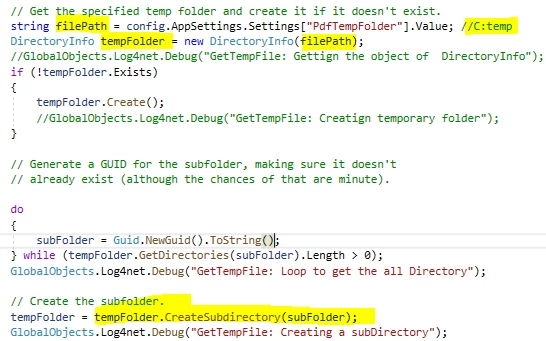
In the above while creating subdirectory in te last line gettting error as "Access Denied to the path (GUID format string)"
Could you please suggest or provide any guidance to us on this, how to make it funtion without any error when the checkbox was checked?
Thanks,
Jagadeeshwaran
 AdChoices