
Inspiring
November 18, 2017
Question

No access to Document Cloud

  • November 18, 2017
  • 4 replies
  • 2486 views

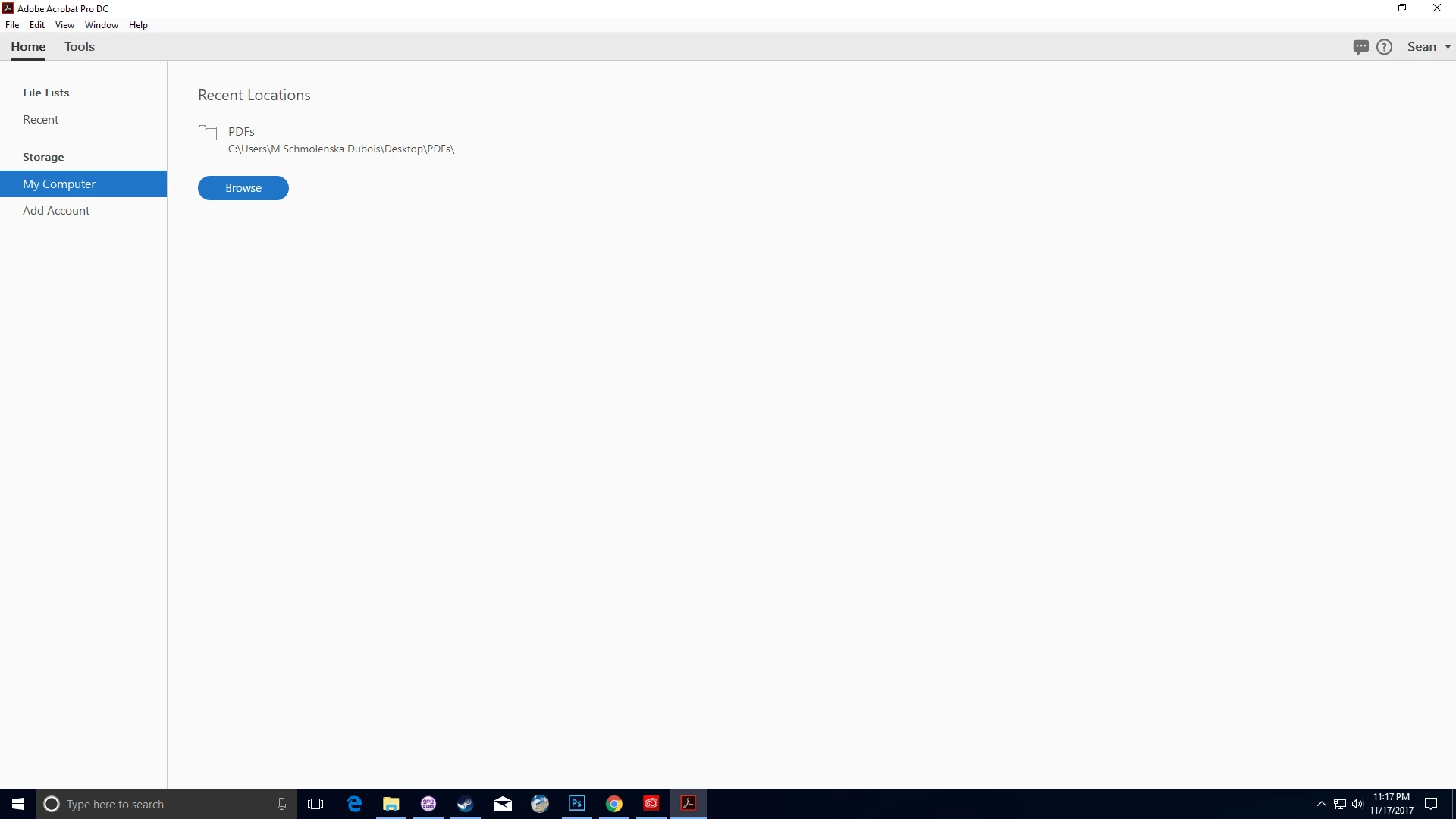
Opening Acrobat Reader Pro on my Windows PC today, I had a nasty surprise: the My Documents option under Home was gone: I couldn't find a way to access my Cloud documents!

I closed the app, restarted the computer, and tried again.  Same problem.

I uninstalled Reader and tried to reinstall it, but was met with "ERROR: DW003: Third party payload installer Adobe Acrobat\Setup.exe failed with exit code: 1603."  Figured out how to bypass that (included information only in case it helps diagnose my lack-of-document-cloud problem), and reinstalled Reader, but I still don't have the option to access my Cloud Documents.

I'm connected to the Internet, and I'm signed in to my Adobe account through Reader.

Suggestions?

Thanks!
This topic has been closed for replies.

4 replies

Participant
October 16, 2021

I have the same issue


Legend
October 16, 2021

Peer, please describe your issue in detail, including the exact version of Acrobat or Reader (not "latest").

Participant
October 16, 2021

Adobe Version 21.007.20099

No access from within Adobe Acrobat Pro DC on cloud files after last update. Document cloud button is there but when I press it nothing happens. I am logged in. I tried to reinstall, no success. Have access to cloud files on my ipad and online. Document Status is OK. 


Best, Peer 

Adobe Employee
November 21, 2017

Hi,

Sorry to hear that you are facing problems while accessing Document Cloud services in Reader DC.

Could you please try the following steps -

1. Sign Out. (Click on User Name from top right to sign out)

2. Quit Reader DC application and relaunch it.

3. Now Sign In again.

4. Try to access the Document Cloud.

Please share your observations with us.

Thanks,

Gagan

Participating Frequently
April 1, 2018

This does not resolve the issue...please advise...

Legend
November 20, 2017

Thanks for sharing the solution. Yes, we probably all rely on clouds a bit too much...

Legend
November 19, 2017

Ok, that's Acrobat Pro DC (not Acrobat Reader Pro, there isn't anything by that name). What is the exact version you have installed? You can check with Help > About Acrobat Pro. Something like 2016.123.45678.

Inspiring
November 20, 2017

Yeah, Acrobat Pro DC.  Turned out I was affected by the Document Cloud outage.  Nothing on my end.  Learned that I should check Adobe System Status when I lose access to my documents.

The dangers of relying on a cloud, I guess.