

Amberg Art
Inspiring
February 24, 2025
Answered

Opening a PDF or the App takes 30 to 60 seconds

  • February 24, 2025
  • 2 replies
  • 1896 views

Hi 
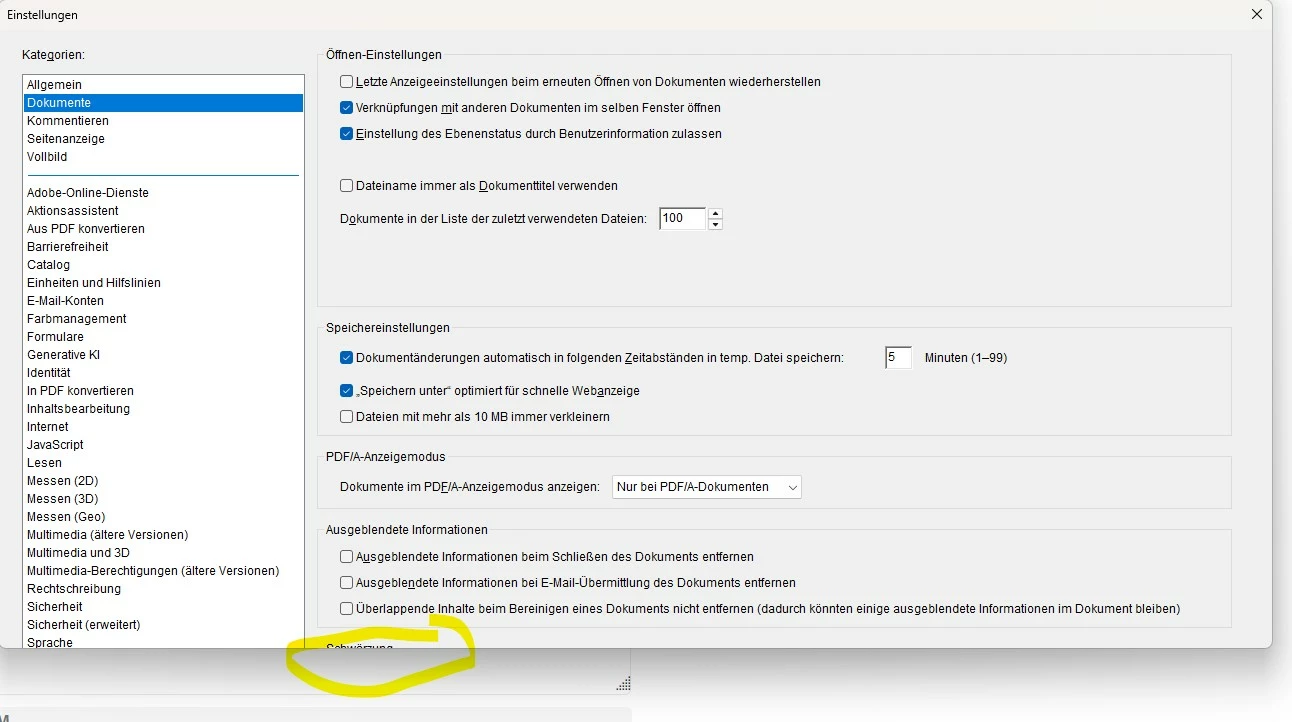
I experience an extremly slow opening time for PDF files or just starting the Acrobat App. It takes 30  to 60 seconds. When I go to the “Settings” on many pages, I cannot see all the parameters and therefore cannot change them. The app is up to date. I am running Windows 11 Pro (latest version). Any ideas?
Kind Regards, Oliver
Correct answer Amberg Art

Yes. Same "speed" when I open the App without a document.


After trying many things, I deinstalled Acrobat and reinstalled it. Now it works again like it should. 

2 replies

try67
Community Expert
Community Expert
February 24, 2025

There should be scroll bar on the right side of the window... One thing to try:

Go to Page Display and change Resolution to "Use system setting", if it's not already selected.

Regarding the loading time: Go to "Security (Enhanced)" and disable everything that's enabled there.

Amberg Art
Inspiring
February 24, 2025

Thank you for your advices (the resolution problem is now solved!) . I did disable the security settings but it's still very slow. 

try67
Community Expert
Community Expert
February 24, 2025

Does it also load slow if you open the application on its own, without opening a file?

try67
Community Expert
Community Expert
February 24, 2025

What version of Acrobat is this? Look under Help - About Adobe Acrobat to find out.

Amberg Art
Inspiring
February 24, 2025

It's version 2024.005.20414