

Amberg Art
Inspiring
February 24, 2025
Answered

Opening a PDF or the App takes 30 to 60 seconds

  • February 24, 2025
  • 2 replies
  • 1901 views

Hi 
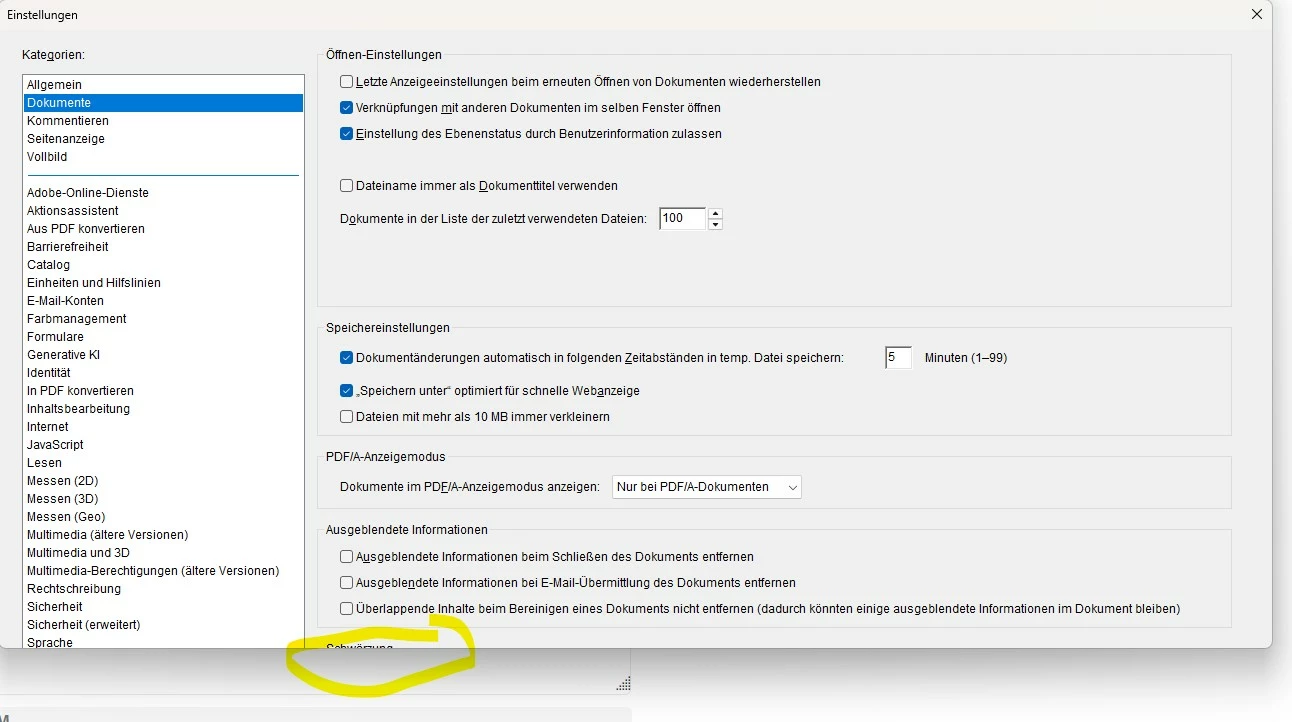
I experience an extremly slow opening time for PDF files or just starting the Acrobat App. It takes 30  to 60 seconds. When I go to the “Settings” on many pages, I cannot see all the parameters and therefore cannot change them. The app is up to date. I am running Windows 11 Pro (latest version). Any ideas?
Kind Regards, Oliver
Correct answer Amberg Art

Yes. Same "speed" when I open the App without a document.


After trying many things, I deinstalled Acrobat and reinstalled it. Now it works again like it should. 

2 replies

try67
Community Expert
Community Expert
February 24, 2025

There should be scroll bar on the right side of the window... One thing to try:

Go to Page Display and change Resolution to "Use system setting", if it's not already selected.

Regarding the loading time: Go to "Security (Enhanced)" and disable everything that's enabled there.

Amberg Art
Inspiring
February 24, 2025

Thank you for your advices (the resolution problem is now solved!) . I did disable the security settings but it's still very slow. 

Amberg Art
Amberg ArtAuthorCorrect answer
Inspiring
February 25, 2025

Yes. Same "speed" when I open the App without a document.


After trying many things, I deinstalled Acrobat and reinstalled it. Now it works again like it should. 

try67
Community Expert
Community Expert
February 24, 2025

What version of Acrobat is this? Look under Help - About Adobe Acrobat to find out.

Amberg Art
Inspiring
February 24, 2025

It's version 2024.005.20414