
Question
Page Labels Prefix
Hello,
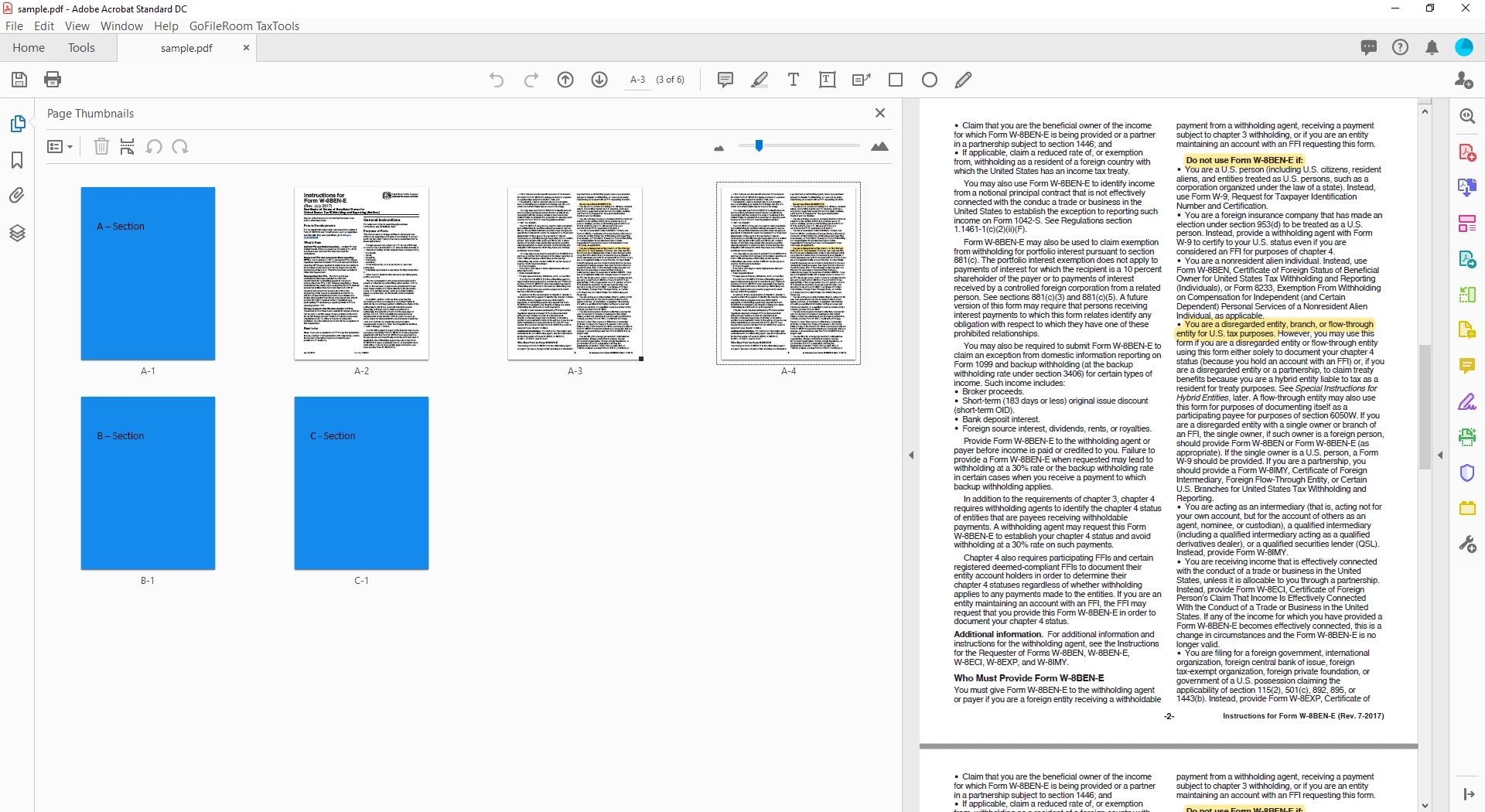
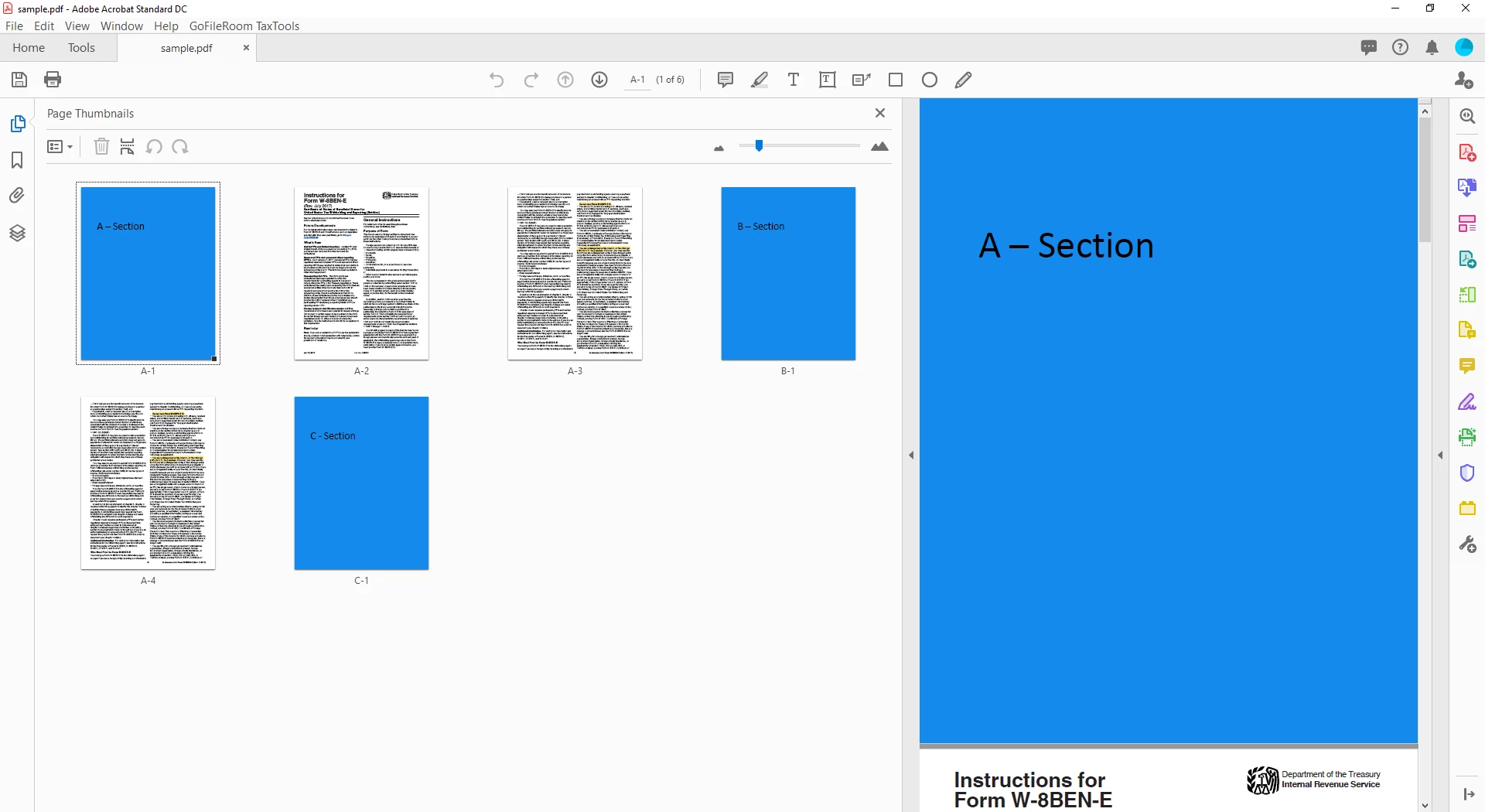
I am trying to resolve an issue relating to "prefix" in page labels. The problem that I am having is that when I move a page with "prefix", the original page number is kept and not updated automatically with a new prefix. For example, if I move page "A-4" (first picture) and move it to the first page of my Section B, then page label "A-4" is kept and not updated to "B-2" (second picture). Is there any way to get Acrobat to update the page label automatically?
 AdChoices