Copy link to clipboard
Copied
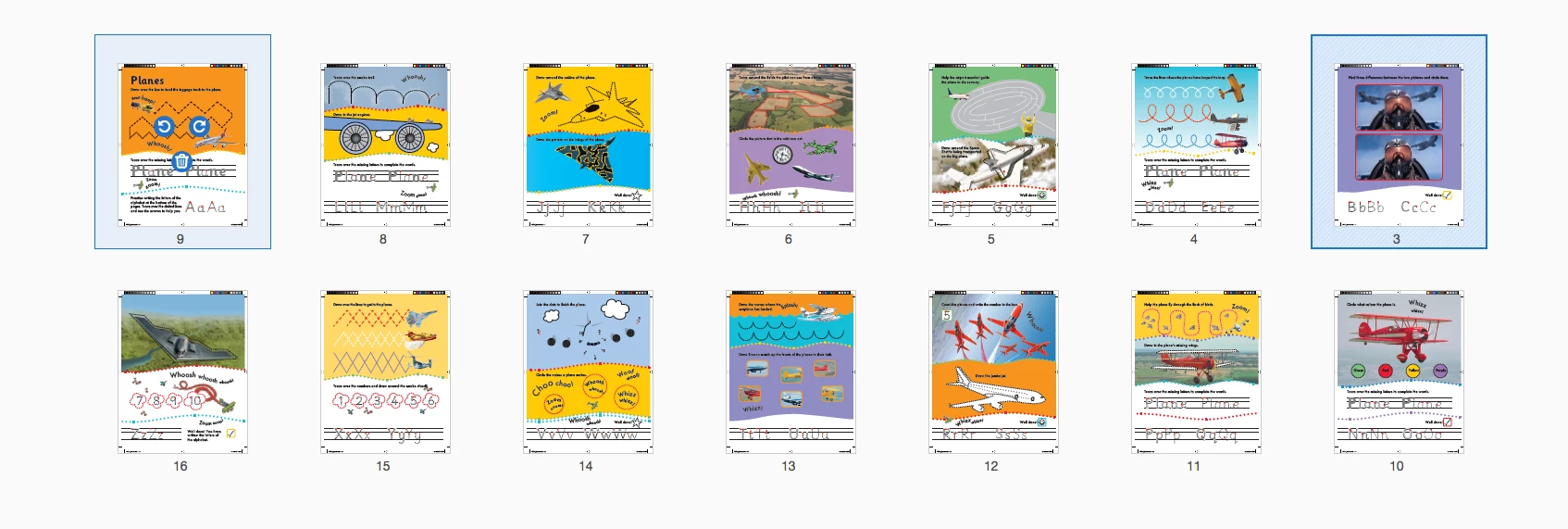
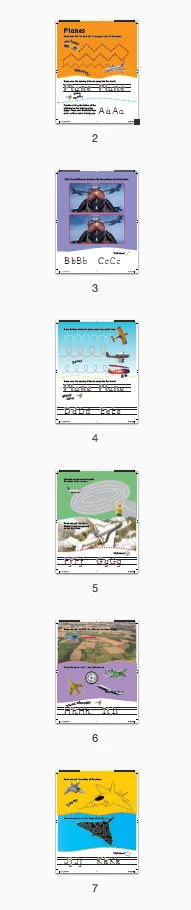
Recently created some pdfs from InDesign. When I open the document in Acrobat and go to 'organise pages' its doesn't run in the correct order. When i print the document its ok and when i view by page thumbnails its ok. Very confusing - never seen anything like this before.

Copy link to clipboard
Copied
Hi Davis_XI,
Thankyou so much for sharing the information.
I have checked the properties of the document that you have sent to me and what I have observed that there is some problem with the settings. and because of that the complete file opening up in wrong order.
>Open the file in Adobe Acrobat.
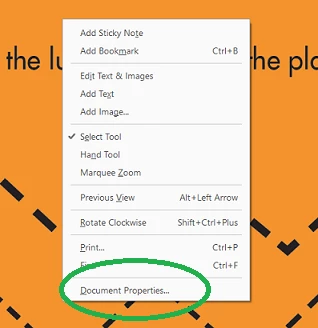
>Right click on the screen go to document properties-
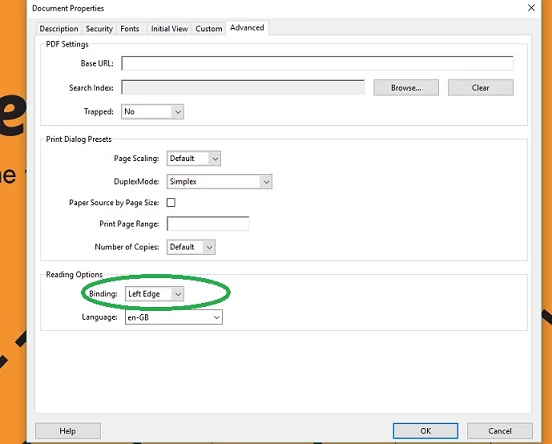
>Go to Advanced and see the Binding under Reading options-

> Change the Bindings to Left Edge press OK> close the file and reopen it, you would be able to see it in correct page order under organize pages-
**I have also emailed to the correct format of the file.
Please let us know if there is any further assistance is required.
Regards,
Akanchha

Copy link to clipboard
Copied
Hi Davis_XI,
Would it be possible for you to share the file with us?
I have shared the email address though private message, I would request you to please attach the file that you have tried to open in Acrobat to organize pages.
For the testing purpose I have tried the same at my end and it worked absolutely fine.
Regards,
Akanchha
Copy link to clipboard
Copied
Hi Davis_XI,
Thankyou so much for sharing the information.
I have checked the properties of the document that you have sent to me and what I have observed that there is some problem with the settings. and because of that the complete file opening up in wrong order.
>Open the file in Adobe Acrobat.
>Right click on the screen go to document properties-

>Go to Advanced and see the Binding under Reading options-

> Change the Bindings to Left Edge press OK> close the file and reopen it, you would be able to see it in correct page order under organize pages-

**I have also emailed to the correct format of the file.
Please let us know if there is any further assistance is required.
Regards,
Akanchha

Copy link to clipboard
Copied
This fixed it. Many thanks.
Get ready! An upgraded Adobe Community experience is coming in January.
Learn more