
Participant
July 20, 2024
Question

Pantone issues in PDF file while convert the Indesign to PDF

  • July 20, 2024
  • 3 replies
  • 1337 views

Hi,


This is a 2c colour book; open the PDF file because black does not appear on PDF files. Only pantone colours are presented. However, simulate overprinting in the separation preview to PDF files and visible black colour.
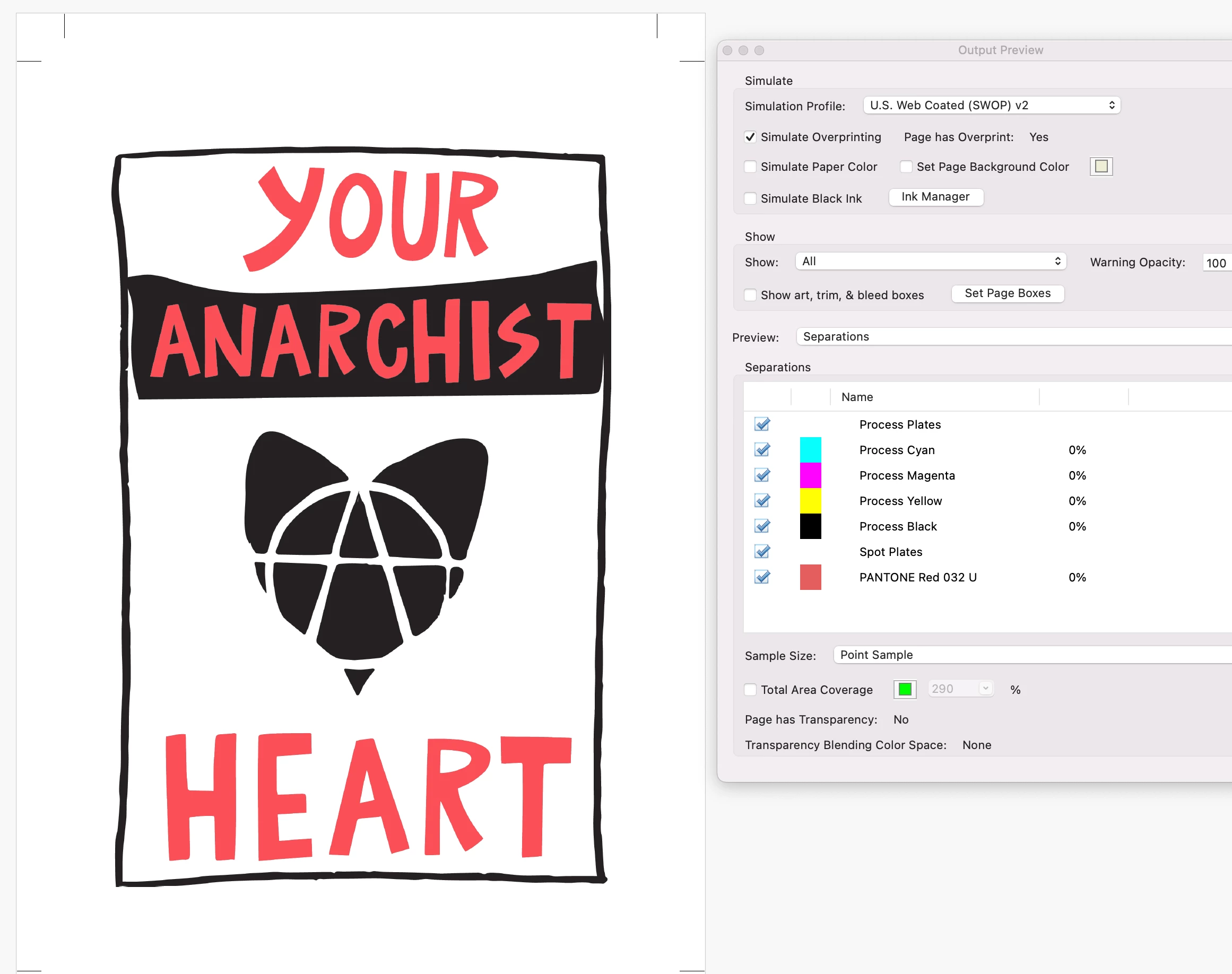
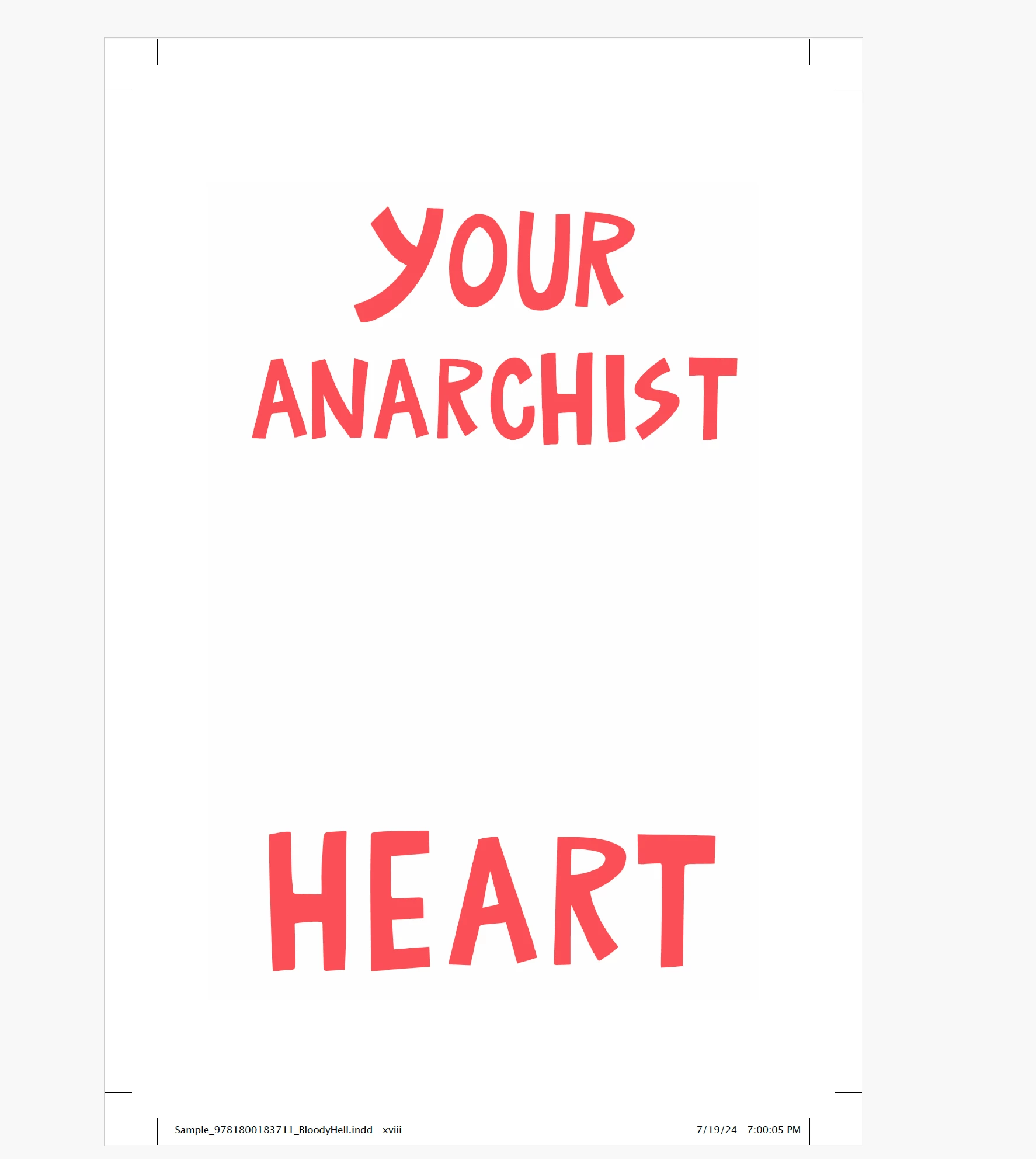


How to fix the issues. Please check and advise. I have attached screenshot for your reference.


This topic has been closed for replies.

3 replies

JR Boulay
Community Expert
Community Expert
July 21, 2024

It's hard to tell without seeing the file, embed the images and share the file in IDML (not INDD) if you want me to have a look.

Acrobate du PDF, InDesigner et Photoshopographe
JR Boulay
Community Expert
Community Expert
July 21, 2024

The problem comes from a setting in InDesign, I suppose the (black) image is set as non-printable, or it's placed on a non-printable layer.
In any case, for this black image you should set it to overprint.

Acrobate du PDF, InDesigner et Photoshopographe
Participant
July 21, 2024

Thanks JR. How to fix the issues for this and if any idea.

JR Boulay
Community Expert
Community Expert
July 20, 2024

Can you share this PDF (instead of screenshots)?

Acrobate du PDF, InDesigner et Photoshopographe
Participant
July 20, 2024

Thanks for response JR. I have attached PDF files.