Participant
November 24, 2019
Answered

PDF de mala calidad

  • November 24, 2019
  • 1 reply
  • 2928 views

Hola tengo un problema con mis archivos PDF resulta que los tengo como imagen luego los convierto en PDF y los uno con Acrobat y su calidad baja un poco, luego lo paso por reconocimiento óptico de caracteres (OCR) Y sigue bajando la calidad hasta quedar muy feo.. este es un ejemplo de como tengo la imagen


Y asi se ve despues de pasarlo a PDF


Hay forma de que salga exactamente como en la imagen?


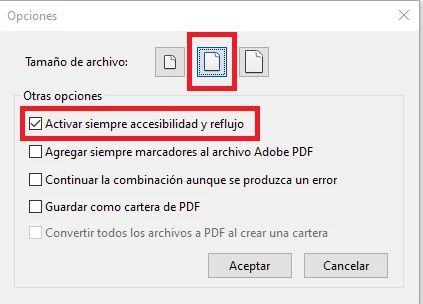
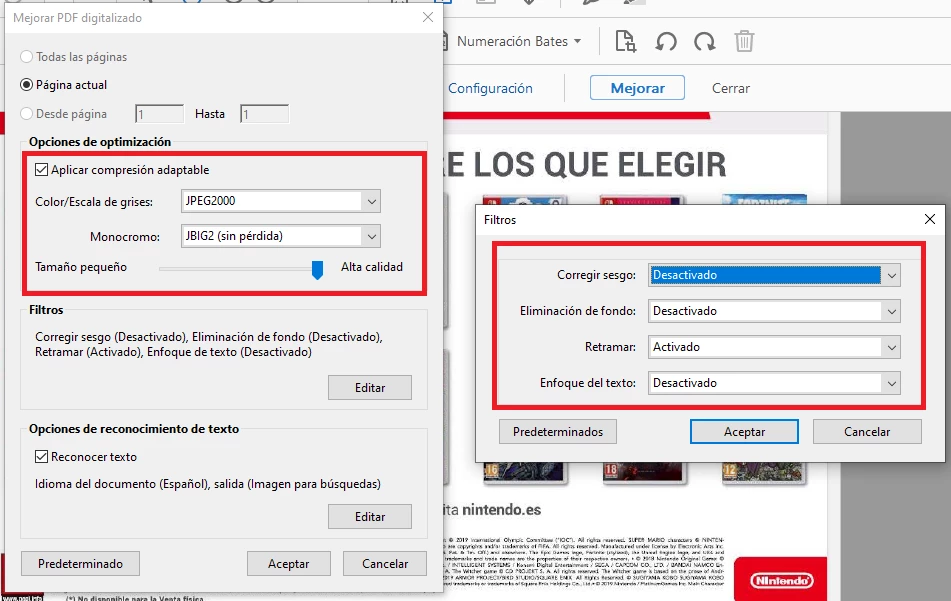
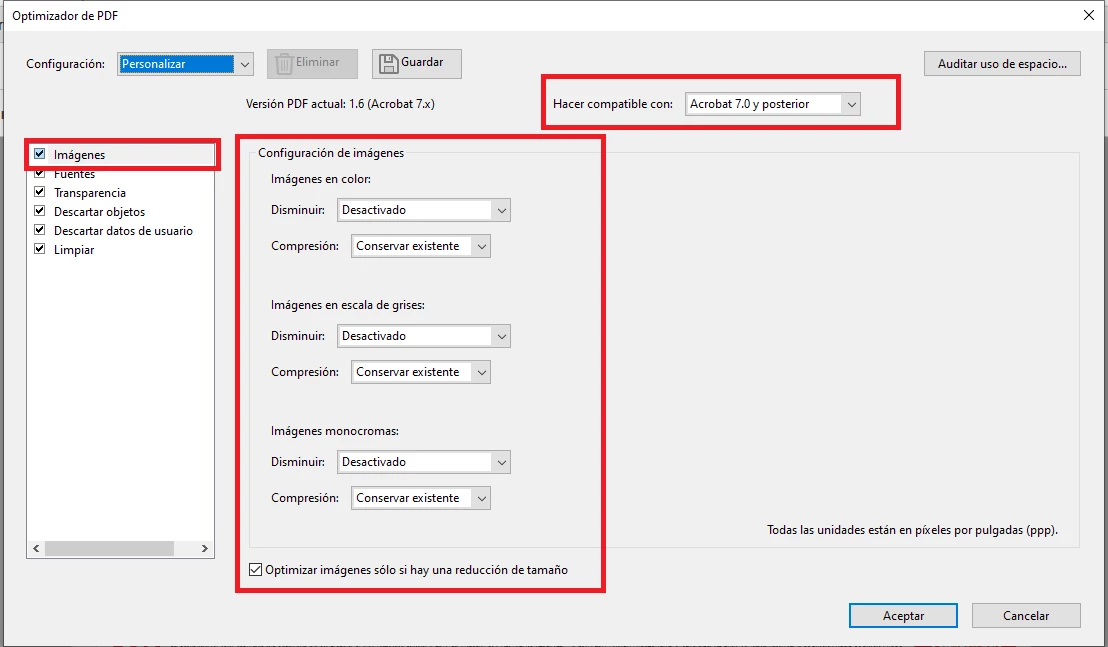
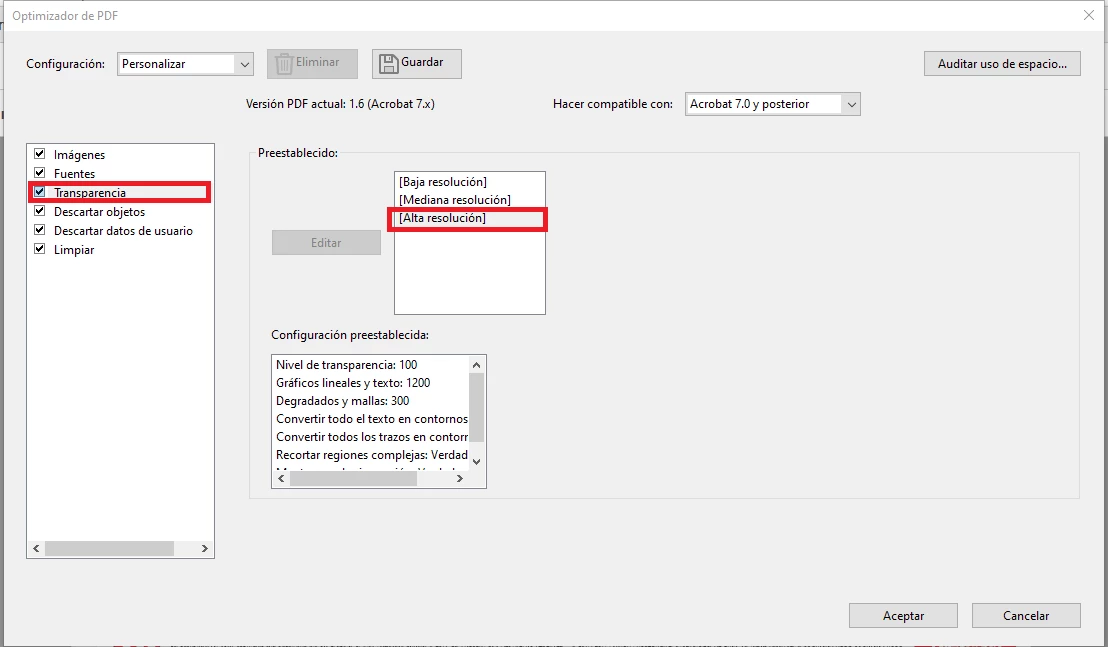
Esta es mi configuracion (Lo que he marcado es lo que he editado)


Me podrian ayudar a encontrar la alta calidad como se muestra mi imagen?


Gracias.

This topic has been closed for replies.
Correct answer barbara_a7746676

Perdon decia que ... gracias lo he hecho lo que me indicaste y hay una mejor calidad en el texto que es casi idéntica a la original.


Una última pregunta ... en la configuración, dejo todo exatamente igual o  modifico algo para mejorar y prepara mis archivos en la mejor calidad y menor tiempo posible??


The dialog boxes are in Spanish and the settings look different than mine, so it's a little difficult for me, but from what I can see, all of your settings look good and you don't need to change anything.

I have a couple of comments, but they will not alter the quality.

Activar siempre accesibilidad y reflujo: This setting doesn't hurt anything, but since you have an image, it is not necessary to have it turned on.

Hacer conpatible con Acrobat 7 y posterior: You can reduce the size of the PDF by choosing a higher compatibility. For example, Acrobat 9 or 10 would give you a smaller file size than Acrobat 7.


1 reply

barbara_a7746676
Community Expert
Community Expert
November 24, 2019

When saving the PDF, try these settings, which will give you the best quality PDF:

General: PDF/X-4

Compression Options: None

However, when you OCR the text, the text is probably going to degrade. To get the best quality text, it should be re-typed. To save some time, after the text is OCR'd, you can copy and paste it into the authoring program so that you don't have to type it from scratch.


tommy2020Author
Participant
November 25, 2019

Thanks I have done it and there is a better quality in the text is almost identical to the original.

One last question ... in the configuration I have left everything exactly like this?

barbara_a7746676
Community Expert
Community Expert
November 25, 2019

Please rephrase the question. I can't understand the translation.