
Participant
August 7, 2025
Answered

PDF Document Properties clean up

  • August 7, 2025
  • 2 replies
  • 308 views

How can I clean up the Document Properties of a pdf? Under the Description tab, I want to remove the Title, Author, Subject and Keywords info and under the Custom tab, I want to remove the Name and Value information. I'm looking for an automated process because I usually have dozens of pdfs that need to be cleaned up.
Correct answer Luke Jennings3

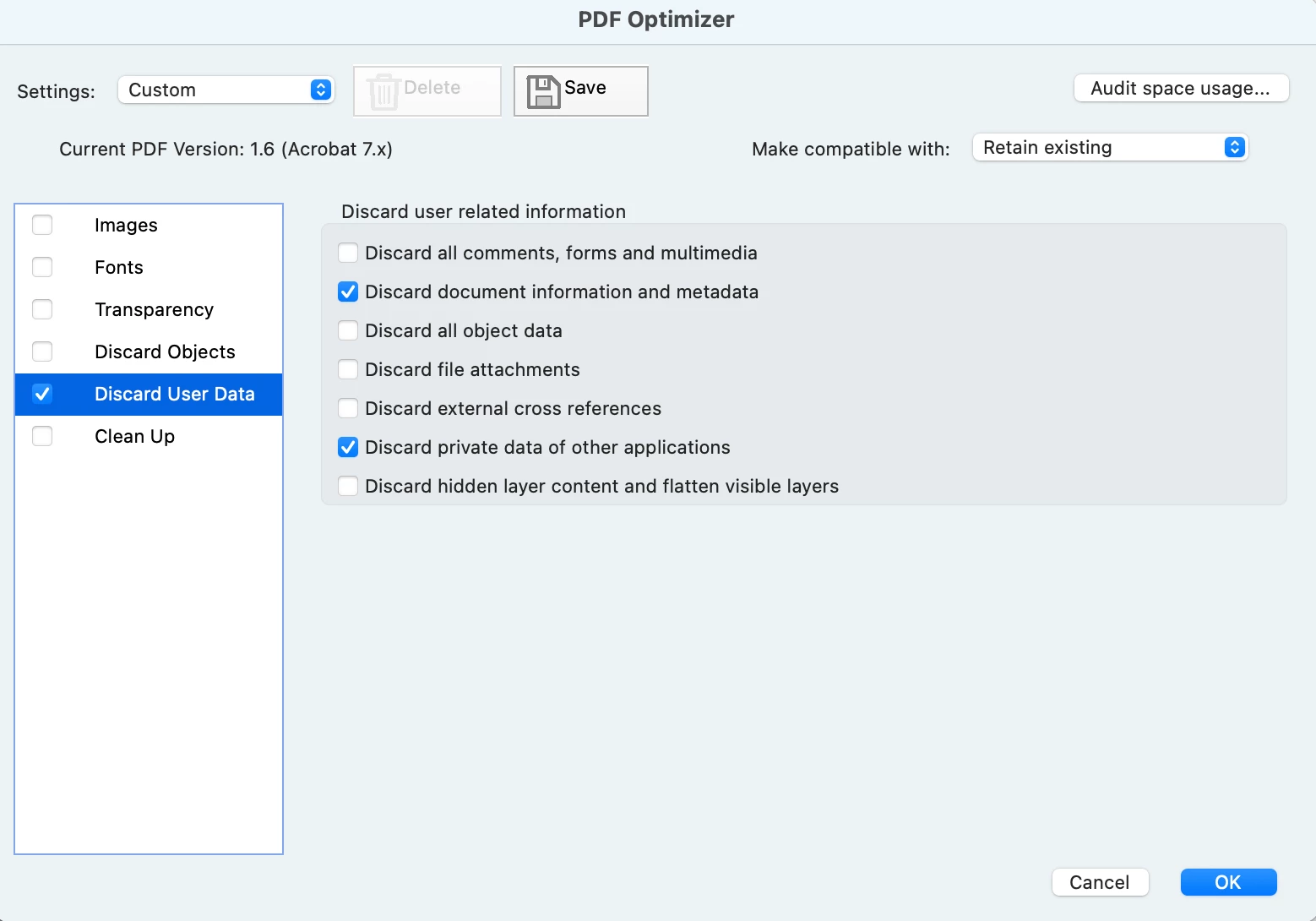
File> Save-as Other> Optimized pdf. You can use the Action Wizard to create an Action where you can apply the optimization to a pdf, or a folder of pdfs.

2 replies

Luke Jennings3
Community Expert
Luke Jennings3Community ExpertCorrect answer
Community Expert
August 7, 2025

File> Save-as Other> Optimized pdf. You can use the Action Wizard to create an Action where you can apply the optimization to a pdf, or a folder of pdfs.

Meenakshi_Negi
Legend
August 7, 2025

Hi Shenanigans2005,


Thank you for reaching out.


Please refer to the information in the following help document: https://adobe.ly/45tP4lb

If you mean to do it in a batch using an automated process, you might check if it can be done via a script. By default, there is no option to make changes to multiple PDFs at once.


Let us know if you are referring to something else.


Thanks,

Meenakshi