Participant
January 14, 2020
Question

PDF in Excel konvertieren funktioniert nicht richtig

  • January 14, 2020
  • 1 reply
  • 1232 views

Hallo,

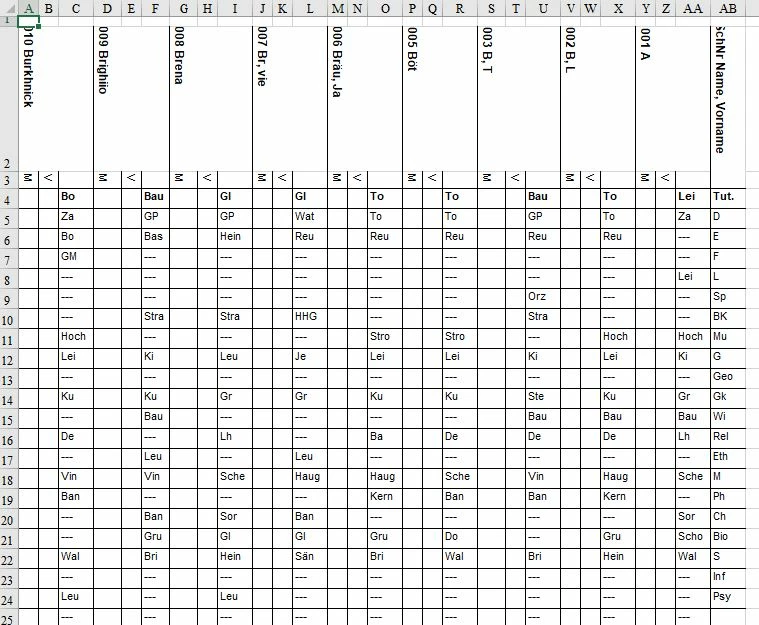
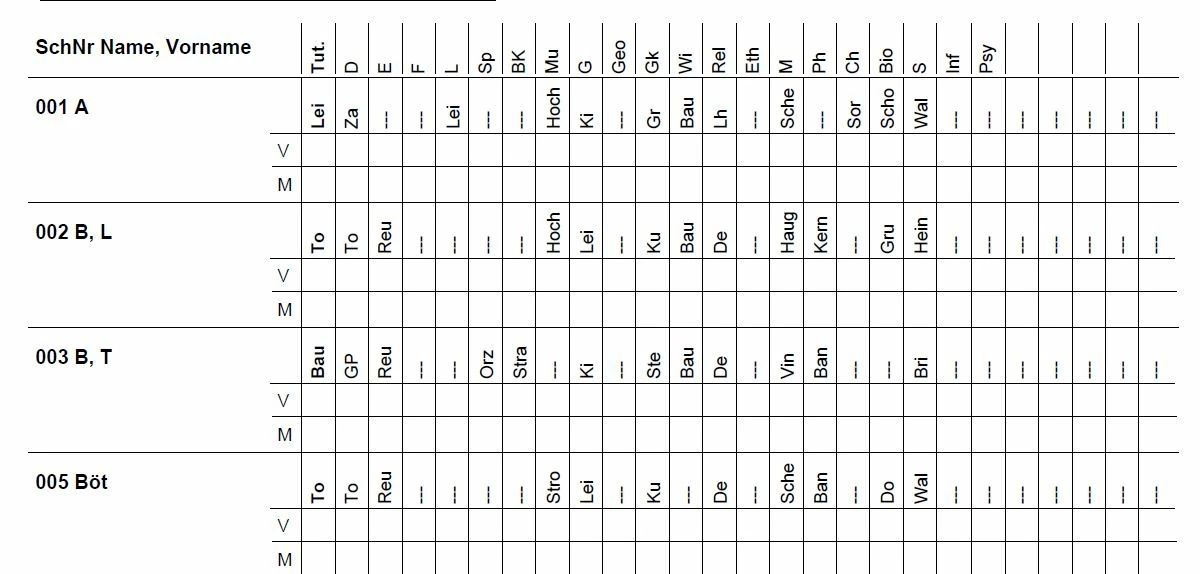
ich habe folgendes Problem. Ich möchte ein PDF-Dokument, wo in der ersten Spalte Namen und in den weiteren Spalten Abkürzungen, die 90° gedreht sind, eingetragen sind, in eine Excel-Tabelle konverteiren (siehe Bild 1). Ich benutze seit kurezm Adobe Acrobat 11. Nun werden bei der Konvertierung alle Zeichen um 90° gedreht und es entsteht eine nicht brauchbares Excel-Datei (siehe Bild 2). Mit Acrobat 10 hat noch alles geklappt. Kann mir bitte jemand weiterhelfen?

Danke


[Moving from generic Start/Help forum to the specific Program forum... Mod]
[To find a forum for your program please start at https://community.adobe.com/]

1 reply

Participant
February 7, 2025

Auch Adobe kann es nicht. Ich habe eine simple PDF Tabelle über das Online Portal konvertieren wollen. Es kommt ein fürchterliches Ergebnis heraus. Wofür bitte soll man da auch noch SW-gebühren an Adobe zahlen?

Amal.
Community Manager
Community Manager
February 7, 2025

Hi there


I’m sorry to hear that the conversion didn’t work as expected. The quality of the output can sometimes depend on how the original PDF was created—if it’s a scanned image or has complex formatting, the results might not be perfect.

Would you mind sharing more details about the issue? You can also try adjusting the table formatting before conversion or use the desktop version of Acrobat, which might give better results.


Additionaly for future reference and self-help please check the help page https://helpx.adobe.com/acrobat/faq.html