
PDF, is saving/opening as a Word document when i try to save as PDF.
Hello,
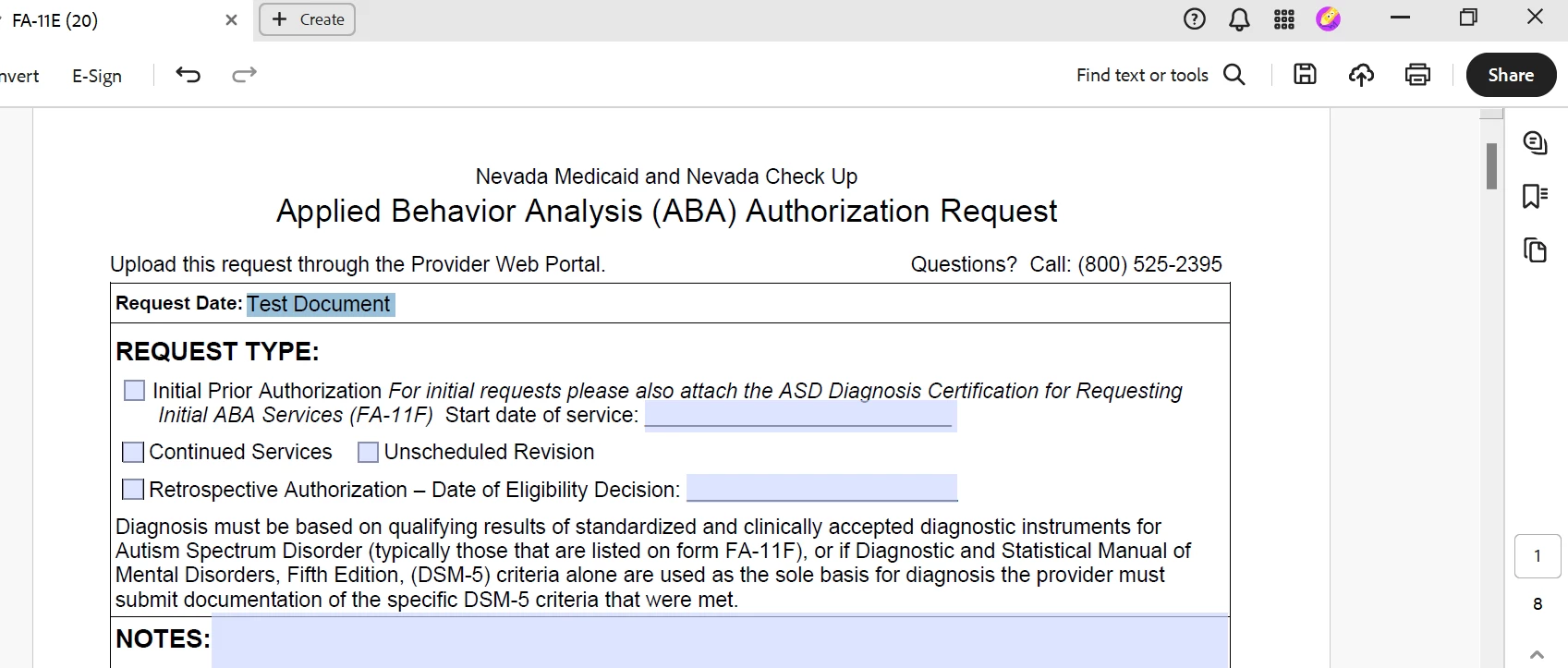
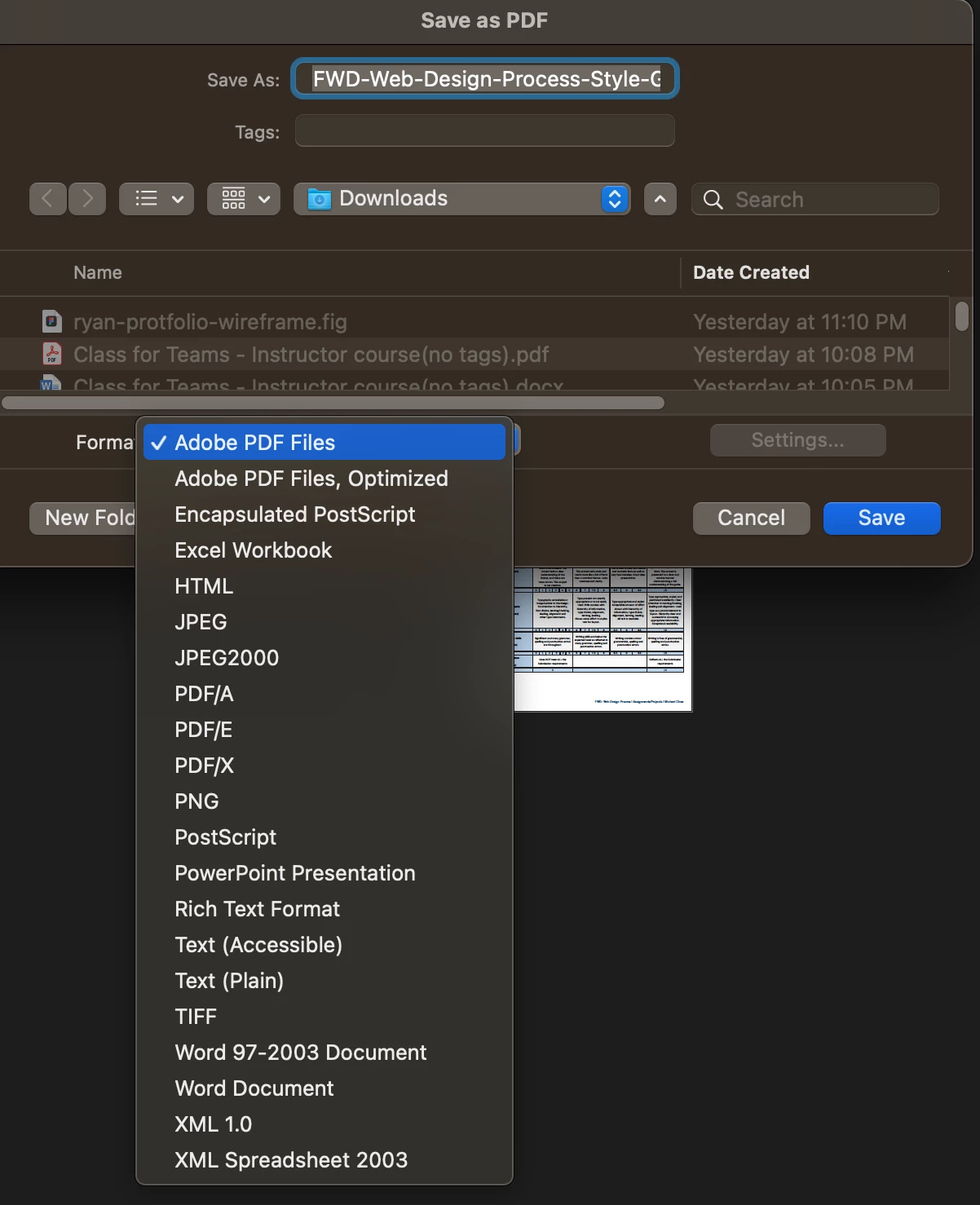
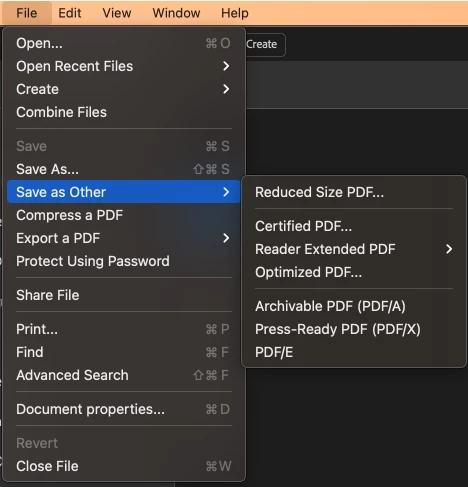
My document is originally a PDF. I edit it on acrobat as a PDF and can modeify/add information. When I go to save it, I want to keep it as a PDF and eventually email it but it doesn't work. It saves it as a word doc. This word doc changes the format of the doc and at times make it an image.
I do the following steps.
- 1. Edited OG PDF with the info i need.
- 2. I save via hitting "print, save as PDF, and save to my desktop.
- 3. When I look for the file, its a word doc, then i'm prompted to wait while it "converts," (it is no longer editable.
- 4. I try to email the doc to another person and it too is locked.
Overall, I dont know if this is a setting or what to do. I have an acrobat subscription through my job, so i have access to all features, but am very stumped with this.
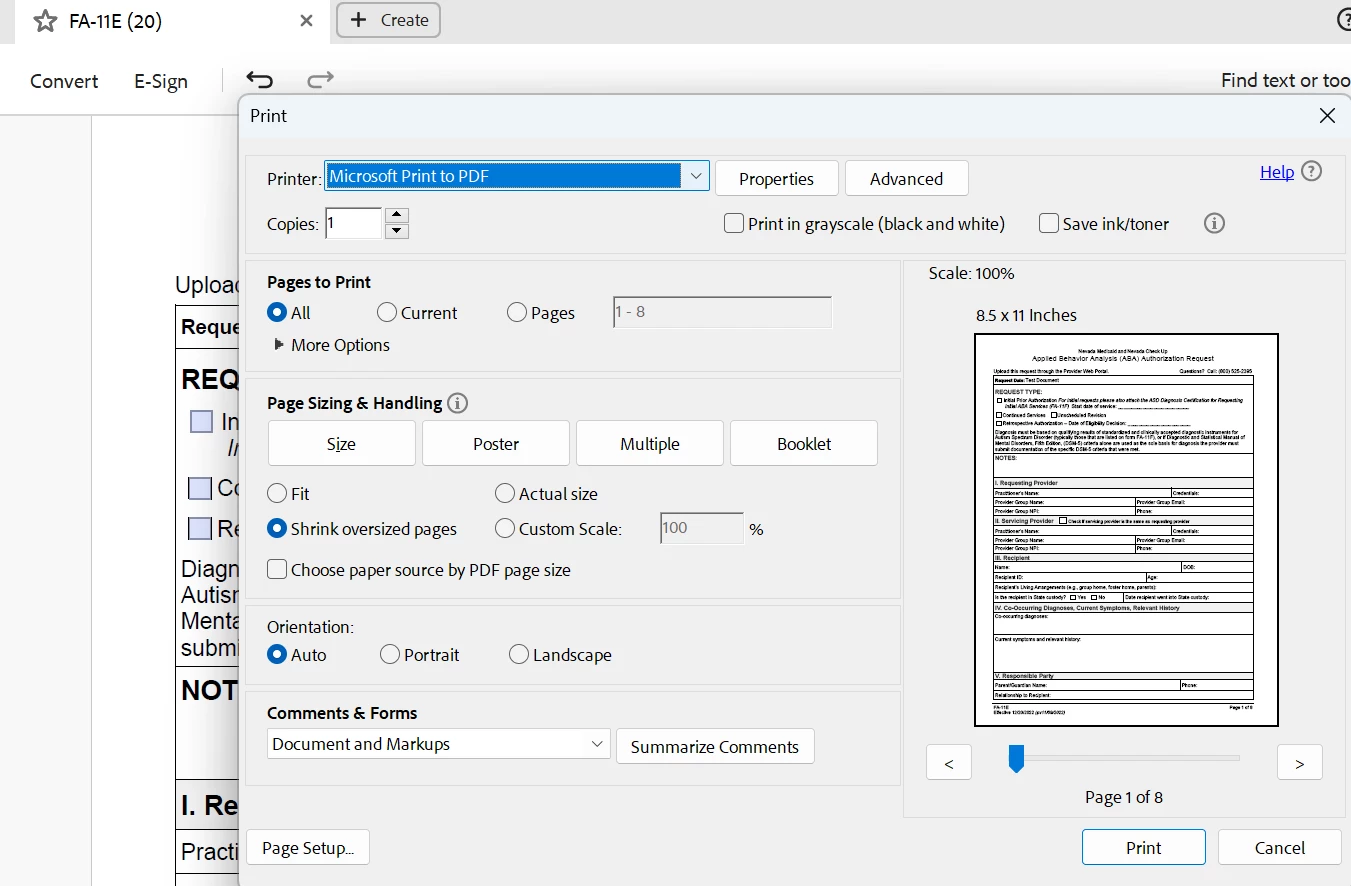
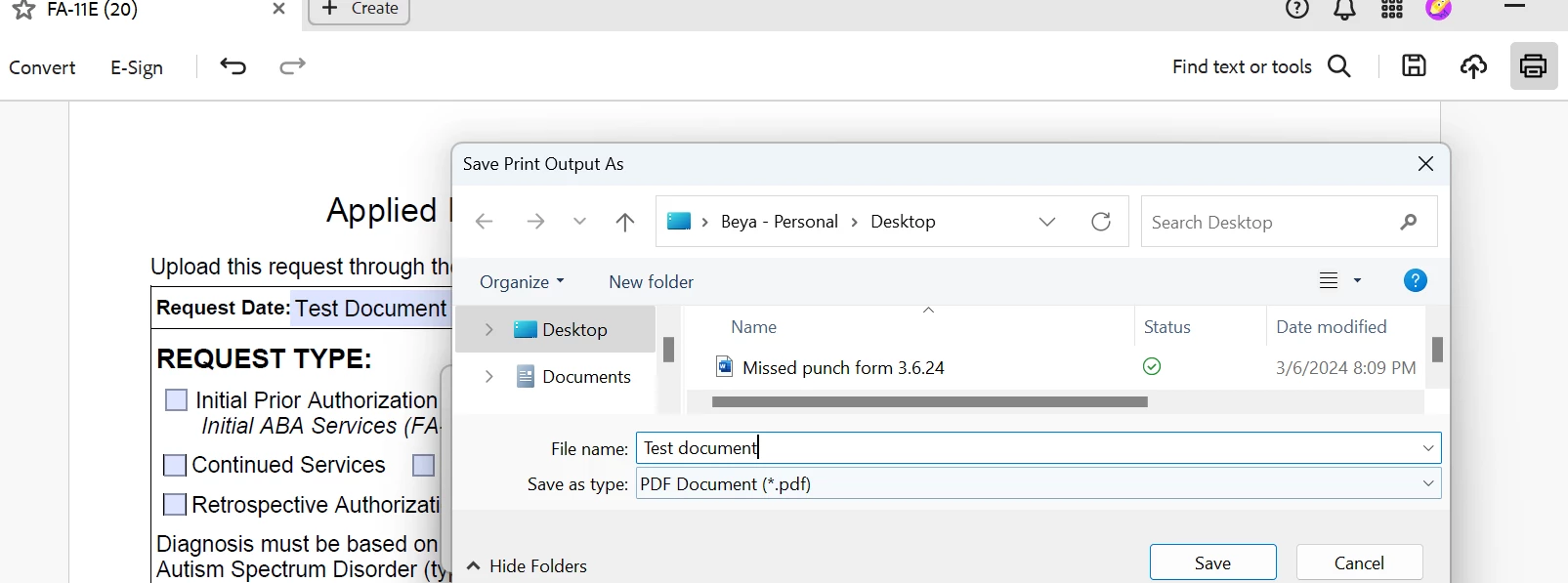

I then try to open with acrobat
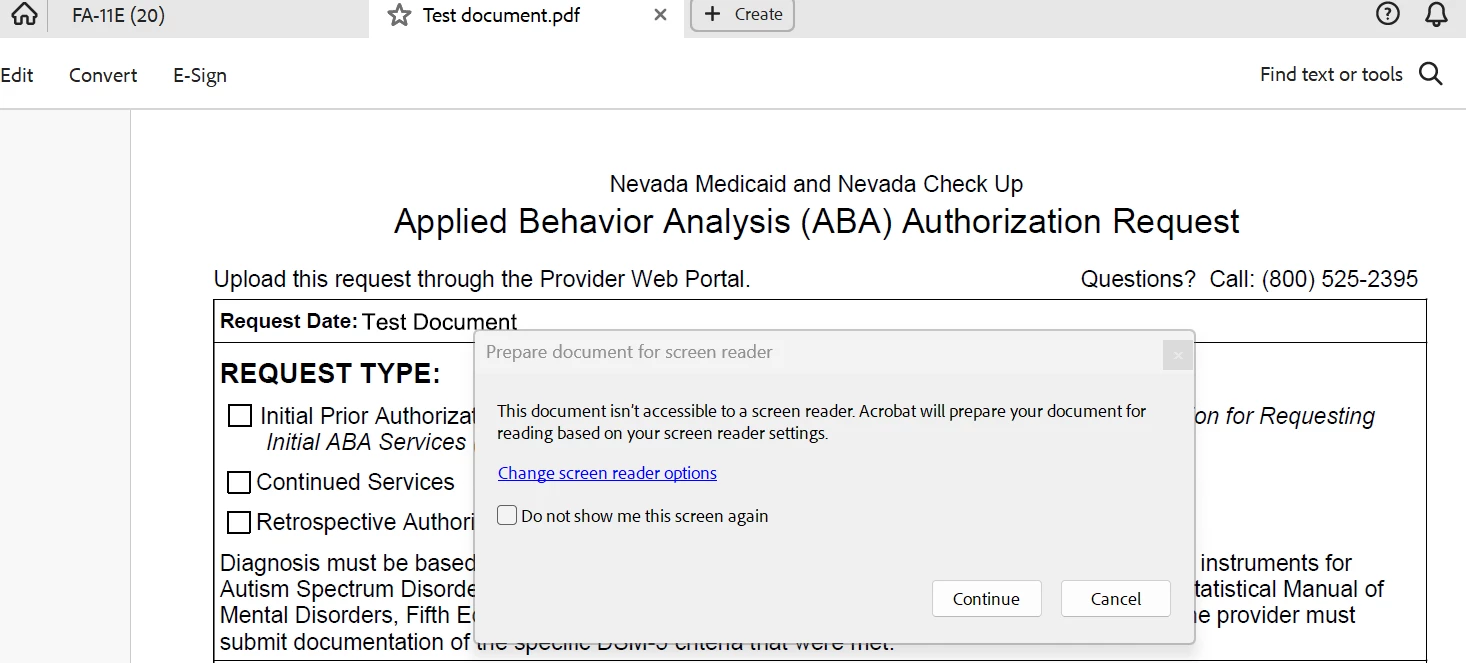
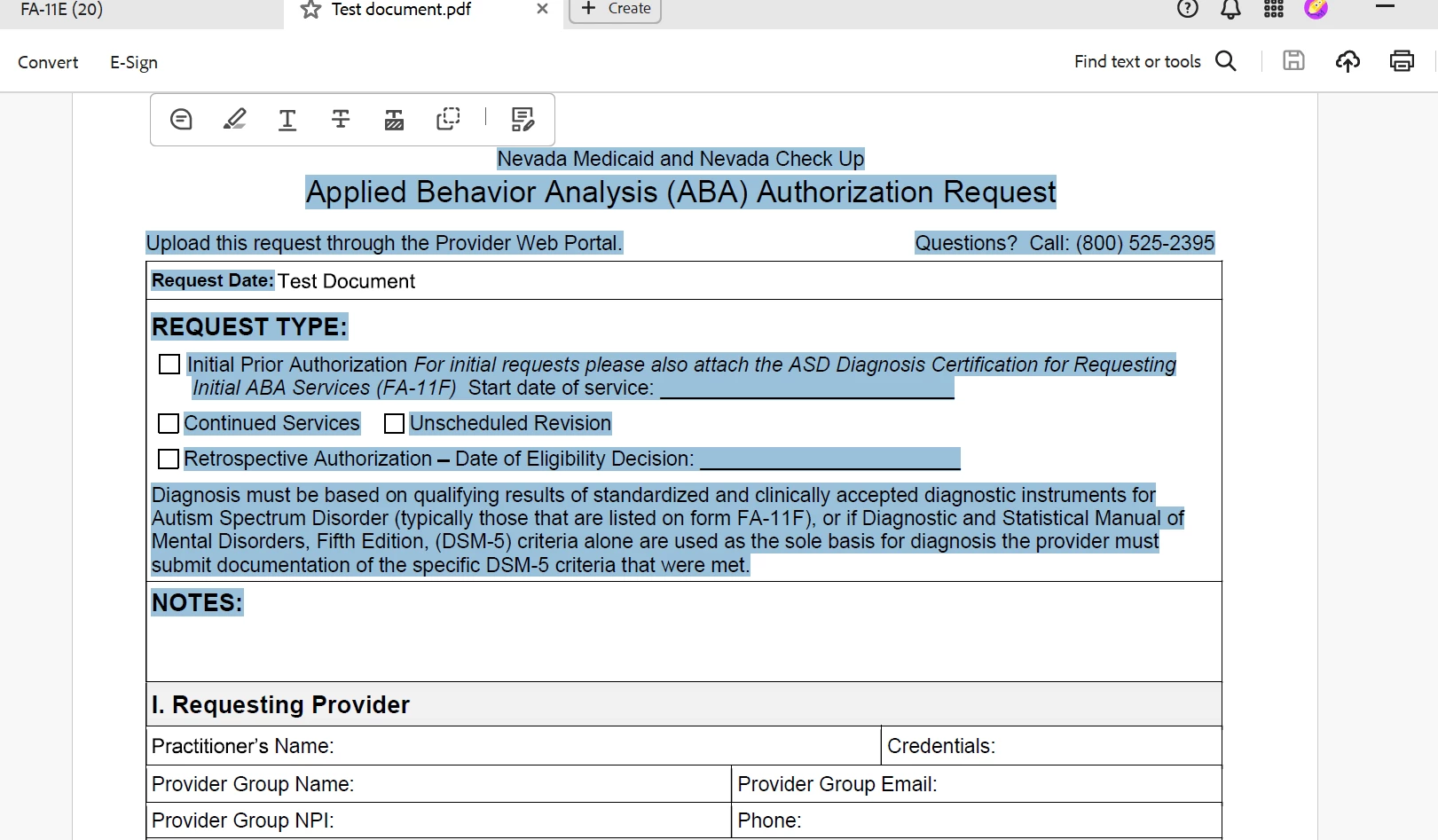
I can no longer fill out the document and neither can anyone else.
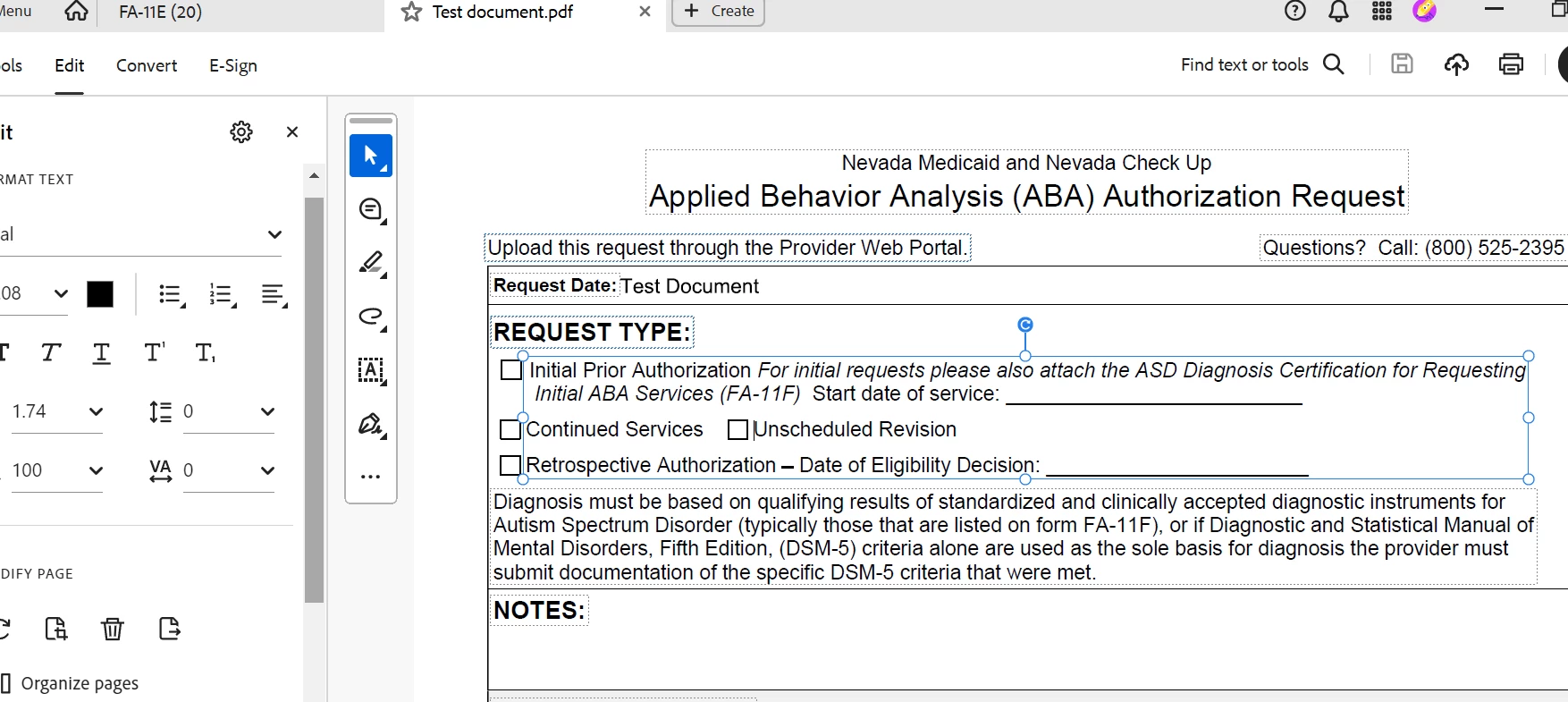
I can only edit the sections, and not fill out the document as I has originally.
My other co-workers can edit and send me the file filled out through thier end, but for some reason I cannot.
 AdChoices