
Participating Frequently
February 2, 2023
Question

PDF-Maker conversion from Word creates numbers in raster graphics

  • February 2, 2023
  • 1 reply
  • 829 views

Hello, I got some problems using the PDF-Maker addin for Word. 

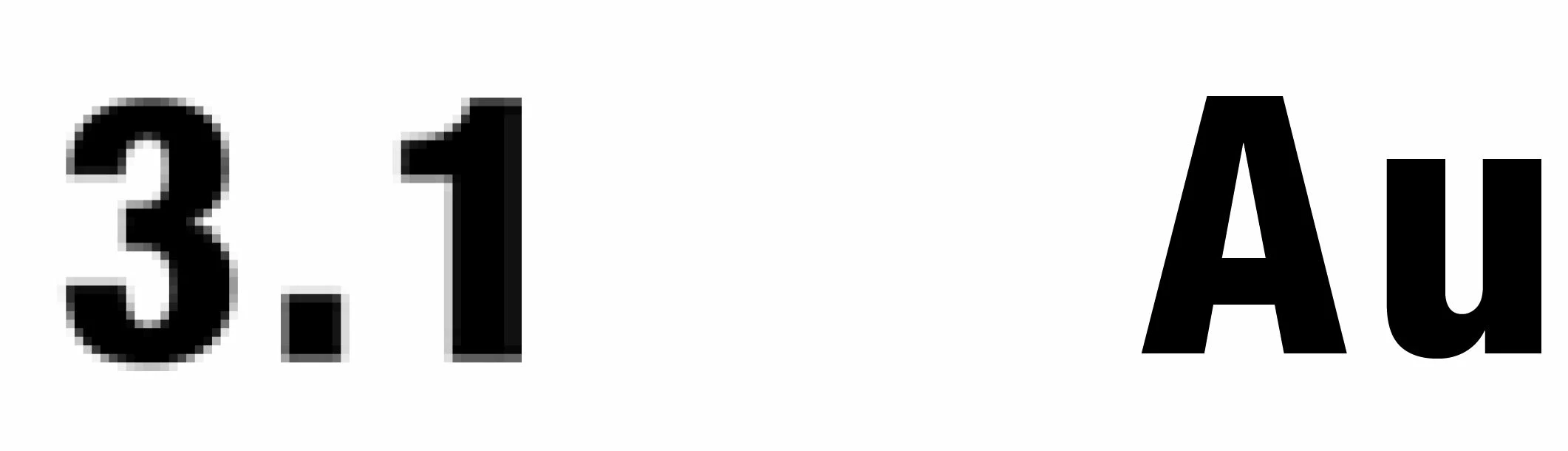
The conversion creates pixels instead of a vector for text-numbers within the table of content. 

Weird is, that numbers from the same font in a bigger font size are made to vectors AND the problematic numbers are paired in the same line with text, which is also created to vectors.


font is: HelveticaNeueLT Com 57 Cn 


This is what it looks like: 
 

I really hope someone can help me solve this 🙂


Thanks!

This topic has been closed for replies.

1 reply

Bevi Chagnon - PubCom.com
Legend
February 2, 2023

Could be the font and restrictions on embedding it in PDFs and other digital files.

Helvetica (all of the variations) is a copyrighted font by Linotype, and Linotype prevents its fonts from being embedded into PDFs — unless you've purchased a separate license that allows the font to be embedded. It's called an Epub or digital publication license.


We have a blog on this problem at https://www.pubcom.com/blog/2019_12-06/font-licenses.shtml


And you can view the different licenses for Helvetica Nueu at https://www.linotype.com/en/1308886/Helvetica-family.html   A "desktop license" is nearly useless; it only lets you install the font on your computer, view it in documents, but not embed it into PDFs.


To test this theory, try swapping out Helvetica for something from Microsoft or Google fonts, such as Calibri or Source Sans. If the text comes out OK, then this proves it is the Helvetica font's license restrictions.


|    Bevi Chagnon   |  Designer, Trainer, & Technologist for Accessible Documents ||    PubCom |    Classes & Books for Accessible InDesign, PDFs & MS Office |
Participating Frequently
February 2, 2023

Hello Bevi, thanks for your reply and the help 🙂


My company owns the font so its kind of strange. Just now i tried it with Calibri and this is how it looks like. So I guess my problem still needs to be found 😄


Abambo
Community Expert
Community Expert
February 2, 2023

What versions of the software are you using (Word and Acrobat)?

Could you share a test Word file?

Could you share the created PDF file?

(the content should not contain any private data, so best is to create a Word file with dummy content end exporting that one)

ABAMBO | Hard- and Software Engineer | Photographer