

santhoshr29800103
Known Participant
April 11, 2022
Answered

PDF/UA-1 level requirement

  • April 11, 2022
  • 3 replies
  • 8928 views

Hi,

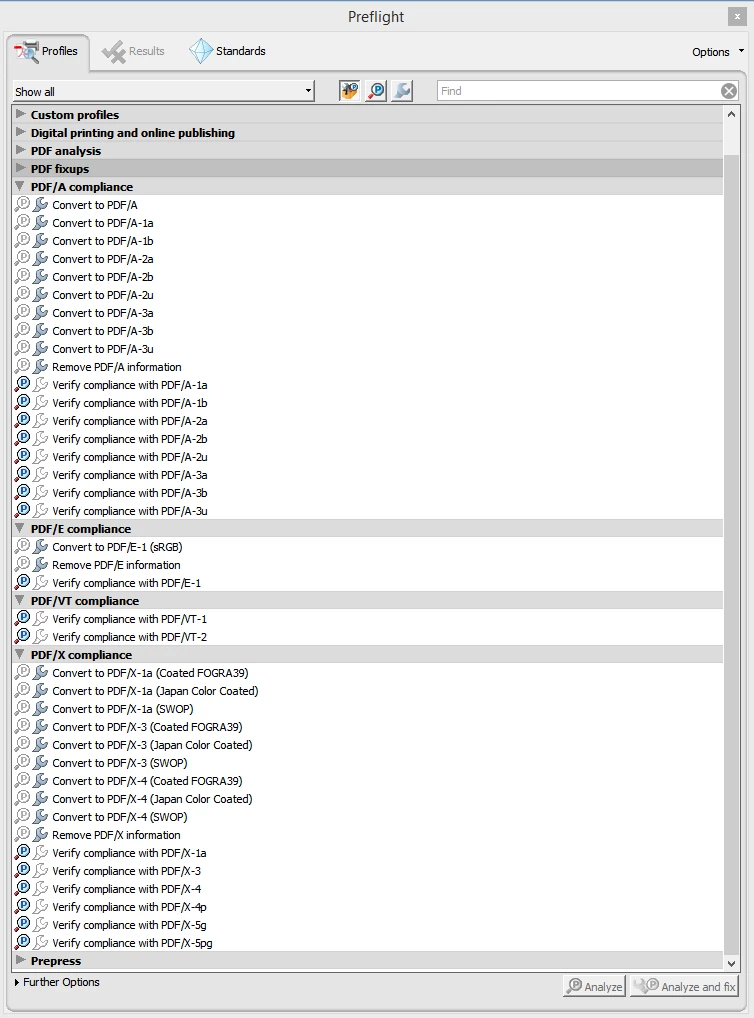
I have created an accessible PDF file. I want it to meet PDF/UA-1 level requirements. Is there any option to apply the PDF/UA-1 setting directly in PDF through Acrobat Professional? Since there are no PDF/UA-1 compliance settings found in the Acrobat Preflight menu in versions Acrobat Xi and DC. Please advise.
Correct answer maxwithdax

While Adobe Acrobat can check for specific PDF/UA checkpoints, it is not designed to fully access PDF/UA compliance at this time. Meeting PDF/UA is not managed by applying settings. It is about proper symantic tag structure for your document. This requires manually reviewing your tags and running 3rd party checkers like PAC 2021. You will likely need to fix issues inside your PDF but realize there is no magic button for PDF/UA compliance.

3 replies

Known Participant
December 8, 2022

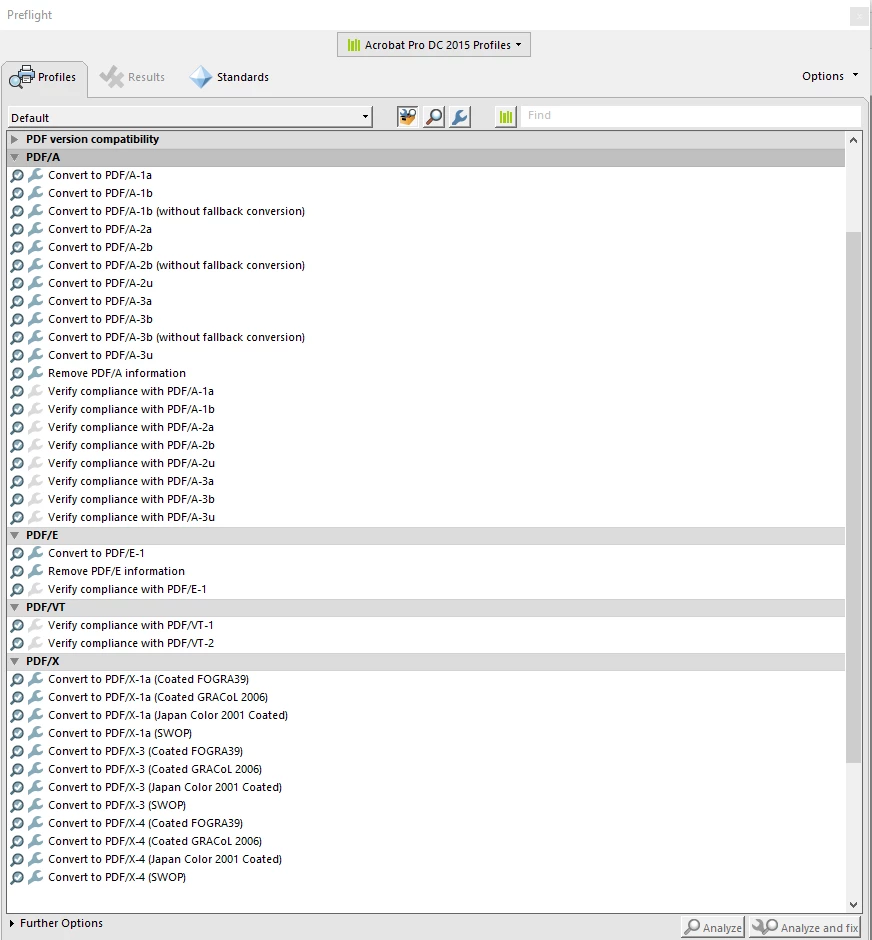
In the past I was able to clear this error by doing what MaryHelenShuff suggested below. This however stopped working for me. I was able to clear the error by going to Preflight, in the 2nd image you provided above click on the drop down menu and change it to "PDF Standards".

It will then give you the option to fix that issue as suggsted by Tagged PDF.com:

Tools > Print Production > Preflight
In the Preflight dialog, on the Profiles tab, click the Single Fixup wrench icon (the rightmost of the three icons next to the “Show all” button). Expand “Document info and Metadata” and select “Set PDF/UA-1 entry”. Click the “Fix” button. When prompted, save to a new file name.


Note: this just clears the error, I do howeve clear all the errors in WORD, Adobe and then I run my PDF through PAC3 and clear those errors as well. That means I clean up tag structure, and any other errors identified by all 3 programs.


Participant
March 24, 2023

This has worked for me. Thanks for sharing!

johanneb36771131
Participating Frequently
March 24, 2023

thank you for sharing. However, despite the fact that I uninstall acrobat DC and reinstall it, the profile tab sub-menu appears to be blank, so I cannot fix any issues.... ;(

mary helens142890
Inspiring
August 12, 2022

Like MaxwithDax said, the PDFs need to be manually checked for full PDF/UA compliance.


However, as part of our workflow, we also "append" the "pdfUA-ID.xmp" metadata file to the existing metadata INSIDE the PDF . I'll attach the pdfAU-ID metadata file to this comment.


To amend the metadata in the PDF:

  1. Go to the File > Properties window.
  2. Click "Additional Metadata"
  3. Choose "Advanced" (at the top)
  4. Click "Append" (at the bottom).

 .     

Route yourself to the "pdfUA-ID.xmp" metadata file that I've included here.
Save.


Hope this helps.

Mary Helen Shuff | Art Director & Senior Graphic Designer | 508-Compliancy Coordinator | Forms Coordinator | Printing Liaison
brennanyoung
Participating Frequently
September 14, 2022

I don't accept the answer marked as "Correct" or understand why this isn't easier. Why does it not happen automatically?

Surely if you run the the Accessibility Check, and it passes (including manual steps) then Acrobat could/should just insert the PDF/UA identifier. 
Why do we have to mess around with preflight? Seems unnecessarily complicated and error-prone. And... what about automation?
There is a guide for doing this at https://accessiblewebsiteservices.com/accessible-pdfs-how-to-add-a-pdf-ua-identifier/

maxwithdax
Community Expert
Community Expert
October 24, 2022

While you may not accept that as the correct answer, it is in fact the only way to insert the PDF/UA identifier into your PDF using Acrobat. Passing the Acrobat Checker is NEVER a validation that your document is accessible, let alone passing PDF/UA standards. Accessibility is always a series of manual and automated checks. You can very easily have a document that has no heading tags in the tags tree yet has visible headings in the document. This would be a violation of 1.3.1 Info and Relationships yet there is no checker in existence that will flag the inappropriate tag. This is just one example. You can have a table full of TH with no TD and still pass the checker. There are so many ways that a checker will miss things. The Acrobat Checker should be your first step but definitely not your last. The link you posted is to the PAC 3 Checker. This is just a checker and does not add a PDF/UA identifier. It is a more complete checker and your document is more likely to be compliant if you pass PAC but there are ways it misses things too. Sorry. It is just not that simple.

maxwithdax
Community Expert
maxwithdaxCommunity ExpertCorrect answer
Community Expert
June 16, 2022

While Adobe Acrobat can check for specific PDF/UA checkpoints, it is not designed to fully access PDF/UA compliance at this time. Meeting PDF/UA is not managed by applying settings. It is about proper symantic tag structure for your document. This requires manually reviewing your tags and running 3rd party checkers like PAC 2021. You will likely need to fix issues inside your PDF but realize there is no magic button for PDF/UA compliance.

Known Participant
October 3, 2022

I use to be able to append my PDFs and add the PDF/UA-1.xmp file but that is no longer an option, anytime I hit append ADOBE crashes and closes my file. I also use to be able to fix it thorough Pre-Flight and that is also no longer an option, it identifies that it's an issue but there is no repair for it.

Known Participant
October 3, 2022

I forgot to mention, my Adobe DC is up to date and I have ran a Repair Installation to no avail