
PDFMaker COM Addin, Outlook 2016 - Porfolio Toolbar/Properties Issue
Hello,
I have the Acrobat PDFMaker Office COM Addin enabled in Outlook 2016, and it works fine, except for the issue listed below.
To start,under the Change Conversion Settings, I have the "Output Adobe PDF Portfolio when creating a new PDF file" box checked as that is what I want; to group a series of emails under one pdf file.
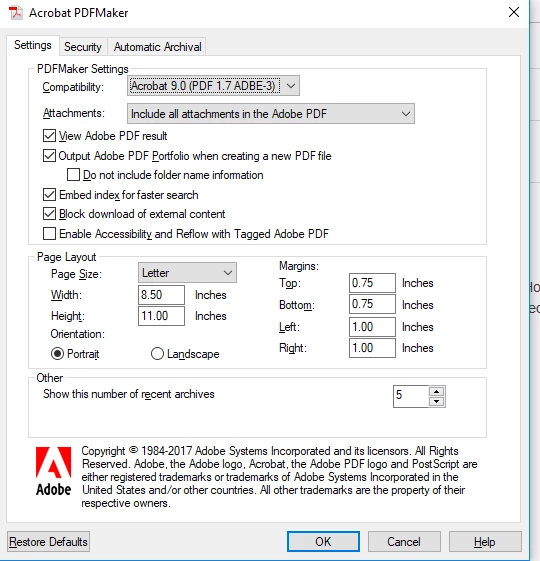
However, I have noticed that the portfolios created this way do not have the same PDF Porfolio toolbar as that in the portfolios I have created outside of Outlook. For instance, there is no "Create Folder" button or "Edit Value" option when you right click in the details summary. I like having these options, as it allows me to organize the files how I want.
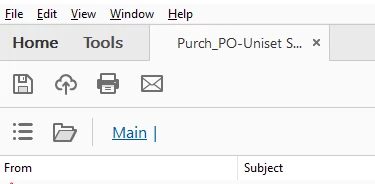 vs
vs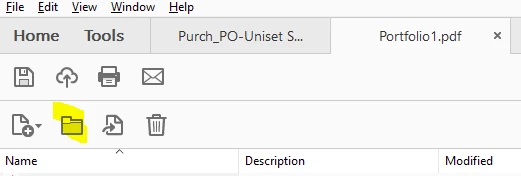
The only difference I can find between the two types of files is that in the Portolio Properties, the Outlook PDFMaker portfolio shows the following:
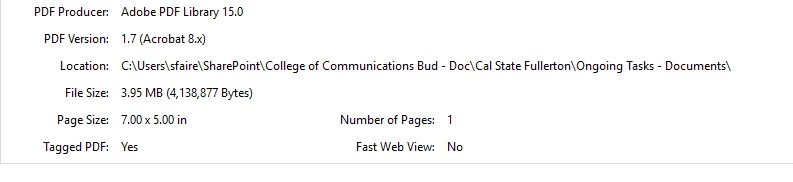
While in the other porfolio it show this:
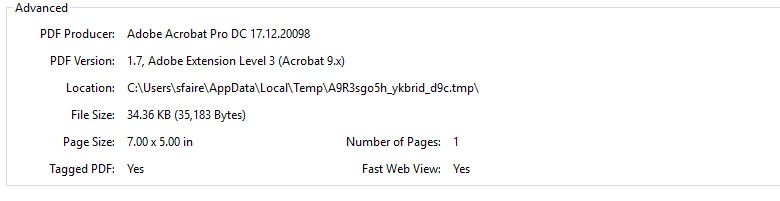
I'm not sure if this is something I can fix on my end or if it requires a new download, etc., but any insight into what is happening would be great.
Thanks much!!
Selene
 AdChoices