
Known Participant
March 10, 2021
Answered

Percentage and Sub Total Calculations

  • March 10, 2021
  • 2 replies
  • 1590 views

Hi,

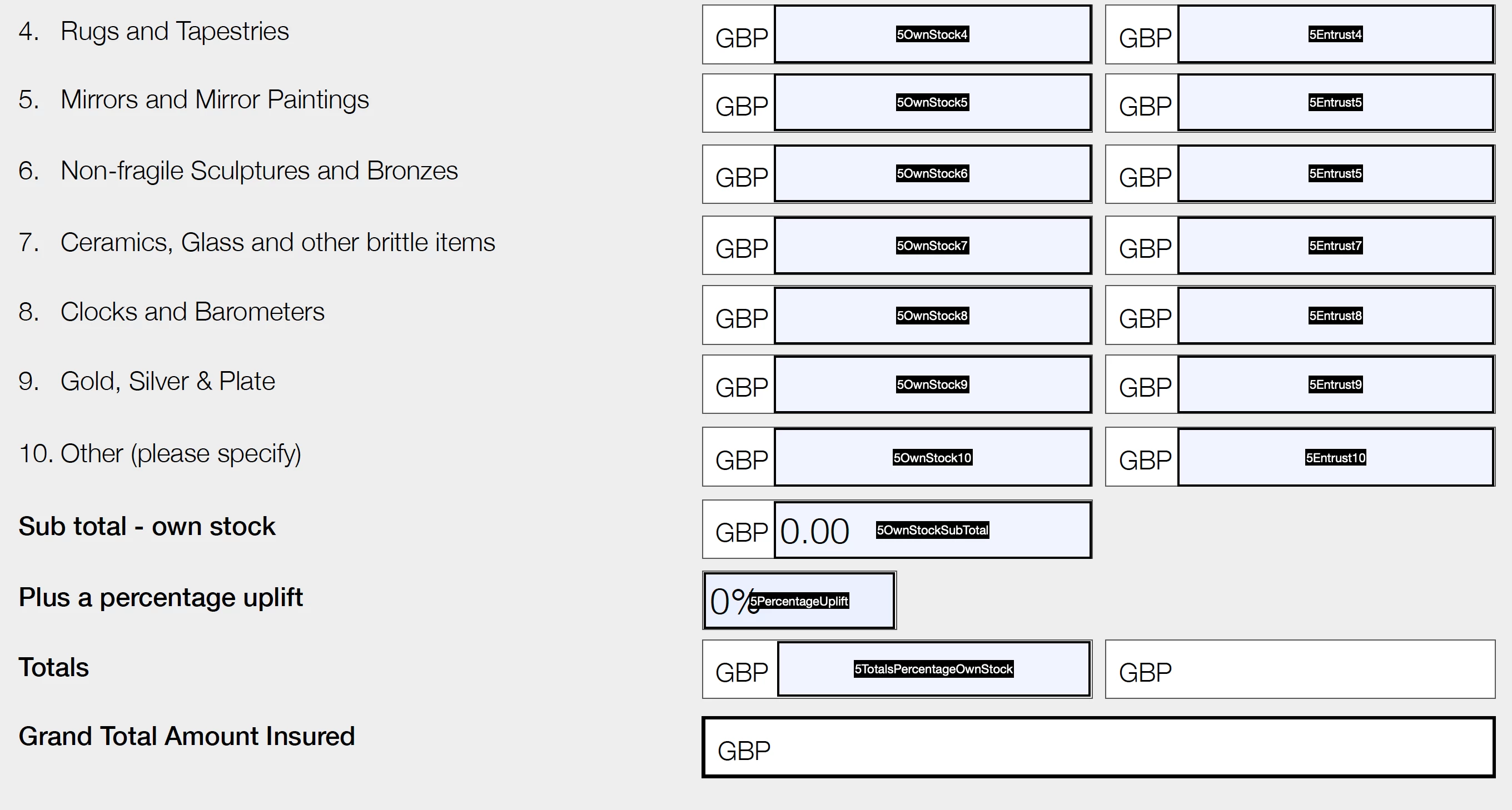
I need to create a calculation so that whatever is entered into the 'percentage uplift' box gets added to the 'subtotal own stock' and gives me a total. Do I need a javascript to do this? Should I keep the percentage uplift field a percentage or a number?


Hope you can help


Thanks
This topic has been closed for replies.
Correct answer ls_rbls

++Adding to the discussion,


I see that you have all the text field object names starting with a number.


I've read in other threads in this community that when you use simplified notation or the built-in "SUM" feature to calculate field values it may throw errors.


What I would do in this caseis to follow the same guidance that George Johnson already gave you but change the field names. In particular just eliminate the "5" that is preceding every field name in your PDF and see if that resolves the issue.

2 replies

ls_rbls
Community Expert
ls_rblsCommunity ExpertCorrect answer
Community Expert
March 12, 2021

++Adding to the discussion,


I see that you have all the text field object names starting with a number.


I've read in other threads in this community that when you use simplified notation or the built-in "SUM" feature to calculate field values it may throw errors.


What I would do in this caseis to follow the same guidance that George Johnson already gave you but change the field names. In particular just eliminate the "5" that is preceding every field name in your PDF and see if that resolves the issue.

Known Participant
March 12, 2021

Thank you very much. That has made it work now.

Inspiring
March 10, 2021

You don't need to use JavaScript necessarily, unless you have specific rounding requirements. You could use the simplified field notation option when setting up a calculated field, and it would probably be best to set it to a number and configure the calculation correctly. For example, in the Totals field, the what you'd enter could be:


5OwnStockSubTotal * (1 + 5PercentageUplift / 100)


Assuming that's the correct formula.

Known Participant
March 11, 2021

Thnak you I think that has worked.

Known Participant
March 11, 2021

Ah, I have tested it again and it does not work for some reason.