Answered
pick a date calendar
Hi
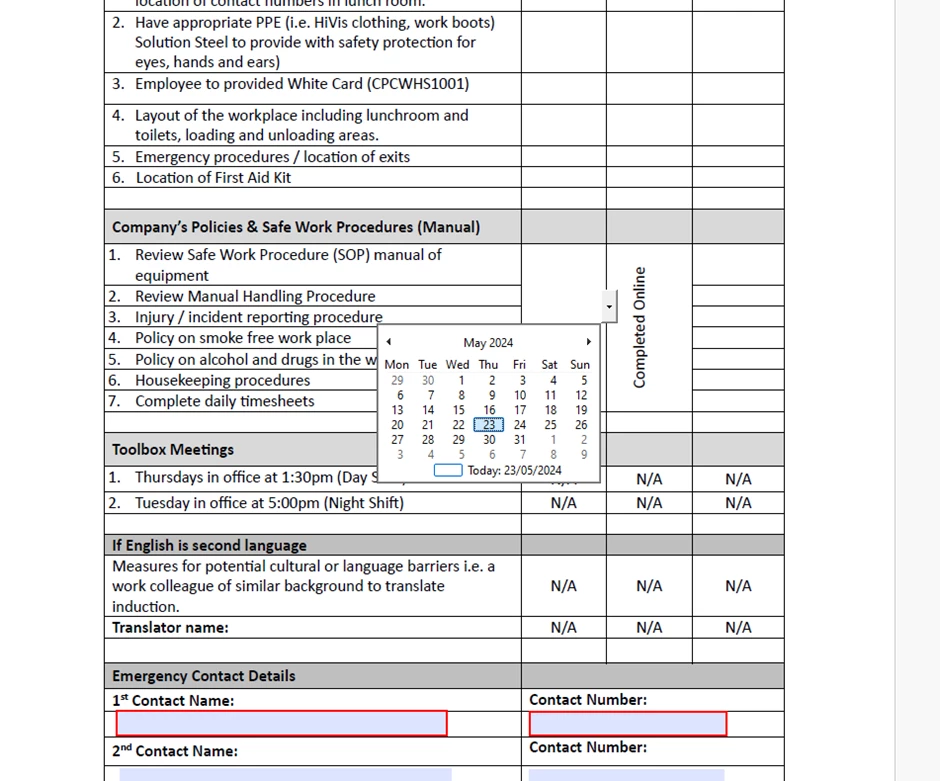
In preview form mode I can see the drop down box for the calendar, however, when I send it for signature it's not there. I've searched extensively online and tried various options but nothing work.

Hi
In preview form mode I can see the drop down box for the calendar, however, when I send it for signature it's not there. I've searched extensively online and tried various options but nothing work.
When you send a form for signatures you are sending it to an Adobe server. The server converts the PDF to a special internal format, which is what the user sees, not the original PDF. This is why there are only a few field types that can be used on a sign form and why the field properties for a sign form are so very different from regular form field properties. So, the date field only works if it is a date field in the Adobe Sign setup. Although it doesn't popup a calendar, it just fills in the date.
Now, to setup the form so that if fills in a date, convert your form to an Adobe Sign form. It's the top option on the "More..." menu when Acrobat is in "Prepare Form" mode.
Already have an account? Login
Enter your E-mail address. We'll send you an e-mail with instructions to reset your password.
 AdChoices