
December 9, 2021
Question

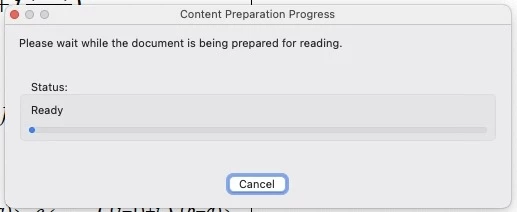
Please wait while document is being prepared for reading on MAC
  • December 9, 2021
  • 1 reply
  • 509 views

 I always see this warning on my Adobe Acrobat Pro. I saw a solution but it did not wok on my mac. There is no reference options under the Edit. Could some one help me how can I close this warning. It is annoying. 

This topic has been closed for replies.

1 reply

Amal.
Community Manager
Community Manager
December 9, 2021

Hi there


Hope you are doing well and sorry for the toruble.


Please try the steps below and check:

1. Go to Adobe Acrobat > Preferences > Reading.

2. Under "Screen Reader Options" select "Only read the currently visible pages".


Let us know if you experience any trouble and need more help.


Regards

Amal