


terrela10326733
Participant
October 5, 2017
Answered

Preflight predefined profiles missing

  • October 5, 2017
  • 5 replies
  • 19966 views

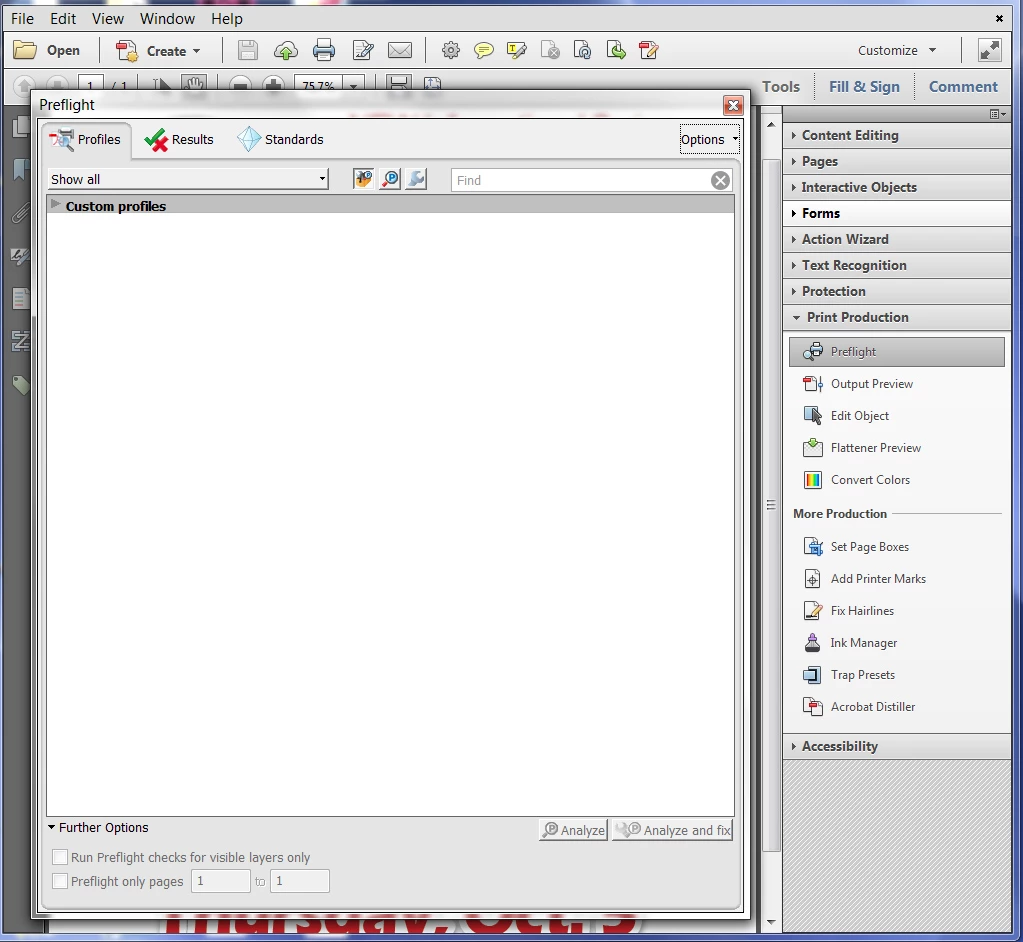
My Acrobat Pro is missing the predefinded profiles. While trying to find them, I created the Custom Profiles which I don't want. How do get the predefined profiles? It's handy for converting pdfs to CMYK or grayscale.
Correct answer Dinamani

I find the same issue in my wife's office PC running Windows 10. I solve the issue by importing Preflight profiles. Go to "Option" for preflight and select for "Import Preflight Profile". A new window will be opened to select the path, then use this path "Program Files (x86)\Adobe\Acrobat 9.0\Acrobat\plug_ins\Preflight" and find "Default.kfp. It will bring back all the missing default profiles.

5 replies

Participant
December 16, 2024

I do this and it works for me with windows 11

then browse to: 

that will fix it

Participating Frequently
December 12, 2022

My solution (after doing a complete removal of the CC and Acrobat, running the CC and Acrobat Removal Tools, and re-installing everything to no effect) was to replace the 'Preflight Acrobat Continuous' folder from my old desktop machine. It should be 50-something Mb -- the one I had in place on the problem machine was only a few Kb. I'm not allowed to attach ZIPs here, but here's the file, in case anyone else needs it: https://www.dropbox.com/s/mecswjz4l9n6eez/Preflight%20Acrobat%20Continuous.zip?dl=0. If the link's no longer working, drop me a reply and I'll see what I can do.

stevent76891219
Participating Frequently
December 13, 2022

Thank you so much for that! Yes, many files did not install with the last upgrade.When copied your folder over, it only asked me at the very end if I wanted to replace a few files. This seems to be a good fix until Adobe does their next update.

DinamaniCorrect answer
Participant
April 16, 2020

I find the same issue in my wife's office PC running Windows 10. I solve the issue by importing Preflight profiles. Go to "Option" for preflight and select for "Import Preflight Profile". A new window will be opened to select the path, then use this path "Program Files (x86)\Adobe\Acrobat 9.0\Acrobat\plug_ins\Preflight" and find "Default.kfp. It will bring back all the missing default profiles.

Participant
September 20, 2022

You win.  This needs to be the correct answer for this question across the board.  This is such an annoying issue.

Karl Heinz  Kremer
Community Expert
Community Expert
October 6, 2017

Which version of Acrobat are you using, and on what operating system?

If a simple re-install does not help, you may have to remove any trace of Acrobat from your system with Adobe's Cleaner tool: Download Adobe Reader and Acrobat Cleaner Tool - Adobe Labs

terrela10326733
Participant
October 7, 2017

Windows 7 Acrobat Pro XI

I can't find the download link on the page to the Download Adobe Reader and Acrobat Cleaner Tool - Adobe Labs.

Bernd Alheit
Community Expert
Community Expert
October 8, 2017

Read the red text on the page.

Bernd Alheit
Community Expert
Community Expert
October 6, 2017

Repair the Acrobat installation.

terrela10326733
Participant
October 6, 2017

I tried that and it did not work. I also did a "Complete Install" and that did not fix it.

Participant
November 22, 2023

How did you fix it?

Reinstall did nothing i still have no profiles.