
Answered
Prepare a form - Add Form Component (Text field, e-Signature field etc) - Missing in Toolbar
Hi all,
It took me so long to figure out why text field properties options were limited and not showing me 'format' tab.
I now understand that it was automatically detecting fields and the form was prepared for e-signing.
I went to preference to uncheck any automatic detection and now I am able to create form components such as text field, e-signature field as needed.
However, I cannot find this menu (add a text field or add e-signature field) in the customise toolbar window under Prepare a form option.
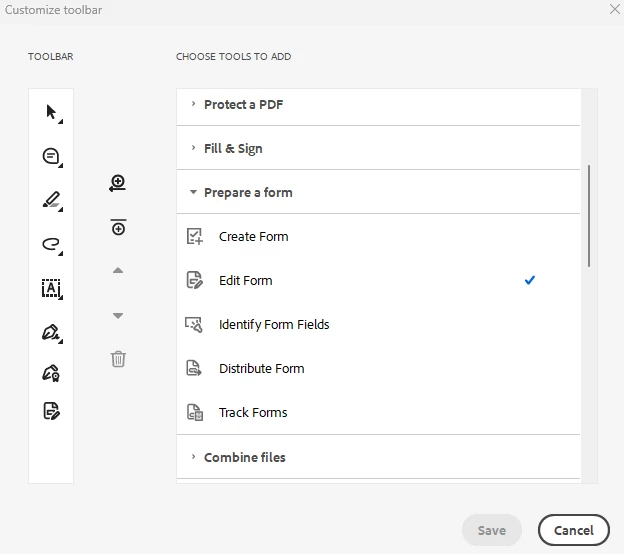
I was able to even a few days ago but after re-imaging my laptop and re-installing Acrobat, I cannot find this function. Please help!!
Thank you.


 AdChoices