Answered
Prevent bookmarks from changing zoom settings
How can I set a default view for myself such that clicking on a bookmark does not require me to change the zoom back to the what I previously had every time?

How can I set a default view for myself such that clicking on a bookmark does not require me to change the zoom back to the what I previously had every time?
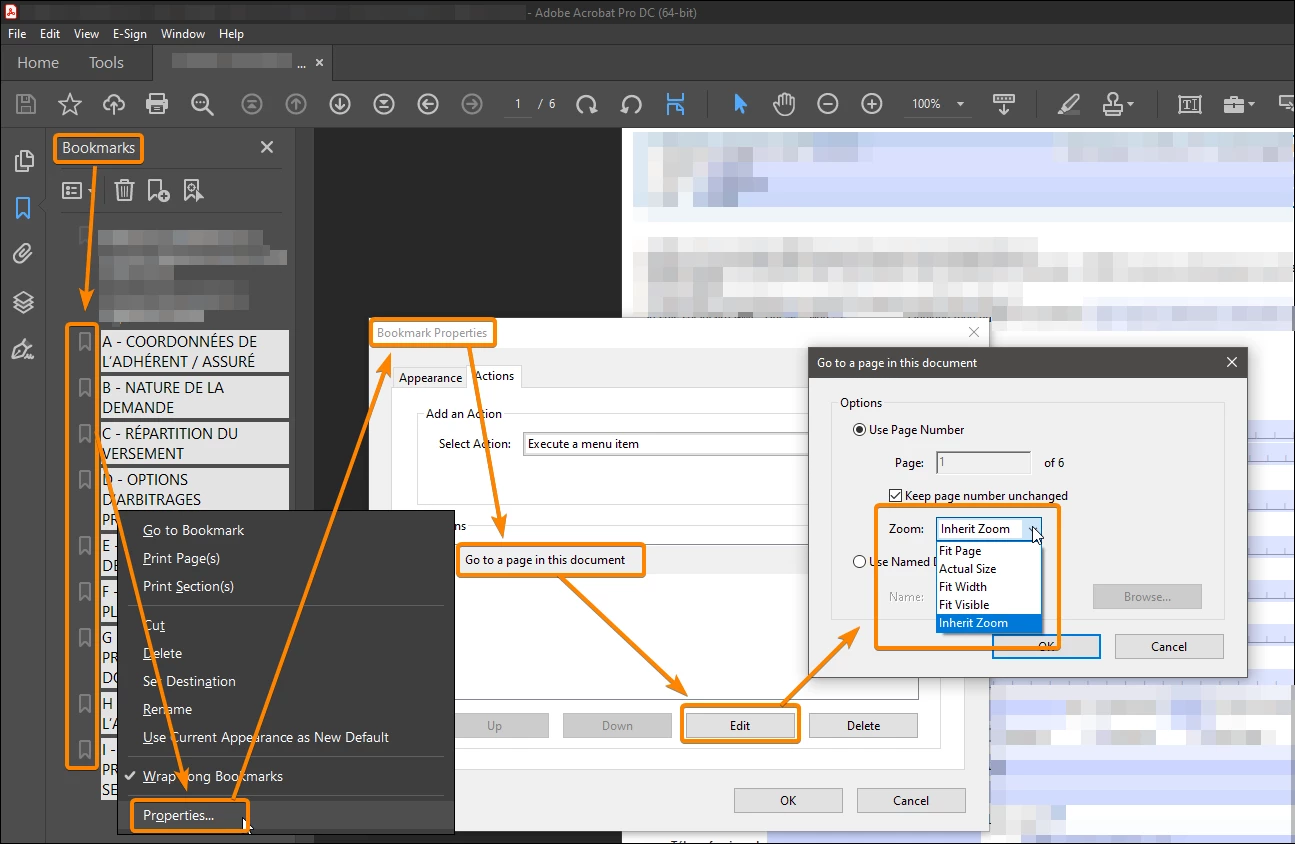
You don't need a script to change the zoom of all bookmarks.
Select all: right-click: Properties.
Already have an account? Login
Enter your E-mail address. We'll send you an e-mail with instructions to reset your password.
 AdChoices