Answered
print darker from light pdf text
How can I darken a light scan of book text or at least darken the print? All black and white.
Thanks!

How can I darken a light scan of book text or at least darken the print? All black and white.
Thanks!
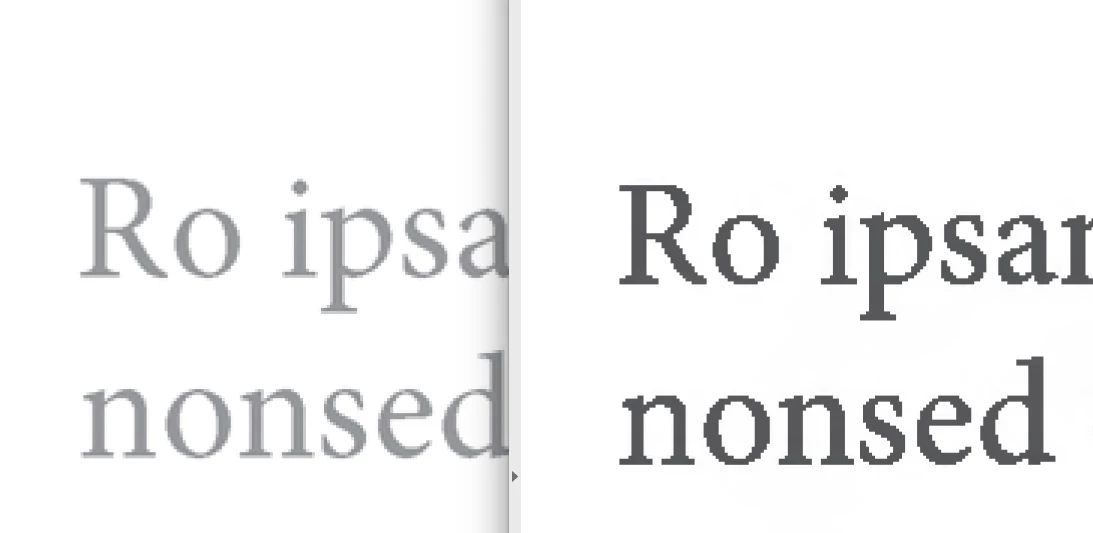
Do you have Acrobat and Photoshop? If so, open the PDF in Acrobat and go to Tools> Edit PDF> and click on the scanned image, right click and select Photoshop as the image editor, the scan will open in Photoshop where you can go to Image> Adjustments> Curves, where you can adjust the image as needed, then save. The PDF will automatically update with the adjusted image. If you are not comfortable with Photoshop, you may be able to darken the scan in Acrobat alone using Tools> Enhance Scans> Enhance- Scanned Document, choose Apply Adaptive Compression (on), High quality, Text Sharpen (high). The combination of the compression and text sharpening apparently changes cmyk black to Gray (or Device Gray) and also darkens it. If the sharpened text looks bad on your printer, stick with option #1. The screen shot on the right side is an Acrobat enhanced scan.
Already have an account? Login
Enter your E-mail address. We'll send you an e-mail with instructions to reset your password.
 AdChoices