
Participant
March 21, 2020
Question

Printing Issue Acrobat DC on Mac

  • March 21, 2020
  • 1 reply
  • 196 views

As of today I have an issue when trying to print a pdf from Acrobat DC. on the screen the file looks normal. But when printing almost all text is gone. The first picture shows how it is supposed to be. The second picture shows how it is printed from Acrobat DC. I tried unistalling & reinstalling Acrobat and printer drivers. Results were always the same. I running MacOS Catalina 10.15.03.
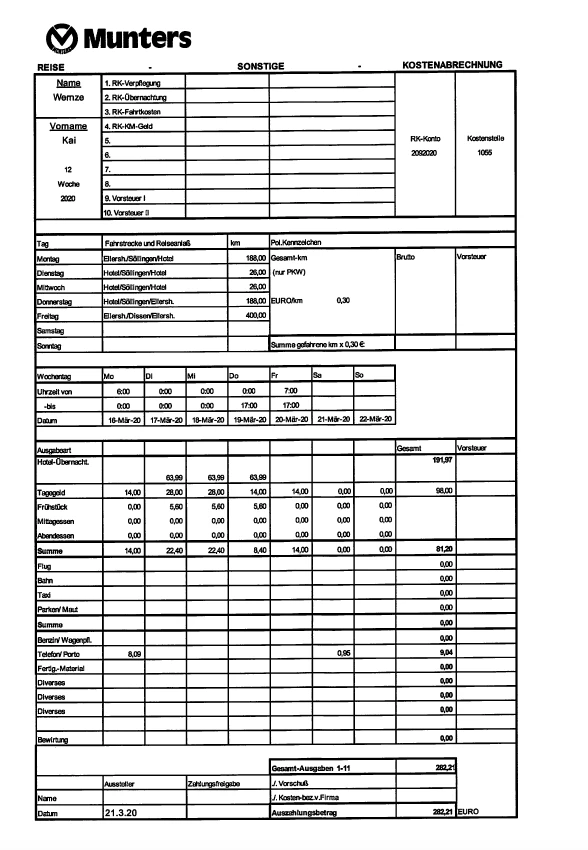
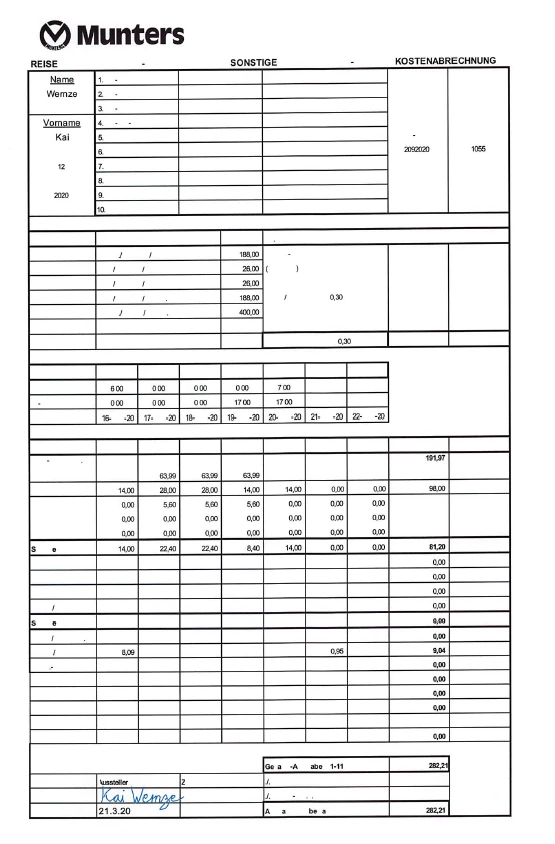
 

This topic has been closed for replies.

1 reply

Amal.
Legend
March 31, 2020

Hi there,


We are sorry for the trouble and the delay in response. I hope you would be able to fix it by now. If the issue still persists please try to print as an image and see if that works. Go to Print > Advanced > Print as image. If it still doesn't work, please try the following steps and see if that helps.


  • Try to update the Adobe Acrobat/Reader DC to the latest version available. Go to Help > Check for Updates
  • Check for any missing update for printer driver and firmware and try updating them. Also, you may try uninstalling the printer driver and firmware and reinstalling them.
  • For testing purposes, please try to turn off the protected mode. Go to Adobe Acrobat/Reader DC > Preferences > Enhanced Security > Turm Off the Protected Mode and Uncheck the Enhanced Security > Click OK and reboot the application and check.
    Note: Please turn on the security after testing.


Let us know how it goes.


Regards

Amal