

Copy link to clipboard
Copied
Hello,
Is there a way to Protect a pdf form witout Password?
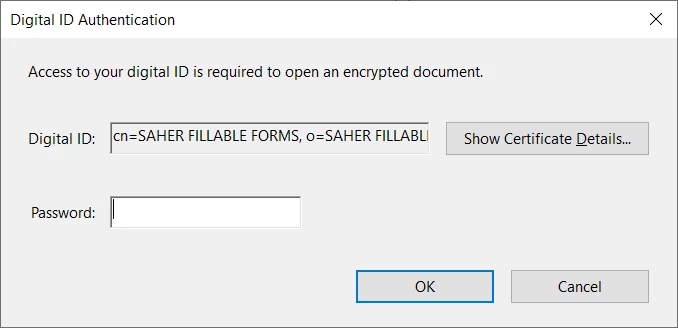
I encrypted it with a certificate, but it's also asking password for opening the file!
all I need is a very strong encryption without asking for password from the end user, but at the same time the user can fill in the form, and click on submit button, ... etc. Also I don't want the encryption to affect the javascript codes.
Best Regards,
Copy link to clipboard
Copied
How have you added the certificate security?
Copy link to clipboard
Copied
Thanks for reply
This is how I added the certificate security, watch this video please,
As for the used certificate, it contains Password, because there is not way to create a certificate without password
https://clipchamp.com/watch/IFzHhLP9FHX
what I'm looking for is to protect the document, so the end user can not access to the fillable fields and change or delete or edit the JavaScript codes.
So it will be protected from editing, not from (opening and editing)
Copy link to clipboard
Copied
For the use of certificate security you need the public key of users certificate.
Why doesn't you use password security without open password?
Copy link to clipboard
Copied
Because any user can use any free tool to unlock the file, I just used for example smallpdf . com, and it removed the restrict protections in 1 second.
Copy link to clipboard
Copied
What do you want to protect it FROM, exactly? Please be detailed.
Copy link to clipboard
Copied
Hi @Test Screen Name
Thanks for reply
It will be protected from editing, not from (opening and editing), and the end user can fill out the form and submit it, but I don't want him to control the fillable fields by modifying their properties, deleting some of them or seeing the codes, (which may sometimes contain answers to surveys, or exams)
Copy link to clipboard
Copied
Hello,
Is there any update here?
Copy link to clipboard
Copied
You can use certificate security with the public key of the user.
Copy link to clipboard
Copied
Thanks @Bernd Alheit
If you could explain more, or direct me to an How-to article, I would be very grateful
Copy link to clipboard
Copied
Get ready! An upgraded Adobe Community experience is coming in January.
Learn more