February 17, 2022
Answered

Qualitätsverlust nach PDF bearbeiten

  • February 17, 2022
  • 1 reply
  • 1349 views

Um ein PDF im Adobe Acrobat Pro DC zuschneiden bzw. bearbeiten zu können, muss man ja das Werkzeug "PDF bearbeiten" wählen.

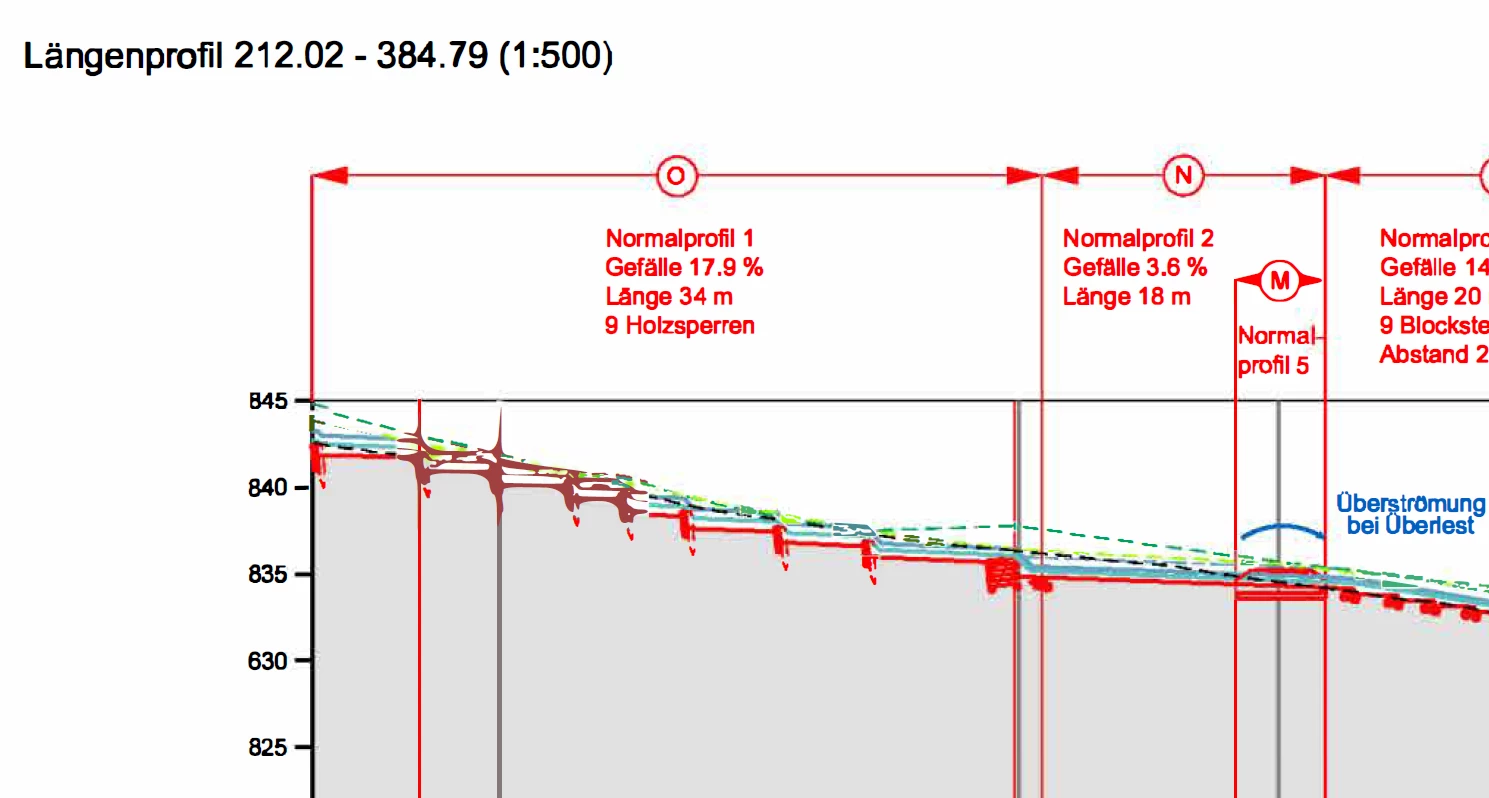
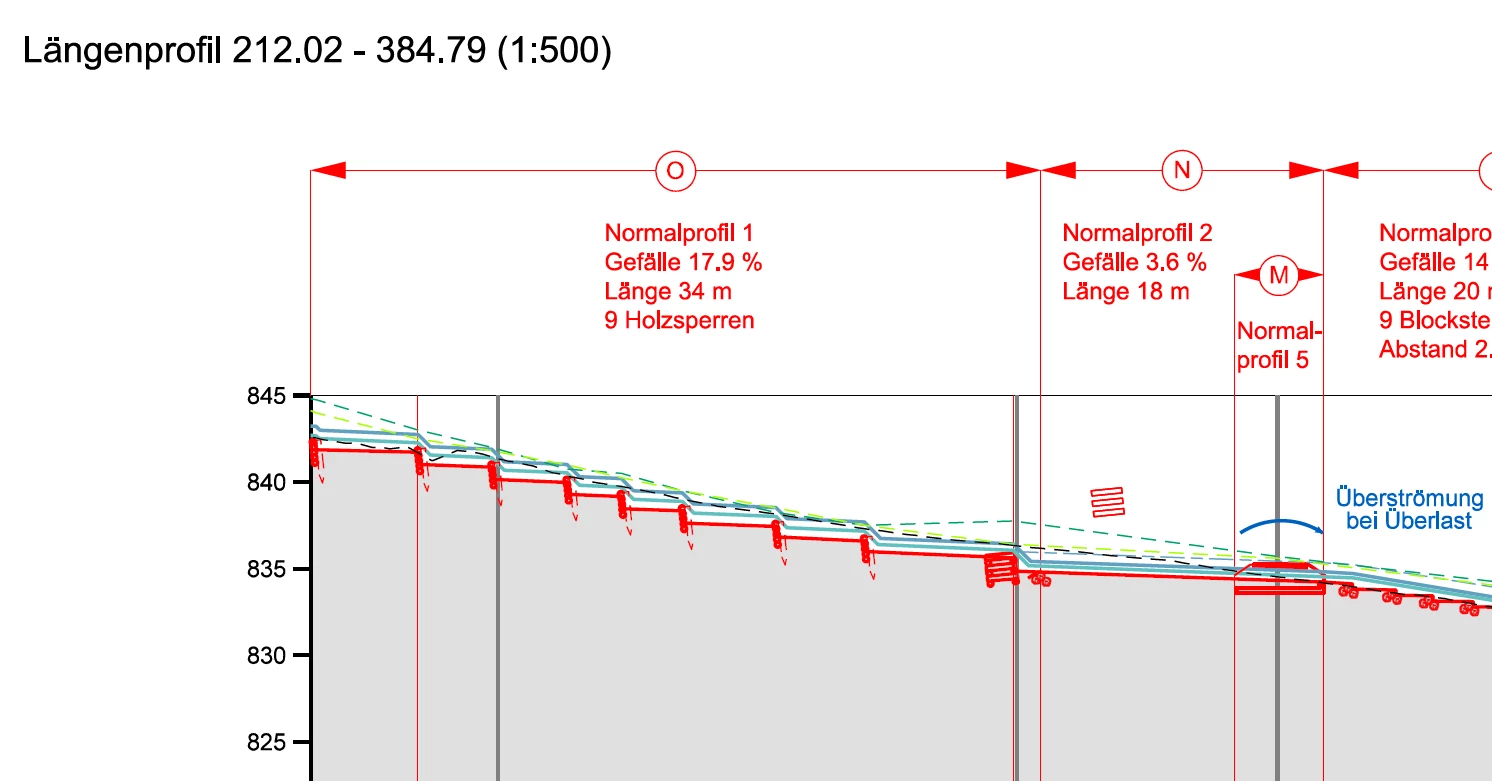
Danach wird eine "Seiterkennung" durchgeführt und die "gescannte Seite wird in bearbeitbaren Text und Bilder umgewandelt". Nach diesem Vorgang ist bei mir die Qualität des PDF's schlechter als davor (siehe Bilder in Anhang). 


Weiss jemand, an was das liegt und/ oder wie man das ändern kann?

Hat jemand anderes diesen Qualtiätsverlust auch?


Vielen Dank für Rückmeldungen!


This topic has been closed for replies.
Correct answer Luke Jennings3

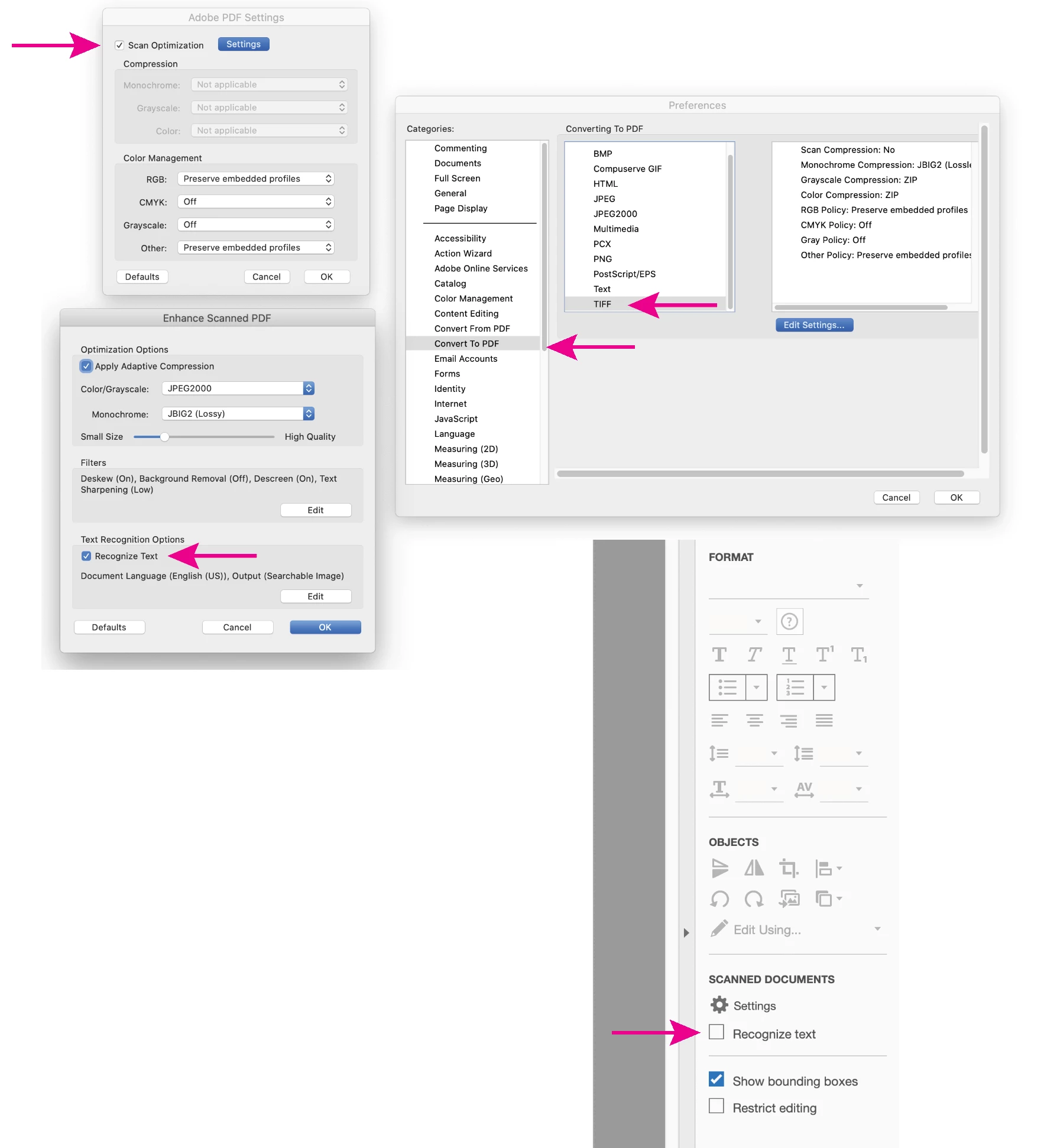
Acrobat is trying to recognize the type in your image using optical character recognition (OCR). You can turn this off in your preferences- Convert to PDF> Tiff> Scan Optimization> Recognize text. (change your preference with no pdf open to apply the change to all pdfs). There is also a checkbox in the edit pdf window (see attached screen shot).

Acrobat will ask you if you want to do OCR on an image, unless you have previously chosen the option to "never show this message again", you can reset this message (and choose to not do OCR) by going to the preference- General> Reset all warnings (bottom right corner of the panel).

You can drag the Crop Pages tool to your Quick tools bar at the top of your screen (Option + click on a Mac), this should allow you to crop pages without selecting the Edit PDF tool. 

If you are creating the charts, you may have an option to save them as pdfs (vector format) instead of images, that's usually a better format. 

1 reply

Luke Jennings3
Community Expert
Luke Jennings3Community ExpertCorrect answer
Community Expert
February 17, 2022

Acrobat is trying to recognize the type in your image using optical character recognition (OCR). You can turn this off in your preferences- Convert to PDF> Tiff> Scan Optimization> Recognize text. (change your preference with no pdf open to apply the change to all pdfs). There is also a checkbox in the edit pdf window (see attached screen shot).

Acrobat will ask you if you want to do OCR on an image, unless you have previously chosen the option to "never show this message again", you can reset this message (and choose to not do OCR) by going to the preference- General> Reset all warnings (bottom right corner of the panel).

You can drag the Crop Pages tool to your Quick tools bar at the top of your screen (Option + click on a Mac), this should allow you to crop pages without selecting the Edit PDF tool. 

If you are creating the charts, you may have an option to save them as pdfs (vector format) instead of images, that's usually a better format.