
Participant
July 7, 2020
Question

"cleaning up" pdf's of old, scan generated, scientific documents

  • July 7, 2020
  • 4 replies
  • 11722 views

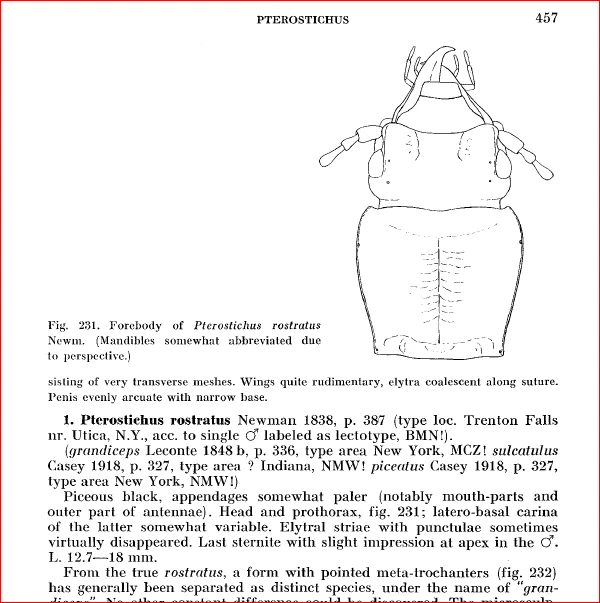
Is there a process for "cleaning up" pdf's created from scaned documents? in this example ... an old scientific doument with symbols, latin names, etc.? 

When I selected a section, then saved as PDF...... symbols, latin names, etc. are sometimes interperted incorrectly.


Any suggestions?


    This topic has been closed for replies.

    4 replies

    try67
    Community Expert
    Community Expert
    July 8, 2020

    I would recommend taking the original scans to something like Photoshop in order to clean them up, sharpen them, etc.

    When done, convert them to a PDF file and then run Text Recognition on them. Acrobat is not really the tool to do the cleaning-up. It's not an image editor.

    Bevi Chagnon - PubCom.com
    Legend
    July 9, 2020

    Before bringing the pages into Photoshop for clean-up (that's a lot of work for so many pages!), I'd try these 2 options first:


    1. Adjust the OCR settings within Acrobat. Right now it seems to miss some of the lighter characters in the original scan, and that's not unusual for a document printed 50-60 years ago and scanned who-knows-when. Play around with the settings and see if you can improve its accuracy.
    2. Try another OCR software. Although Acrobat's is decent, other brands do a better job for certain types of scans. My firm's top 2 recomendations are:
      1. Abby FineReader https://www.abbyy.com/
      2. OmniPage https://www.kofax.com/Products/omnipage


    Because of the complexity of your content, I recommend the "Pro" versions of these programs rather than the cheaper versions. They have better recognition of unusual symbols, STEM characters, and  languages, as well as controls for cleaning up the background crud that gets caught into a scan.


    |    Bevi Chagnon   |  Designer, Trainer, & Technologist for Accessible Documents ||    PubCom |    Classes & Books for Accessible InDesign, PDFs & MS Office |
    Bevi Chagnon - PubCom.com
    Legend
    July 8, 2020

    Might be a font issue, older TrueType or PostScript fonts that used the ASCii character set (https://www.asciitable.com/ ), versus today's OpenType fonts that are based on the Unicode character set (https://www.unicode.org).  The computer industry adopted Unicode in January 2000. Although older TrueType and PostScript fonts can still be used, they're missing the advanced characters of Unicode, such as foreign language glyphs, math/science symbols, and dingbats.


    If you  look at the Fonts tab in File / Properties, tell us what fonts are listed.


    |    Bevi Chagnon   |  Designer, Trainer, & Technologist for Accessible Documents ||    PubCom |    Classes & Books for Accessible InDesign, PDFs & MS Office |
    ewilhelmAuthor
    Participant
    July 8, 2020

    This document was orginally published in 6 parts, (published between 1961 and 1968, in sweeden)

    under Files / Properties / Fonts.... Adobe is identifying 8 font types: 

    Helvetia

    Helvetica - Bold

    Helvetica - Bold Oblique

    Helvetica - Oblique

    Times - Bold

    Times - Bolditalic

    Times - Italic

    Times - Roman


    I am also includeing one page before and after... (after selecting the page and saving as a new pdf)

    FYI.... this publication is large.. 2 files (698 and 546 page)


    ewilhelmAuthor
    Participant
    July 7, 2020

    Adobe Acrobat Pro DC

    John T Smith
    Community Expert
    Community Expert
    July 7, 2020

    Please post the exact name of the Adobe program you use so a Moderator may move this message to that forum