
Participant
April 25, 2024
Question

"Comment" tool replaced by "Add comments" tool

  • April 25, 2024
  • 2 replies
  • 1291 views

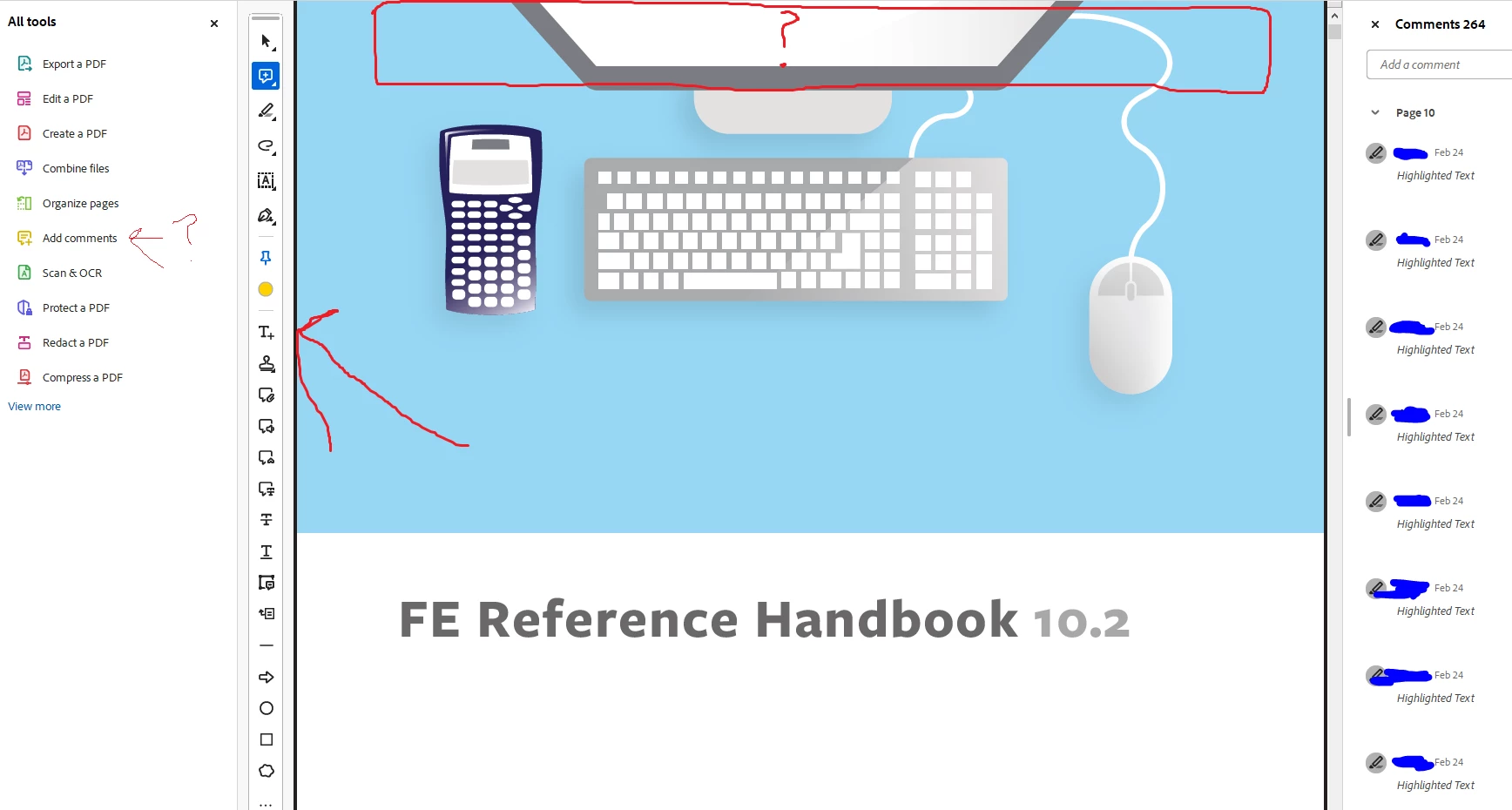
This may be a bug or mistake, but on Adobe Acrobat Pro, I was using the "Comment" tool and all was well until it just changed to "Add comments". Now I don't get the awesome toolbar at the top of the screen (1st image that I took off of Adobe Acrobat Reader now that I had to download it).

Instead, I have to use this stupid toolbar on the left side of the screen that is not intuitive at all. What could possibly have happened with my computer to change this tool?
 

2 replies

try67
Community Expert
Community Expert
April 26, 2024

To go back to the old UI click the Options button at the top left corner (Windows) or open the View menu (Mac) and select Disable New Acrobat.
And you can vote here to get rid of it: https://acrobat.uservoice.com/forums/590923-acrobat-for-windows-and-mac/suggestions/47082691-ditch-the-2023-user-interface-in-acrobat

Participant
March 27, 2025

Yes, the new UI is worthless, why does Adobe and others insist on randomly changing tools to their liking and leaving working tools alone.  I dont anyone complaining about the old tools.

AnandSri
Community Manager
Community Manager
April 2, 2025

Hello!


I hope you are doing well, and sorry for the trouble you had.


We recommend using the new user interface (UI) of Acrobat and its tools. We welcome any feedback or observations you may have regarding aspects of the new UI that may not be functioning well. One of the product community experts suggested that users consider returning to the classic UI of Acrobat and has shared a link for you to upvote this feedback to the product team. You can go ahead and add your observations, and you can also use this URL to file a feature request with the product team. However, the changes made in the new UI are to make the experience better. Let us know if you find difficulties in locating any tools related to commenting. To learn more, see this article: https://adobe.ly/4i0uMUx


I hope this helps.

Thanks,

Anand Sri.

Bernd Alheit
Community Expert
Community Expert
April 25, 2024

This is the new UI of Acrobat.