

mikeyjames1967
Participating Frequently
September 9, 2022
Answered

"New Acrobat" - Bookmarks, Thumbnails now forced to right side - Why?

  • September 9, 2022
  • 14 replies
  • 15947 views

Hey All,

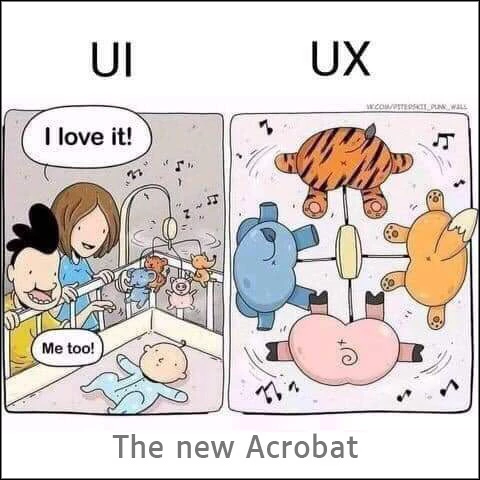
Any idea why the designers felt the need to swap the sides where tools appear in the "New Acrobat"? I find it very annoying to be working on a large document and having the bookmarks and thumbnails on the right-hand side and there seems to be no way to get it back to the left. 


Why is it that companies like Adobe and Microsoft, etc. feel it is a clever idea to force changes on people for no apparent reason. All this does is make the product feel awkward to use and annoy customers. We have been using Acrobat with bookmarks and thumbnails on the left for a long time and it feels unnatural and weird. 


I know if we use it long enough, we will get used to it, but why should we have to? I would understand if there were massive productivity gains for sticking with it, but there isn't, it's a forced change for nothing other than some designer thought it looks good.


At least give us an option about what side we want tools on. 


I hope someone at Adobe reads this and passes on the feedback.


Mick


[moderator corrected a typo as of OP's request]
Correct answer JR Boulay

14 replies

Participant
August 23, 2023

Figured out how to revert Adobe view to previous version. There was an option under the menu in the top left corner that says Disable new Acrobat.

Participant
August 24, 2023

Thanks this has been driving me crazy!!  Who has bookmarks on the right??

asuperstore
Participant
August 23, 2023

Just opened Acrobat to find this, [moderator: abuse removed.] made this design choice? Western world reads left to right, if there job is to make it harder to find what looking for, they've succeeded. [moderator: abuse removed.] that thought of this!

asuperstore
Participant
August 23, 2023

Within minutes found you can revert back to old version in menu, but still an updated piece of software where you're forced to revert back to old as worse?! 

Participating Frequently
August 23, 2023

I cant understand this change either, i could understand making it easy to set it up how you want. ( if you prefer to swap these features on your own) but to force a new setup for the sake of a "new" look, seems slightly tyranical. maybe a bit harsh, but if adobe could explain its decision with any logical reasoning maybe i could look past this. PLEASE ADOBE, MAKE IT SO THIS IS AN OPTION, NOT A DECISION.

Bernd Alheit
Community Expert
Community Expert
September 9, 2022
mikeyjames1967
Participating Frequently
September 9, 2022

Yes, I know it is part of the "New Acrobat". My point is, why change the sides tools are on? It adds absolutely nothing to the user experience, nor does it increase productivity. All it does is force the user to get used to tools being on the opposite side of the page/doc they are working on.  


I do actually like the fresh new look but find it odd we wouldn't be given an option which side we want the tools on. 

Bernd Alheit
Community Expert
Community Expert
September 9, 2022

You can disable it.

mikeyjames1967
Participating Frequently
September 9, 2022

Meant to say "Hey All" but can't figure how to edit posts here. Any help appreciated. 

Abambo
Community Expert
Community Expert
October 22, 2023
quote

Meant to say "Hey All" but can't figure how to edit posts here. Any help appreciated. 


By @mikeyjames1967

Beginners can't edit posts. You need to wait to climb the ranks before being able to do that. That's a feature, not a bug.

ABAMBO | Hard- and Software Engineer | Photographer