Participant
April 1, 2019
Answered

Re: How do I separate pages in a PDF?

  • April 1, 2019
  • 2 replies
  • 813 views

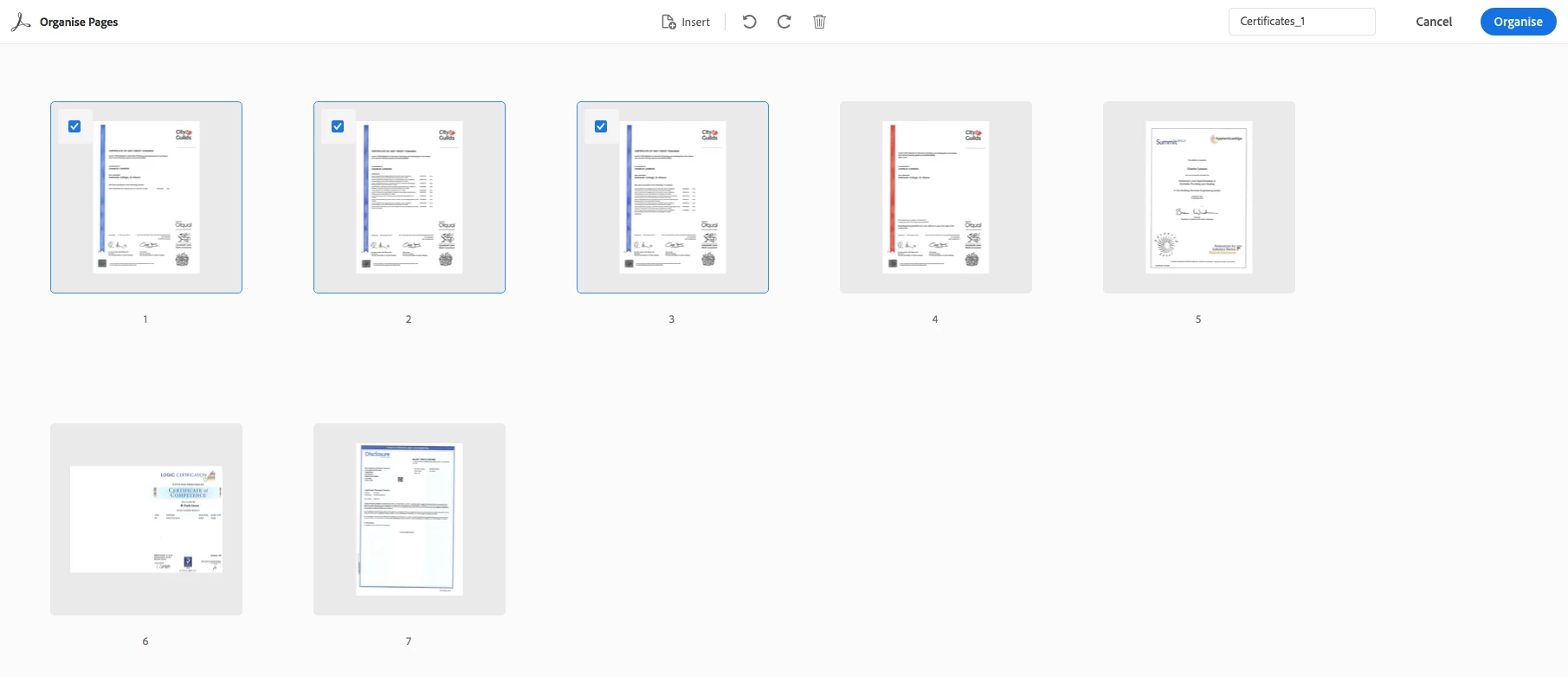
Once I have have have the Organise pages tab open I do not have the option to "extract" or "split" - there is no menu/ options, other than to "organise" (already done) or "insert". I need to split this documents into several individual files.

Pls see screen shot.

This topic has been closed for replies.
Correct answer Meenakshi_Negi

Hi Garyo,

By looking into the screenshot, it seems that you are using the Organize Pages feature on online Document Cloud account.

In the Document Cloud, there are limited options available to organize a PDF. Please go through this help document How to Organize pages in a PDF online once to check the options available.

In order to extract or split a document, please use the organize pages feature in the Adobe Acrobat DC desktop application.

You may take help of the steps provided here How to rotate, move, delete, and renumber PDF pages in Adobe Acrobat

Hope that the information helps.

Let us know if you have any questions.

Regards,

Meenakshi

2 replies

Meenakshi_Negi
Meenakshi_NegiCorrect answer
Legend
April 8, 2019

Hi Garyo,

By looking into the screenshot, it seems that you are using the Organize Pages feature on online Document Cloud account.

In the Document Cloud, there are limited options available to organize a PDF. Please go through this help document How to Organize pages in a PDF online once to check the options available.

In order to extract or split a document, please use the organize pages feature in the Adobe Acrobat DC desktop application.

You may take help of the steps provided here How to rotate, move, delete, and renumber PDF pages in Adobe Acrobat

Hope that the information helps.

Let us know if you have any questions.

Regards,

Meenakshi
Participant
April 5, 2019

I am in the same boat - can't find the "split" option.