
Participant
May 9, 2019
Answered

Reinstall deleted Adobe PDF Printer Driver (Acrobat 7)

  • May 9, 2019
  • 1 reply
  • 3325 views

I have acrobat 7.0 standard that is loaded on my windows 7 machine.  I own the computer.  Everything was loaded and legit when I bought the computer.

I accidentally deleted the adobe pdf printer driver.  Now I can't convert Word Documents to Pdf.

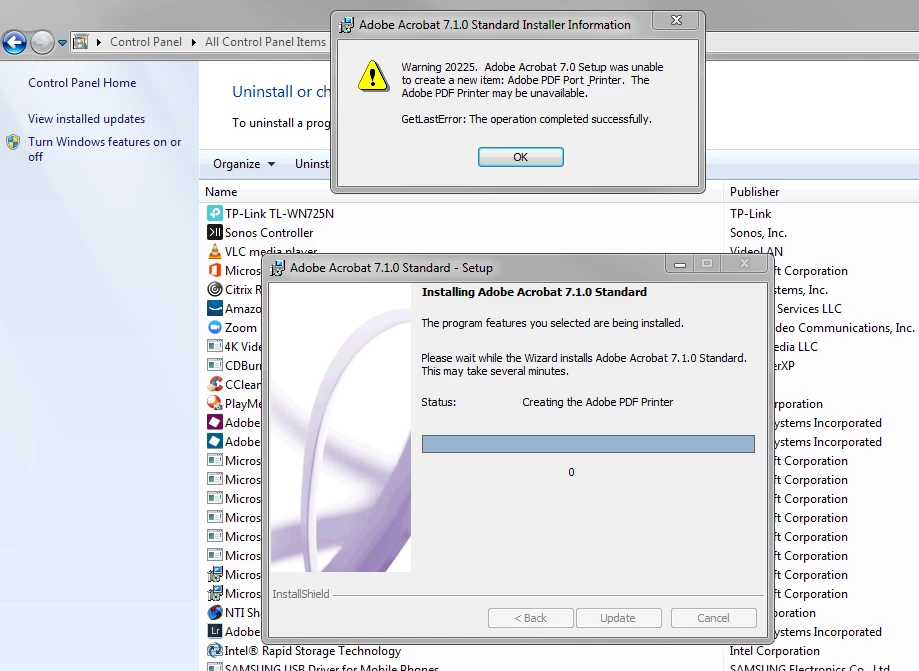
I read on one of the forum question/answers that if one has the adobe standard installed, the problem can be resolved by going into repairing the program.  When I did this, I got the error message below saying adobe 7 was unable to create a new items: .....

Any help is appreciated.  I basically want to be able to again convert Word documents to Adobe PDF.

[Title renamed for clarity by moderator. Was: “acrobat 7 error after repair”.]
Correct answer Dov Isaacs

You've been given the answer, but let me reinforce this.

On behalf of Adobe, any version of Windows beyond Windows XP 32-bit is totally incompatible with Acrobat 8.0 and earlier. You may be able to install parts of it, but it is impossible to install the Adobe PDF PostScript printer driver instance due to changes in the operating system's support for drivers.

If you did have it running on Windows 7, it was likely due to the system itself having been upgraded from Windows XP and that Acrobat 7 (released December 2004) was installed prior to the upgrade to Windows 7.

There is absolutely nothing that anyone here or at Adobe can do to get Acrobat 7 fully installed on Windows 7 (or Windows Vista, Windows 8.x, or Windows 10).

          - Dov

1 reply

try67
Community Expert
Community Expert
May 9, 2019

Acrobat 7 is extremely old and not compatible with Windows 7, so problems with it are to be expected, especially when it comes to things like the Adobe PDF Printer.

Participant
May 9, 2019

Thank you for your reply.

However, I don't see this answer to address my question. 

My question is why it was all working (meaning it was compatible obviously with my Windows 7) before I accidentally deleted the driver.

Please don't automatically assume the answer is correct.

How do I get Word document to convert back to PDF?

try67
Community Expert
Community Expert
May 10, 2019

Sorry, can't help you. Any small change to the OS can cause it to break, because it's not compatible.

It's time to get a new version.