Hello Mark,
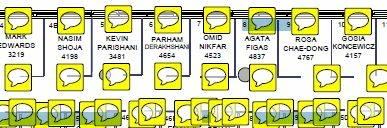
Sorry for the delayed response and inconvenience caused. By default PDF Studio Version 9 is set to copy the text you mark up into the annotation note. A sticky note/bubble will appear right next to the markup on the page to indicate that there is text in the note.
To remove the text note from a specific text markup annotation, follow the step below:
1. Using the Hand Selection tool, double-click on the text markup annotation. This will open the annotation note popup dialog.
2. Delete all of the text from the note section
3. Close the note popup dialog and the icon will go away
You may also refer to Flattening a PDF with sticky notes
Feel free to update this discussion for any further assistance.
Regards,
Anand Sri.



 AdChoices